

Description
Build your own End portal and travel to the End from anywhere in your world. This mod is for after you already have traveled to the end and beat the dragon you will need the main portal to make the platform you spawn on to, this mod is so you can put the end portal anywhere on in your world sorry the block doesnt look great and peals dont show when inserting them but since it is a craft able block you can break it and the portal will still stay and change the block to whatever blocks you choose and yes it does work I tried it on my RealMS Bedrock server
Mod Wiki
Personal End Portal Frame
Quickstart
Craft an Endstone Portal Frame at a crafting table using . Place 12 frames in a horizontal ring around a 3×3 opening: put three frames along each side, leave the four corners empty, and make every frame face inward.
Hold an Ender Eye and use it on each frame. In Survival, each eye is consumed; in Creative, it isn’t. Keep the 3×3 opening clear. When all 12 frames have eyes, the opening fills with portal blocks. Step into the portal to travel to the End.
Overview
Personal End Portal Frame lets you build a working End portal wherever you have room for one. The portal forms when the frame arrangement is complete and its interior is clear.
What It Adds
- Endstone Portal Frame: A craftable placeable frame block.
- Custom End portal: A 3×3 portal that activates when its 12 inward-facing frames each hold an Ender Eye.
How To Use
- Build the frame ring on one level, with the frame blocks facing the center.
- Use an Ender Eye on each frame.
- Keep blocks out of the 3×3 space inside the ring until the portal activates.
- Step into the portal to travel to the End.
The portal can be built outside the End. Its frame arrangement must be complete and its interior clear for activation.
Crafting And Obtaining
Craft the Endstone Portal Frame at a crafting table with one End Rod and one End Stone. Each craft produces one frame. You’ll need 12 frames and, outside Creative, 12 Ender Eyes for a complete portal.
How to install
Download the mod and follow the step-by-step installation guide.
Players also liked
Crimson Lantern Ghost City


Explore the haunted Crimson Lantern City—lantern-lit streets, gambling dens, masked ghosts, and rare loot.
Coal Crafting Table


Placeable Leaf Coal Table. Right-click to open a GUI that converts 4 leaves into 1 coal.
Webwalker Ascension

Survive the Webbed Wilds, awaken spider powers, and master a skill tree to become the ultimate webwalker.
Eternal Eraser


Eternal Eraser: Right-click deletes all dropped item entities within a 32-block radius (no effect on blocks, players, or mobs). Infinite uses and no item degradation.
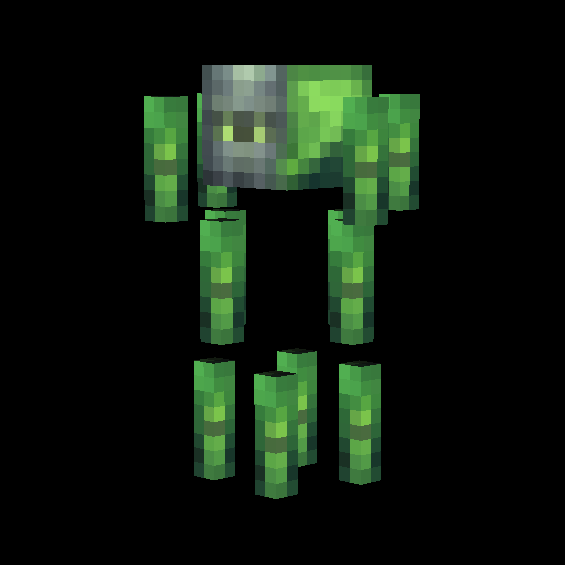
Venom Knight Blaze

A hostile Blaze variant with a green colored body and a knight helmet. Instead of launching fireballs, it shoots poisonous projectiles at nearby players and mobs.
This mod is licensed under the CreativeMode Mods License.