

Description
Wield the Ender Eclipse Blade, summon the dragon, and unlock a 16-block one-shot ability.
Mod Wiki
Ender Eclipse Blade
Quickstart
- Obtain the Ender Eclipse Blade from the Creative inventory’s Equipment category, or craft it at a crafting table.
- Hold the blade in your main hand or off-hand.
- Use the item—right-click with a mouse or press ZL on a controller—to summon an Ender Dragon several blocks in front of you.
- Gain XP to unlock the blade’s abilities at levels 5, 10, 20, and 30.
- At level 30, use the blade once to summon the dragon, then use it again within 5 seconds to activate Ender Oblivion, defeating nearby mobs within 16 blocks.
Overview
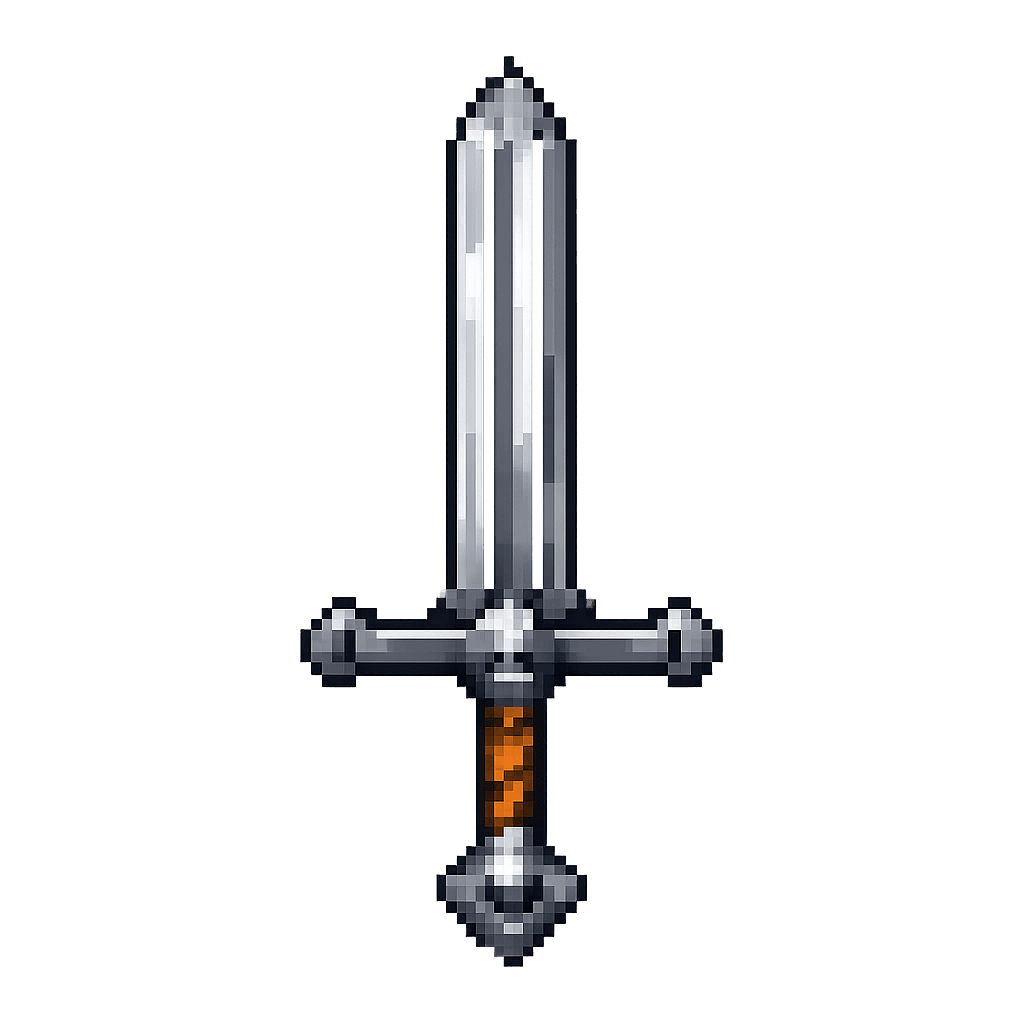
The Ender Eclipse Blade is a powerful epic sword with high damage, long durability, XP-based abilities, and the power to summon an Ender Dragon. Its ability unlocks are shown in the right-side scoreboard and in the action bar while you play.
What It Adds
- Ender Eclipse Blade
- Epic rarity
- 15 attack damage
- 2,031 durability
- Enchantable as a sword
- Can be equipped in the off-hand
- Ender Dragon summoning
- Four XP-based abilities
- A 16-block instant-defeat ability for nearby mobs
- An on-screen ability unlock display
Crafting And Obtaining
Craft the blade at a crafting table using obsidian, Ender Eyes, a Nether Star, and a diamond sword.


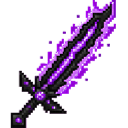
You can also obtain the blade directly from the Creative inventory under Equipment.
How To Use
Summon the Ender Dragon
Hold the blade and use it when you have not used it during the previous 5 seconds. An Ender Dragon appears roughly 6 blocks in the direction you are facing and slightly above your position.
The dragon must have enough room to spawn. If it cannot be summoned in the current location, the blade displays an error message instead.
Activate Ender Oblivion
Ender Oblivion requires XP level 30.
- Use the blade to summon an Ender Dragon.
- Use the blade again within 5 seconds.
- Every mob within 16 blocks of you is instantly defeated.
Ender Oblivion targets mobs only; it does not defeat players or remove dropped items. After activating it, wait more than 5 seconds before using the blade again to summon another dragon.
Check Your Unlocks
The mod displays the following abilities in the sidebar:
| Ability | Unlock level |
|---|---|
| Void Step | 5 |
| Eclipse Slash | 10 |
| Dragons Wrath | 20 |
| Ender Oblivion | 30 |
Locked abilities are shown with their required level, while unlocked abilities are marked as available.
Abilities And Mechanics
Void Step — Level 5
Using the blade grants you a short Speed boost lasting 5 seconds. This effect is applied whenever you use the blade after reaching level 5.
Eclipse Slash — Level 10
Successful hits with the blade deal an additional 4 points of magic damage to the target.
Dragons Wrath — Level 20
Successful hits also apply Weakness to the target for 5 seconds. The effect is accompanied by visible particles.
Ender Oblivion — Level 30
A second use within 5 seconds of summoning the dragon defeats every nearby mob within a 16-block radius. This is the blade’s final ability and does not affect players.
Progression And Strategy
- Reach level 5 early to gain the blade’s movement boost.
- At level 10, use normal sword attacks to benefit from the extra magic damage.
- At level 20, the additional Weakness effect helps weaken enemies during combat.
- At level 30, use Ender Oblivion against groups of hostile mobs, then wait 5 seconds before trying to summon another dragon.
- Give summoned dragons plenty of open space, since the blade creates them directly in front of you.
How to install
Download the mod and follow the step-by-step installation guide.
Players also liked
Carved Box Bed


Carved bed luxury with real vanilla sleep, safe spawn points, and atomic multiblock placement.


Demon speech mask

Wield cursed speech, command nearby foes, and endure the devastating recoil.

Feather Totem

Feather Totem: A mystical white and gray totem that grants complete immunity to fall damage when held in either hand. Simply equip it in your main hand or offhand to leap from any height without harm—removing it restores your normal vulnerability. Its near-indestructible nature e…
Grand Walnut Dresser
My 2nd of 10 furniture pieces I am releasing for the creativemode community. Hope you enjoy!
This mod is licensed under the CreativeMode Mods License.