

Description
Assign unlocked spells to hotkeys and cast them instantly whenever adventure calls.
Mod Wiki
Command-based Spells
Quickstart
- Open chat and run
/spellsto view every spell and its unlock cost. - Spend XP levels to unlock a spell. For example:
/unlock warrior/unlock cloudwalk/unlock mining
- Cast it with
/cast <spell>. Try/cast warriorto summon a Grave Warrior or/cast cloudwalkto gain temporary flight. - Assign a hotkey with
/hotkey <spell> <key>, such as/hotkey warrior r. Press the assigned key whenever you want to cast the unlocked spell. - Use
/myspellsto view your unlocked spells, levels, active upgrades, and current effects. - Upgrade a spell with
/upgrade <spell>when you have enough XP levels.
Hotkeys are shown under the Commandbound Grave Warrior category in the Controls menu. A spell must be unlocked before it can be assigned or cast.
Overview
Command-based Spells is a command-driven spell system for exploration, combat, mining, movement, portals, and mob control. It adds eleven unlockable spells with XP-based upgrades and keyboard shortcuts.
Spells are player-specific and their unlocks, upgrade levels, and hotkey assignments are saved with the world. Most spells are cast instantly through chat or an assigned key.
What It Adds
- Eleven unlockable spells
- Five upgrade levels for most spells
- XP-level costs for unlocking and upgrading
- Temporary and permanent abilities
- A powerful summoned Grave Warrior
- Astral projection and flight
- Protected areas and permanent safe havens
- Mob pacification, taming, and protection
- Automatic strip mining with floating pickaxes
- Linked blue and red portals
- Instant keyboard casting
How To Use
Main commands
| Command | Use |
|---|---|
/spells | List every spell, its description, unlock status, and costs |
/myspells | Show unlocked spells, upgrade levels, and current effect values |
/unlock <spell> | Unlock a spell by spending XP levels |
/upgrade <spell> | Improve an unlocked spell |
/cast <spell> | Cast an unlocked spell |
/cast portal blue | Create or replace your blue portal |
/cast portal red | Create or replace your red portal |
/hotkey <spell> <key> | Assign a keyboard key to a spell |
/hotkey list | Show your current hotkey assignments |
/hotkey clear <spell> | Remove a spell's hotkey |
Letters, numbers, function keys, Space, Tab, Enter, Shift, Control, and Alt keys can be assigned. Each key can cast only one spell, and each spell can have only one key. Assigning an occupied key replaces its previous spell assignment.
XP costs
- Most spells cost 20 XP levels to unlock.
- Protection costs 15 XP levels to unlock.
- Tame costs 30 XP levels to unlock.
- Spell upgrades cost 15, 20, 30, and 50 XP levels in order.
- Tame costs 10 XP levels each time it is cast.
- Protection costs 15 XP levels each time it is cast.
Abilities And Mechanics
Warrior
Cast /cast warrior to summon a fast Grave Warrior a short distance in front of you.
The Grave Warrior:
- Is 1.5 times the size of a normal zombie
- Wears netherite gear
- Has powerful melee attacks and strong knockback
- Uses a flaming Power III bow
- Fights for you until its duration ends
- Does not burn in daylight
Its base duration is 5 seconds and doubles with each upgrade.
| Warrior upgrade level | Duration |
|---|---|
| Base | 5 seconds |
| 1 | 10 seconds |
| 2 | 20 seconds |
| 3 | 40 seconds |
| 4 | 80 seconds |
Cooldown: 5 minutes.
Project
Cast /cast project to leave your body in a bounded spectator projection. Your original game mode and position are stored while you explore.
- The projection begins with a 40-block radius.
- You cannot travel beyond the radius from your body.
- If you reach the limit, you are returned to the edge of the projection.
- Cast
/cast projectagain to return to your body and original game mode.
| Project upgrade level | Projection radius |
|---|---|
| Base | 40 blocks |
| 1 | 80 blocks |
| 2 | 160 blocks |
| 3 | 320 blocks |
| 4 | 640 blocks |
Cooldown: 4 minutes when starting a projection.
Sanctuary
Cast /cast sanctuary to create a temporary white-spark sanctuary centered on your current position.
While inside the sanctuary:
- You are invulnerable.
- Mob hostility is suppressed.
- The sanctuary lasts for a limited time.
- Leaving the radius removes its protection.
| Sanctuary upgrade level | Radius | Duration |
|---|---|---|
| Base | 2 blocks | 10 seconds |
| 1 | 4 blocks | 20 seconds |
| 2 | 8 blocks | 40 seconds |
| 3 | 16 blocks | 80 seconds |
| 4 | 32 blocks | 160 seconds |
Cooldown: 3 minutes.
Sanctuary must be fully upgraded before you can unlock Haven.
Haven
Haven is the final sanctuary spell. Unlock it with /unlock haven after reaching the maximum Sanctuary upgrade level.
Cast /cast haven to create a permanent 32-block sanctuary. It provides the same safe-zone behavior as Sanctuary without a duration or radius upgrades.
To remove it, stand inside its radius and cast /cast haven again.
Haven has no cooldown and cannot be upgraded. You must uncast an active Haven before using Sanctuary again.
Pacify
Cast /cast pacify to permanently calm nearby mobs. Green sparks mark the effect.
At lower levels, Pacify affects hostile mobs. Upgrades increase the radius, then unlock companion behavior.
| Pacify upgrade level | Radius | Behavior |
|---|---|---|
| Base | 2 blocks | Calms hostile mobs |
| 1 | 5 blocks | Calms hostile mobs |
| 2 | 10 blocks | Calms hostile mobs |
| 3 | 3 blocks | Affects all mobs and creates companions |
| 4 | 10 blocks | Affects all mobs and creates companions |
At companion levels, affected mobs follow and fight for you. Cast Pacify again while companions are nearby to send existing companions away; they leave for about 30 seconds before disappearing.
Cooldown: 4 minutes.
Aura
Cast /cast aura to toggle a permanent ring of blue sparks around yourself.
The aura:
- Follows you wherever you go.
- Extends 6 blocks from you.
- Periodically damages hostile mobs.
- Does not damage pacified mobs or your summoned creatures.
- Deals neutral, no-knockback magic damage.
Its radius never increases, but its damage doubles with each upgrade.
| Aura upgrade level | Damage per pulse |
|---|---|
| Base | 1 |
| 1 | 2 |
| 2 | 4 |
| 3 | 8 |
| 4 | 16 |
Cast /cast aura again to turn the aura off.
Cloudwalk
Cast /cast cloudwalk to gain Minecraft flight.
| Cloudwalk upgrade level | Flight duration |
|---|---|
| Base | 10 seconds |
| 1 | 20 seconds |
| 2 | 30 seconds |
| 3 | 40 seconds |
| 4 | Permanent |
The first four levels have a 2-minute cooldown. The maximum level grants permanent flight and changes the spell into a toggle: cast it once to enable flight and again to disable it. Permanent Cloudwalk has no cooldown.
Mining
Cast /cast mining to summon six floating pickaxes that mine automatically in lanes beside and behind you.
- The pickaxes clear two-block-high mining paths.
- They can begin working even if summoned inside blocks.
- Mined items, including ores, are transferred to your inventory when the pickaxes disappear.
- Only one mining cast can be active at a time.
The pickaxe material and duration improve with upgrades.
| Mining upgrade level | Pickaxe material | Duration |
|---|---|---|
| Base | Stone | 10 seconds |
| 1 | Iron | 20 seconds |
| 2 | Golden | 30 seconds |
| 3 | Diamond | 40 seconds |
| 4 | Netherite | 50 seconds |
Cooldown: 2 minutes after casting.
Portal
Cast both portal colors to create a linked pair:
/cast portal blue/cast portal red
Each portal appears in front of you. Once both colors exist, walking into one teleports you to the other. Mobs that enter a portal can also be transported.
Blue and red portals have separate cooldowns, so you can cast one color while the other is still unavailable.
Cooldown: 5 minutes per color.
Portals are visual spell portals and do not require crafted materials.
Tame
Cast /cast tame to tame every nearby mob within 4 blocks, excluding Grave Warriors.
Each cast:
- Costs 10 XP levels.
- Makes affected mobs follow and fight for you.
- Makes the mobs persistent.
- Can refresh mobs that are already tamed by you.
Right-click one of your tamed mobs with your main hand to switch its behavior:
- Stay mode: the mob remains completely still.
- Follow mode: the mob follows and fights for you again.
Tame has no upgrade levels or cooldown.
Protection
Cast /cast protection to protect every mob within 3 blocks.
Each cast costs 15 XP levels. Protected mobs gain:
- Increased maximum health equal to 20 health points, or 10 hearts
- Strong regeneration
- Ongoing protection benefits while they remain protected
The spell affects mobs already near you when it is cast, so stand close to the creatures you want to protect.
Protection has no upgrade levels or cooldown.
Crafting And Obtaining
There are no crafting recipes or spell items. Spells are obtained by spending XP levels with /unlock <spell>.
Use /spells to see the complete list and /myspells to check your progress. Once unlocked, a spell can be cast through chat or assigned to a keyboard shortcut.
Progression And Strategy
- Start with Warrior for a temporary combat ally.
- Unlock Cloudwalk for early exploration and vertical movement.
- Upgrade Sanctuary if you want larger and longer-lasting safe zones.
- Fully upgrade Sanctuary before investing in Haven, which provides a permanent 32-block sanctuary.
- Use Pacify on hostile mobs first, then upgrade it to create loyal companions.
- Use Tame when you want nearby mobs to follow you and fight immediately.
- Cast Protection while standing among mobs you want to strengthen.
- Use Mining in areas where you want automated tunnel clearing and ore collection.
- Set different spells to convenient keys and use
/hotkey listto remember your assignments. - Keep
/cast projecton an easy-to-reach key so you can quickly return from projection mode.
How to install
This Java mod can be used on Windows and Mac PCs with the CreativeMode Launcher or any Minecraft launcher of your choice.

1. Download and install the new CreativeMode Launcher

2. Click to play on the top of the screen.
3. That's it — launches instantly. No complicated setup required.
Want to use on a different launcher? Download mod and manually install.
Players also liked
Time Splitter


Rewind your steps, freeze nearby foes, and strike with the Time Splitter.
Emberheart Netherguard


Upgrade netherite armor into Netherguard gear for extra hearts, fire resistance, and a speed boost. There is also tools the Emberheart igniter and the Emberheart pickaxe. The ignitor does 6 hearts of damage and the pickaxe mines a 9 block square of ever stone variant!
Elemental Storm Gauntlets


Mix fire, stone, lightning, wind, poison, and ice gauntlets to unleash elemental attacks and combos.
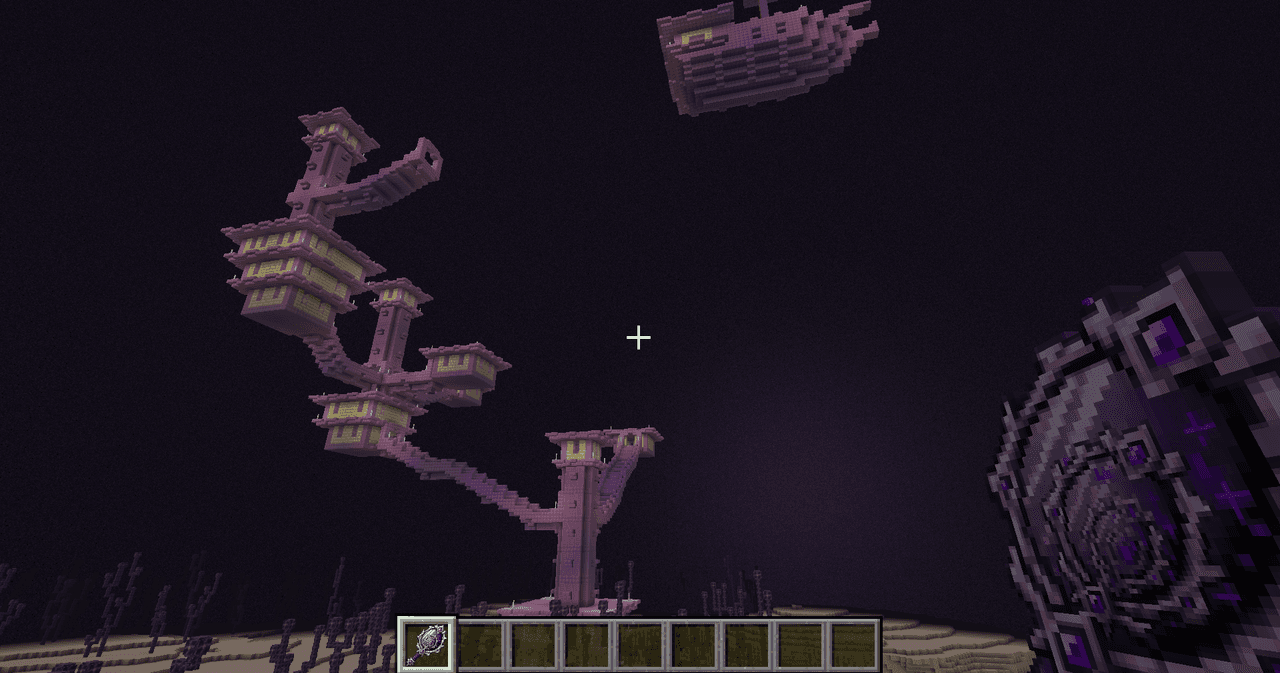
Infinity Mirror


And insanely overpowered weapon which can spawn, teleport and destroy. Refer below to key bindings for controls.
The valley civilization {horror}

Explore the Pool Rooms, Backrooms, and an impossible resort—then find the door home.
This mod is licensed under the CreativeMode Mods License.