

Description
Wrzuć butelki do 3x3 panelu i zamieniaj na złote samorodki, teraz z widocznymi kratkami.
Mod Wiki
Butelkomat System
Quickstart
- Craft the Butelkomat block using the recipe below.
- Place it in your world — it will build itself into a small multiblock recycling station.
- Right-click the Butelkomat to open the return panel.
- Drop bottles into the 3x3 grid of slots.
- Press Oddaj (Confirm) to recycle them into gold nuggets, or Anuluj (Cancel) to back out.
Overview
The Butelkomat is a bottle-recycling machine. Insert empty glass bottles into its panel, confirm the return, and receive gold nuggets in exchange. It's a simple, self-contained "recycling machine" experience — place it once, and it becomes a permanent bottle-to-nugget exchange station in your base.
What It Adds
- Butelkomat block — a multiblock structure that opens a dedicated recycling interface when right-clicked.
- Panel oddawania butelek (Bottle Return Panel) — a custom screen with a 3x3 bottle-input grid, a value display, a progress bar, and confirm/cancel controls.
- Reward system — bottles are converted into stacks of gold nuggets, dropped directly into your inventory (or on the ground if your inventory is full).
- Sound effects play when a return is completed successfully.
How To Use
- Opening the panel: Right-click any part of the placed Butelkomat structure to open the "Panel oddawania butelek" screen.
- Inserting bottles: Drag bottles into the highlighted 3x3 grid of slots at the top of the screen. Only acceptable bottle items can be placed here — other items will be rejected.
- Checking your return: The screen shows how many bottles are currently loaded and how many gold nuggets you'll receive before you confirm.
- Confirming: Click Oddaj to process the return. A short progress bar plays while the transaction completes, then you'll see a success message and receive your gold nuggets.
- Cancelling: Click Anuluj to close the screen without processing a return. Any bottles left in the grid when you close the screen are dropped back to you.
- Rejected items: If you try to insert something that isn't a recyclable bottle, the machine will tell you it cannot be recycled.
Crafting And Obtaining
Craft the Butelkomat block with the following recipe:


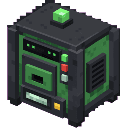
Once crafted, simply place the block down like any other block — it will automatically assemble its full structure, including the visible internal "kratki" (grate/grid) panels, oriented to face you.
Abilities And Mechanics
- Conversion rate: Each bottle placed in the grid converts into a fixed number of gold nuggets (displayed live on the panel as "Cena: X samorodek / butelka").
- Batch processing: You can insert multiple bottles at once — the panel totals them up and pays out nuggets in one confirmation, automatically split into full stacks if needed.
- Feedback: The panel gives real-time feedback — bottle count, total nugget value, a loading/progress indicator during processing, and success or error messages.
- Safety: If you close the panel without confirming, any inserted bottles are returned to you rather than lost.
Progression And Strategy
Use the Butelkomat as a steady source of gold nuggets from otherwise low-value glass bottles collected while exploring, brewing, or trading. Keep bottles stockpiled and cash them in periodically for a reliable trickle of gold nuggets, which can be smelted into gold ingots or used in other gold-related crafting and trading. Building the Butelkomat near your base or storage area makes bottle recycling a quick, repeatable errand rather than a special trip.
How to install
This Java mod can be used on Windows and Mac PCs with the CreativeMode Launcher or any Minecraft launcher of your choice.

1. Download and install the new CreativeMode Launcher
2. Click to play on the top of the screen.
3. That's it — launches instantly. No complicated setup required.
Want to use on a different launcher? Download mod and manually install.
Players also liked
Infinite Spread Button


The Infinite Spread Button is a special block that, when right-clicked while holding any block, causes that block to spread outward infinitely like sculk—replacing air, water, and lava as it goes and producing sculk-like sounds and particles. Right-click the button with a differe…

Slippery World


The Slippery World mod adds a magical item that transforms every block in your world to be as slippery as ice when activated. Simply right-click the Slippery World item to toggle the global slippery effect on or off - when active, the item will glow with an enchanted shimmer and…
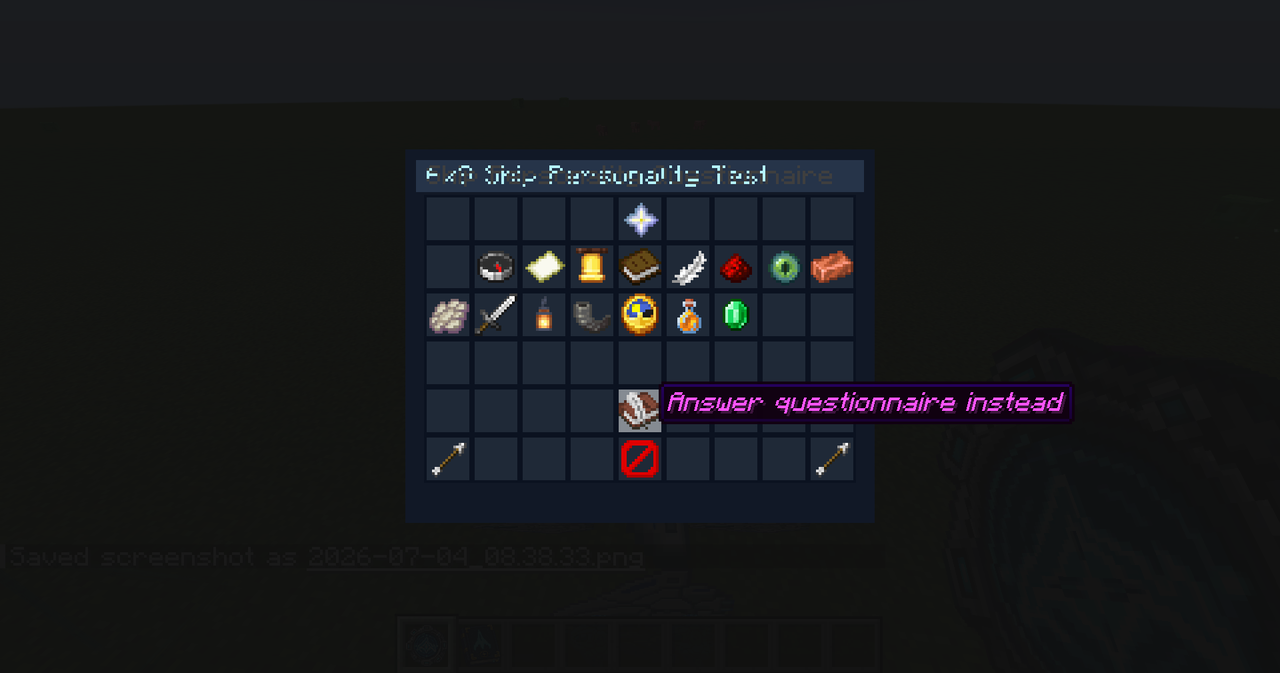
Ships With Personality


Ships With Personality lets you spawn, customize, and pilot fully modular no‑gravity ships in true 3D thruster flight: right‑click the Personality Ship Core to spawn a base frame, and use the Ship Editor Wand to open a seven‑tab editor for looks, templates, teleport/freeze/reset…
Purple-gold tools and Armor

Adds a Purple-Gold endgame progression centered on a rare Purple-Gold ingot and a full set of Purple-Gold tools, sword, and armor with distinctive visuals and powerful stats. Use the Purple-Gold pickaxe to chain-mine connected matching ore veins by mining a tagged ore block (ore…
Blazeguard Armor Set


The Blazeguard Armor Set is a powerful four-piece armor collection that grants complete immunity to fire and lava damage when all pieces are worn, giving permanent Fire Resistance so you can swim in lava and walk through flames unharmed. While wearing the full set, any mob or pla…
This mod is licensed under the CreativeMode Mods License.