

Description
Wear the Boots of Greed to vacuum up nearby drops and stash them in your boots.
Mod Wiki
Boots Of Greed
Quickstart
- Obtain the Boots Of Greed from the Combat tab in Creative mode, or craft them using the recipe below.
- Equip them in your feet armor slot.
- Walk near dropped items to pull them into the boots automatically.
- Press Y to open the left boot’s storage or U to open the right boot’s storage. These keys can be changed in the controls menu.
- To empty both boot inventories, hold the boots in your hand and sneak-use them. Items go into your inventory; anything that cannot fit is dropped into the world.



Overview
The Boots Of Greed are wearable storage boots with powerful loot and trading bonuses. While equipped, they:
- Vacuum up nearby dropped items.
- Store items in two large boot inventories.
- Triple drops from your kills.
- Give chances for bonus ore drops.
- Reduce villager trade prices by 90%.
- Have an exceptionally rare chance to turn blocks beneath your feet into gold blocks.
What It Adds
| Feature | Effect |
|---|---|
| Automatic collection | Pulls nearby item drops into the boots from roughly 8 blocks away. |
| Left boot storage | 45 item-stack slots. |
| Right boot storage | 45 item-stack slots. |
| Kill rewards | Normal drops from a killed living entity are tripled. |
| Rare ore bonus | 3% chance for an emerald ore or gold ore drop. |
| Common ore bonus | 10% chance for a copper ore or iron ore drop. |
| Villager discounts | Trade costs are reduced by 90%, with a minimum cost of one item. |
How To Use
Equip the Boots
Place the boots in the feet armor slot, or right-click while holding them to equip them normally. Their abilities work only while they are equipped.
Open Boot Storage
- Press Y to open the left boot.
- Press U to open the right boot.
Each side opens as a 5-row inventory with 45 slots. You can move items between the boot storage and your regular inventory, including with quick-move controls.
The storage is kept in the boots themselves, so the contents travel with that pair. Opening storage requires the Boots Of Greed to be equipped.
Empty the Boots
Hold the boots in your hand and sneak-use them. Both storage sides are emptied into your inventory. If your inventory cannot accept a stack, that stack is dropped into the world instead.
Crafting And Obtaining
The recipe uses gold ingots, leather, and diamonds:
In Creative mode, the boots are available in the Combat tab. You can also obtain them with:
/give @s boots-of-greed-5j2fulm6:boots_of_greed_5j2fulm6
Abilities And Mechanics
Vacuum Collection
While wearing the boots, item entities within approximately 8 blocks are collected automatically. Items are inserted into the left boot first, then the right boot.
The boots combine incoming items with matching stacks and use empty slots when needed. If both inventories are completely full, items remain available in the world instead of being stored.
Triple Loot
When you kill a living entity while wearing the boots, its normal item drops are duplicated twice, producing three times the usual quantity.
Bonus Ores
Each eligible kill also makes two independent bonus-drop rolls:
- A 3% roll can produce one emerald ore or gold ore.
- A 10% roll can produce one copper ore or iron ore.
Both bonus rolls can succeed on the same kill.
Villager Trading
While the boots are equipped, villager trade prices are reduced by 90%. A trade that would cost one item still costs at least one item.
Gold-Block Conversion
Whenever you walk onto a new non-air block while grounded, the boots make an extremely rare gold-conversion attempt. The chance is approximately 1 in 1,000,000,000 per newly entered block.
Progression And Strategy
- Craft the boots early if you want a convenient way to collect drops during mining, exploration, or mob farming.
- Check both storage sides regularly so the vacuum does not run out of room.
- Use the boots during large mob farms to multiply ordinary drops and gather bonus ores.
- Keep the boots equipped before trading with villagers to receive the reduced prices.
- Empty the boots before removing, storing, or transporting them so their collected items are easy to manage.
How to install
This Java mod can be used on Windows and Mac PCs with the CreativeMode Launcher or any Minecraft launcher of your choice.

1. Download and install the new CreativeMode Launcher

2. Click to play on the top of the screen.

3. That's it — launches instantly. No complicated setup required.
Want to use on a different launcher? Download mod and manually install.
Players also liked




Glowing Experience Block


The Glowing Experience Block is a luminous, animated green block that emits particles and sound when it releases experience. It now releases XP only when you actively hit it with a pickaxe instead of continuously while holding left-click, and Fortune on the pickaxe increases the…
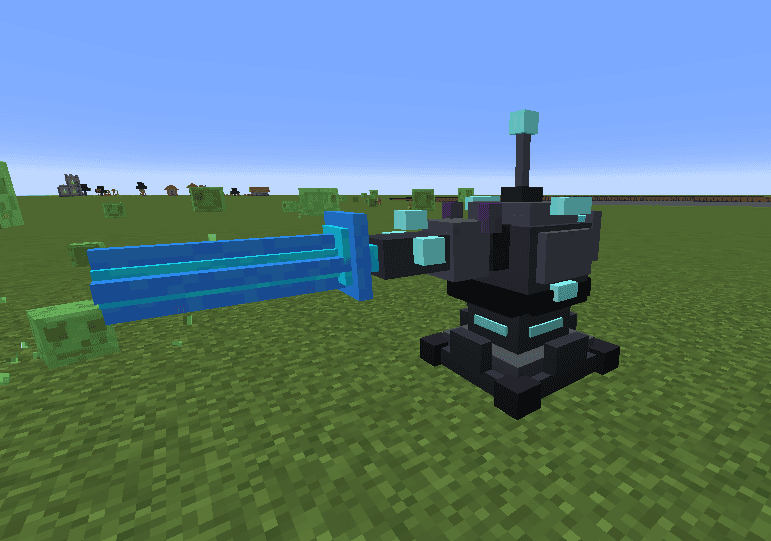
Azure Oblivion Turret

The Turret Block is a powerful automated defense structure that scans for hostile mobs within a 150-block radius and obliterates them with a devastating blue laser beam. When a target is detected, the turret charges for 3 seconds with a spiraling blue particle effect and an escal…

This mod is licensed under the CreativeMode Mods License.