

Description
Excavate, clean, and display fossils as you build your own museum.
Mod Wiki
Ancient Bones Museum
Quickstart
- Craft the tools and workstations. You need a Fossil Brush, Curator's Desk, and Assemble Table. The complete recipes are listed under Crafting And Obtaining.
- Find a Fossil Bed. In the Overworld, fossil beds periodically appear on exposed sediment near players. Look for the distinctive bed block and the discovery message.
- Excavate it. Hold the Fossil Brush and use it on the Fossil Bed. The bed is consumed and gives you one raw specimen.
- Clean the specimen. Place the Curator's Desk, hold the matching raw bone or fossil in your main hand, and hold the Fossil Brush in your off-hand. Use the raw specimen on the desk to receive its cleaned version.
- Assemble a fossil. Collect three matching cleaned specimens, then use one of them on the Assemble Table. The three cleaned items are consumed and an assembled fossil is returned.
- Build the display. Hold the assembled fossil and use it on the top face of a block with plenty of open floor space around it. The item is consumed and the complete skeletal display is built automatically. Face the direction you want the display to point before placing it.
In Creative Mode, the Fossil Brush, workstations, fossil beds, and every fossil stage are available in the Ancient Bones Museum creative tab.
Overview
Ancient Bones Museum turns fossil hunting into a collection and museum-building activity:
excavate → clean → assemble → display
Fossil Beds are field finds, while the Curator's Desk and Assemble Table let you process each discovery. Assembled fossils are not ordinary decorative items: using one on the ground creates a complete, multi-block skeleton display.
What It Adds
Workstations and tools
| Content | Use |
|---|---|
| Fossil Bed | Excavation site that yields one raw specimen when brushed |
| Fossil Brush | Excavate Fossil Beds and clean specimens at a Curator's Desk |
| Curator's Desk | Converts raw specimens into matching cleaned specimens |
| Assemble Table | Converts three matching cleaned specimens into one assembled fossil |
| Museum Curator Pass | Curator-themed museum item |
| Fossil Fragment | Optional material that can be processed at the Curator's Desk |
| Cleaned Fossil | Generic cleaned item produced by the Fossil Fragment route |
Fossil collection
The museum contains raw, cleaned, and assembled forms for 35 specimens, including dinosaurs, marine animals, prehistoric plants, invertebrates, and Ice Age animals.
How To Use
Finding Fossil Beds
Fossil Beds appear periodically in the Overworld within roughly 32 blocks of players. They require exposed natural sediment such as sand, sandstone, gravel, clay, dirt, stone, tuff, or terracotta.
A bed can appear only where it has open air above it, so search exposed terrain rather than deep underground. Each bed provides one excavation, so explore for additional beds after brushing one away.
Excavating
Hold the Fossil Brush and use it on a Fossil Bed. The bed disappears and supplies one raw specimen. The specimen type varies from bed to bed, so excavate multiple beds to complete your collection.
Cleaning specimens
- Place a Curator's Desk.
- Put the Fossil Brush in your off-hand.
- Hold a raw specimen in your main hand.
- Use the raw specimen on the desk.
The raw item is consumed and the matching cleaned item is placed in your inventory. The brush must be in the off-hand; otherwise the bone will not be cleaned.
Assembling fossils
- Collect three cleaned specimens of the same type.
- Hold one of them in your main hand.
- Use it on the Assemble Table.
The table checks your entire inventory for the required three matching cleaned specimens. When successful, it consumes three and returns the corresponding assembled fossil.
Building skeleton displays
Hold an assembled fossil and use it on the top face of a block. The assembled item is consumed and its complete skeleton is placed on the floor above that block.
Displays have different sizes, so clear the whole area before placing one. If any required space is occupied, the fossil is not consumed and the display is not built. The skeleton is oriented according to your facing direction when placed.
Fossil Fragments
You can also use a Fossil Fragment on a Curator's Desk. One fragment is consumed; when it was the last fragment in the held stack, a generic Cleaned Fossil is returned.
The generic Cleaned Fossil is separate from the species-specific cleaned bones and fossils. It cannot substitute for a matching cleaned specimen at the Assemble Table.
Crafting And Obtaining
Fossil Brush
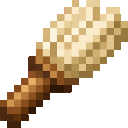
Craft a Fossil Brush from a feather, flint, and sticks.


Curator's Desk
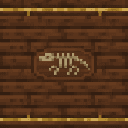
The Curator's Desk is crafted from oak planks, books, and a gold nugget.


Assemble Table
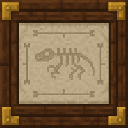
The Assemble Table is crafted from spruce planks, iron nuggets, and a crafting table.


Fossil Fragment
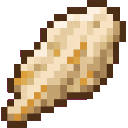
A bone and gravel produce two Fossil Fragments.


Fossil Beds
Fossil Beds do not have a crafting recipe. They appear naturally in exposed Overworld sediment, and the Fossil Bed block is also available in the Ancient Bones Museum creative tab.
Museum Curator Pass
The Museum Curator Pass is available in the Ancient Bones Museum creative tab. There is no survival crafting recipe for it.
Fossil Catalogue
Each row shows the processing path for one complete specimen.
| Raw specimen | Cleaned specimen | Assembled fossil |
|---|---|---|
| Raw Coelophysis Bone | Cleaned Coelophysis Bone | Assembled Coelophysis Fossil |
| Raw Brachiosaurus Bone | Cleaned Brachiosaurus Bone | Assembled Brachiosaurus Fossil |
| Raw Plesiosaur Bone | Cleaned Plesiosaur Bone | Assembled Plesiosaur Fossil |
| Raw Tyrannosaurus Bone | Cleaned Tyrannosaurus Bone | Assembled Tyrannosaurus Fossil |
| Raw Triceratops Bone | Cleaned Triceratops Bone | Assembled Triceratops Fossil |
| Raw Pteranodon Bone | Cleaned Pteranodon Bone | Assembled Pteranodon Fossil |
| Raw Allosaurus Bone | Cleaned Allosaurus Bone | Assembled Allosaurus Fossil |
| Raw Ankylosaurus Bone | Cleaned Ankylosaurus Bone | Assembled Ankylosaurus Fossil |
| Raw Spinosaurus Bone | Cleaned Spinosaurus Bone | Assembled Spinosaurus Fossil |
| Raw Mosasaurus Bone | Cleaned Mosasaurus Bone | Assembled Mosasaurus Fossil |
| Raw Ichthyosaurus Bone | Cleaned Ichthyosaurus Bone | Assembled Ichthyosaurus Fossil |
| Raw Elasmosaurus Bone | Cleaned Elasmosaurus Bone | Assembled Elasmosaurus Fossil |
| Raw Dilophosaurus Bone | Cleaned Dilophosaurus Bone | Assembled Dilophosaurus Fossil |
| Raw Carnotaurus Bone | Cleaned Carnotaurus Bone | Assembled Carnotaurus Fossil |
| Raw Oviraptor Bone | Cleaned Oviraptor Bone | Assembled Oviraptor Fossil |
| Raw Dunkleosteus Fossil | Cleaned Dunkleosteus Fossil | Assembled Dunkleosteus Fossil |
| Raw Liopleurodon Bone | Cleaned Liopleurodon Bone | Assembled Liopleurodon Fossil |
| Raw Ammonite Fossil | Cleaned Ammonite Fossil | Assembled Ammonite Fossil |
| Raw Fern Fossil | Cleaned Fern Fossil | Assembled Fern Fossil |
| Raw Ginkgo Fossil | Cleaned Ginkgo Fossil | Assembled Ginkgo Fossil |
| Raw Cycad Fossil | Cleaned Cycad Fossil | Assembled Cycad Fossil |
| Raw Stegosaurus Bone | Cleaned Stegosaurus Bone | Assembled Stegosaurus Fossil |
| Raw Parasaurolophus Bone | Cleaned Parasaurolophus Bone | Assembled Parasaurolophus Fossil |
| Raw Raptor Bone | Cleaned Raptor Bone | Assembled Raptor Fossil |
| Raw Iguanodon Bone | Cleaned Iguanodon Bone | Assembled Iguanodon Fossil |
| Raw Pachycephalosaurus Bone | Cleaned Pachycephalosaurus Bone | Assembled Pachycephalosaurus Fossil |
| Raw Archaeopteryx Fossil | Cleaned Archaeopteryx Fossil | Assembled Archaeopteryx Fossil |
| Raw Megalodon Fossil | Cleaned Megalodon Fossil | Assembled Megalodon Fossil |
| Raw Trilobite Fossil | Cleaned Trilobite Fossil | Assembled Trilobite Fossil |
| Raw Nautilus Fossil | Cleaned Nautilus Fossil | Assembled Nautilus Fossil |
| Raw Coral Fossil | Cleaned Coral Fossil | Assembled Coral Fossil |
| Raw Horsetail Fossil | Cleaned Horsetail Fossil | Assembled Horsetail Fossil |
| Raw Calamites Fossil | Cleaned Calamites Fossil | Assembled Calamites Fossil |
| Raw Mammoth Bone | Cleaned Mammoth Bone | Assembled Mammoth Fossil |
| Raw Saber-Toothed Tiger Bone | Cleaned Saber-Toothed Tiger Bone | Assembled Saber-Toothed Tiger Fossil |
Progression And Strategy
- Build your Curator's Desk and Assemble Table near your museum entrance or excavation camp.
- Keep raw and cleaned specimens separated so matching sets are easy to track.
- Reserve three cleaned specimens for each species before starting another assembly.
- Search open deserts, badlands, beaches, gravel areas, and other exposed sediment for Fossil Beds.
- Leave a large clear room for large skeletons such as Brachiosaurus, Tyrannosaurus, and Mammoth.
- Face the desired direction before placing an assembled fossil; displays are built as complete structures rather than one block at a time.
- Use signs, lighting, themed rooms, and separate wings for dinosaurs, marine fossils, plants, and Ice Age specimens to turn the collection into a readable museum.
How to install
This Java mod can be used on Windows and Mac PCs with the CreativeMode Launcher or any Minecraft launcher of your choice.

1. Download and install the new CreativeMode Launcher

2. Click to play on the top of the screen.
3. That's it — launches instantly. No complicated setup required.
Want to use on a different launcher? Download mod and manually install.
Players also liked
Andesite Tunnel Bore


The Andesite Tunnel Bore is a rideable multiblock mining vehicle modeled after a subway tunnel-boring machine, complete with a large circular cutterhead, steel ring, shield, industrial panels, venting and hazard striping. Right-click the main block to mount (camera switches to th…
Aria

Aria è un demone umanoide che ti aiuterà con buff, attacchi e varie attività

Handy Manager


The Handy Manager is a peaceful, helpful mob that appears as a slightly larger version of a Shulker and serves as your personal assistant in the Minecraft world. This friendly creature will occasionally take photos of nearby players with realistic camera flash effects and clickin…
Chunky Creeper Cat


Meet the Chunky Creeper Cat - a delightfully plump, ginger-colored cat that has the distinctive green mottled pattern of a Creeper covering its fluffy fur. This friendly feline waddles around peacefully like any ordinary cat, but when you right-click on it, it lets out a cheerful…
This mod is licensed under the CreativeMode Mods License.