

Description
Summon haunted portraits and stalkers with distinct movement: glide, teleport, or creep unseen.
Mod Wiki
The Actors Pack
Quickstart
- Open your creative inventory and grab a Spawn Egg for one of the three horror actors: Horror Video Actor, Yelling Creature Actor, or Stalker Actor.
- Place a Spawn Block in your world — interact with it to configure an automatic ambush, or just let the actors roam once summoned.
- Pick up the special items (Stick, String, Feather, Rotten Flesh, Paper, Bowl, Flint, Bone, Wheat Seeds) and use them while holding them to toggle behaviors on yourself or nearby actors.
- Wait for nightfall — several behaviors (especially the Stalker Actor) only activate when it's dark out.
- Right-click (interact with) a Horror Video Actor to "direct" it, cycling its appearance.
Overview
The Actors Pack fills your world with unsettling, humanoid horror-movie "actors" — flickering billboard portraits, screaming figures, and towering silent stalkers — that appear, move, and vanish in disturbing ways. Some glide toward you, some teleport when you're not looking, and some creep closer only while you're unaware. A configurable Spawn Block lets you build your own jump-scare traps that summon actors to lunge at nearby players.
What It Adds
Entities (with spawn eggs):
| Actor | Description |
|---|---|
Horror Video Actor (watcher_billboard) | A tall, flat billboard-style portrait figure with multiple creepy poses/textures. Can be "directed" by interacting with it to cycle its appearance. Alternates between resting and flying/gliding movement. |
| Yelling Creature Actor | A screaming, billboard-style creature with several texture variants. Shares the same floaty movement style as the Horror Video Actor but with its own look and sounds. |
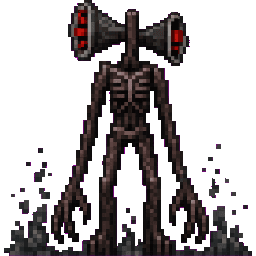
| Stalker Actor | An extremely tall (6-block), thin, silent figure with eight variants. Moves by teleporting and creeping — it only closes distance while unseen and vanishes if watched too long or if it isn't night. |
All three actors are tanky (200 health), can't be pushed, ignore fall damage, and despawn if left far from players for too long.
Block:
- Spawn Block – a placeable trap block. Interacting with it opens a settings menu (see below). Once configured, it silently watches for a player to wander within range and then spawns an actor that lunges toward them.
Toggle/Utility Items: each of these is a plain item that changes behavior when held/used by a player:
| Item | Effect |
|---|---|
Stick (enable_follow) | Toggles whether actors follow you. |
String (enable_look) | Toggles whether actors track/face you. |
Feather (rapid_cycle_standing) | Rapidly cycles an actor's standing pose/appearance. |
Rotten Flesh (rapid_cycle_non_standing) | Rapidly cycles an actor's non-standing pose/appearance. |
Paper (change_png) | Changes an actor's texture/look. |
Bowl (rapid_wood_step_noise) | Triggers rapid wooden footstep sounds. |
Flint (rapid_stone_step_noise) | Triggers rapid stone footstep sounds. |
Bone (rapid_wood_break_noise) | Triggers rapid wood-breaking sounds. |
Wheat Seeds (it_is_409_blocks_away) | Displays a distance callout, hinting something is far away and approaching. |
How To Use
Summoning actors: Use the spawn eggs from your inventory (or the /summon command with the entity IDs) to place an actor in the world. They'll immediately begin their movement behavior aimed at the nearest player.
Directing the Horror Video Actor: Interact with a placed Horror Video Actor to "direct" it — this cycles through its available portrait textures/poses, letting you customize the scare.
Building a Spawn Block trap:
- Place the Spawn Block anywhere.
- Right-click/interact with it to open a settings form:
- Activation distance — how close a player must get before it triggers (1–32 blocks).
- Lunge distance — how far the summoned actor lunges toward the player (1–24 blocks).
- Actor to lunge — choose between the Horror Actor, Yelling Creature Actor, or the towering Stalker Actor.
- Once configured, the block silently watches nearby players. When someone walks within the activation range, it summons the chosen actor, which immediately lunges toward them with a groaning sound, then goes on cooldown before it can trigger again.
Using toggle items: Simply hold and use (or interact with) the corresponding item to flip a setting on or off for yourself — an action bar message confirms whether the behavior is now enabled or disabled. These control whether actors follow you, whether they visually track you, how quickly their appearance cycles, and what ambient sounds play.
Abilities And Mechanics
- Glide (Horror Video Actor / Yelling Creature Actor): These billboard-style actors alternate between a resting animation and a floating/flying glide as they approach, always rotating to face the nearest player.
- Teleport & Creep (Stalker Actor): The Stalker only advances while unobserved. If you're not looking at it, it teleports incrementally closer; if you turn toward it, it holds still and re-faces you. It emits a low groan as it activates and will vanish on its own after enough time has passed or once daylight returns — it is strictly a nighttime phenomenon.
- Lunge attacks: Actors spawned from a Spawn Block calculate the direction to the nearest player and dash toward them over a short distance, accompanied by an unsettling groan.
- Day/Night sensitivity: Certain actor behaviors, especially the Stalker Actor's advance-and-vanish cycle, are tied to whether it is currently night in the world.
- Persistence: All actors resist knockback, can't be pushed by players or pistons, take no fall damage, and will despawn automatically if a player wanders far enough away.
Progression And Strategy
There's no crafting tree — everything is accessed directly through creative inventory items, spawn eggs, and the placeable block. A good way to explore the pack is to:
- Place a few Spawn Blocks around a base or explorable area, each configured with a different actor and lunge/activation distance for variety.
- Toggle off "follow" or "look" behaviors with the Stick or String if you want more subtle, ambient actors rather than aggressive ones.
- Explore at night to encounter the Stalker Actor's full teleport-and-creep behavior, since it is designed around darkness and the moment your back is turned.
- Use the appearance-cycling items (Feather, Rotten Flesh, Paper) to customize which face or pose an actor shows before it appears, if you want a consistent look for a build or map.
How to install
Download the mod and follow the step-by-step installation guide.
Players also liked



Peta Hollow Stalker

It adds a monster called PETA it has long arms and legs and is very tall it's body is benty and it's face is distorted it can break any block and has 500 hearts or health if you do kill it it gives you dead skin with it you can make tools and armor but they break fast and do a lo…


Revolver


Iron Laser Revolver is a heavy iron sidearm that fires damaging laser beams using arrows as ammo; right-click to fire a single shot (each shot consumes one arrow directly from your inventory) and it keeps its custom firing and equip sounds with no HUD or reload prompts. Shots tra…
This mod is licensed under the CreativeMode Mods License.