

Description
The Twin Portal Launcher lets you place two linked two‑block‑tall circular portals on vertical faces up to 100 blocks apart; right‑click to fire a visible orb (~12 blocks/sec) and sneak + right‑click to toggle which color will be placed before firing, with orbs that ignore floors/ceilings, fizzle on invalid surfaces or when hitting the opposite‑color portal space, and create a portal on a valid vertical wall for your personal pair. Walk into a portal to teleport instantly to the other (including across dimensions), emerging facing outward with a 1.0 second re‑entry cooldown; if one portal is destroyed the remaining portal switches to a deactivated appearance that keeps its colored ring/frame and emits half the light of a connected pair. Deactivated blue and red portals now show only their colored frames with the interior and surrounding background left empty (no white or black backdrop).
Mod Wiki
Twin Portal Launcher
Quickstart
- Open your crafting table — the recipe is automatically unlocked for you. Craft the Twin Portal Launcher:


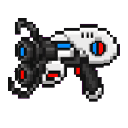
- Hold the launcher and right-click to fire a blue orb toward a vertical wall. When it hits a valid surface, a two-block-tall blue portal appears.
- Sneak + right-click to switch to red mode, then fire at a second vertical wall to place the red portal.
- Walk into either portal to instantly teleport to the other one.
Overview
The Twin Portal Launcher is a handheld tool that lets you create a personal pair of linked portals anywhere in the world — or even across dimensions. Fire glowing orbs at walls to place a blue and a red portal, then step through one to emerge from the other. Each player maintains their own independent portal pair.
What It Adds
| Thing | Description |
|---|---|
| Twin Portal Launcher | The item used to fire portal orbs and toggle portal color. |
| Blue Portal | A two-block-tall circular portal, colored blue. |
| Red Portal | A two-block-tall circular portal, colored red. |
Portal blocks drop nothing when broken — they exist only as long as their backing wall holds them up.
How To Use
Firing Orbs
- Right-click to fire an orb in the direction you are looking.
- Orbs travel at roughly 12 blocks per second and have a maximum range of 100 blocks.
- A short cooldown (half a second) applies between shots.
- Orbs emit particles as they fly, making them easy to track visually.
Toggling Color
- Sneak + right-click to toggle between blue and red mode. A message in the action bar confirms the current mode.
- The next orb you fire will place a portal of that color.
Placing Portals
When an orb hits a surface:
- The surface must be a vertical wall (floor and ceiling hits cause the orb to fizzle).
- The wall must have two clear, solid blocks behind it for the portal to anchor to.
- The orb fizzles if the target space is already occupied by the opposite-color portal.
- On a valid hit, the old portal of that color (if any) is removed and the new one is placed. A burst of colored particles confirms placement.
Teleporting
- Simply walk into either portal to be instantly teleported to the other.
- You emerge facing outward from the destination portal.
- A 1-second cooldown prevents immediate re-entry after teleporting.
- Teleportation works across dimensions (e.g., Overworld ↔ Nether ↔ End).
- An enderman-like teleport sound plays at the destination.
Abilities And Mechanics
Portal States
| State | Appearance | Light Level |
|---|---|---|
| Connected (both portals exist) | Full colored interior with glowing frame | 14 (bright) |
| Deactivated (partner portal destroyed) | Colored frame/ring only — interior is empty | 7 (dim) |
When a portal loses its partner, it switches to a deactivated appearance automatically. The colored ring remains visible so you can see where it is, but you cannot teleport through a deactivated portal.
Portal Destruction
Portals are destroyed if:
- The solid wall blocks behind them are removed or replaced.
- A block update leaves the portal without proper support.
Destroying one portal deactivates the remaining one. Destroying both removes the pair entirely.
Personal Pairs
Each player has exactly one blue portal and one red portal at a time. Firing a new orb of a given color replaces the previous portal of that color. Your portals are yours alone — other players cannot use them.
Progression And Strategy
- Early traversal: Place one portal near your base and the other at a distant mining site or farm to eliminate long travel times.
- Cross-dimension shortcuts: Fire both portals before changing dimensions to set up an instant cross-dimensional link.
- Re-positioning on the fly: You only need one shot per color to move a portal. Simply fire a new orb of that color at a new wall to relocate it instantly.
- Watch for fizzles: Orbs fizzle on ceilings, floors, unsupported surfaces, and on the opposite-color portal space. Aim for flat, solid vertical walls with two clear blocks of space above the impact point.
- Lighting bonus: Connected portals emit a light level of 14, making them useful as impromptu light sources in dark areas.
How to install
This Java mod can be used on Windows and Mac PCs with the CreativeMode Launcher or any Minecraft launcher of your choice.

1. Download and install the new CreativeMode Launcher
2. Click to play on the top of the screen.
3. That's it — launches instantly. No complicated setup required.
Want to use on a different launcher? Download mod and manually install.
Players also liked
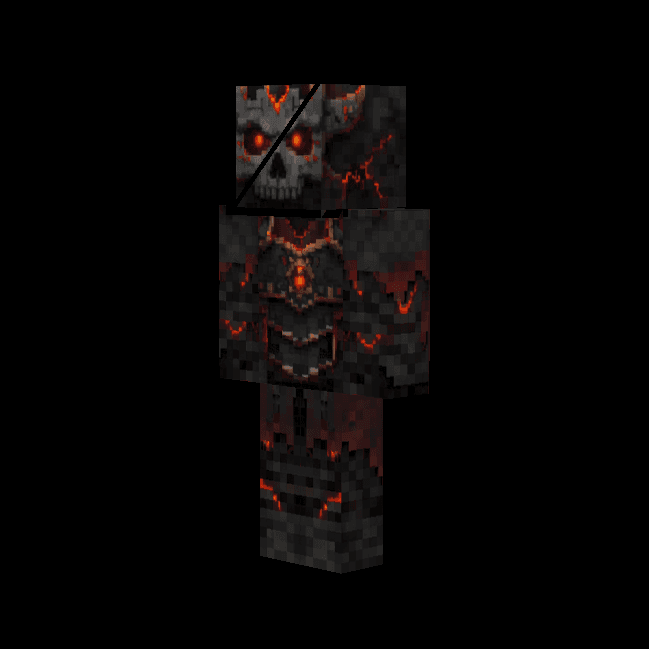
Demon Lord Zombie King


The Demon Lord Zombie King is a formidable boss mob that towers at twice the size of a normal zombie, featuring a permanent glowing outline and demonic appearance. This powerful entity boasts 100 hearts of health and unleashes devastating attacks including launching explosive TNT…
Astral Control Helm

This mod adds an item that allows the user to become a god. this mod adds several commands, guis, and a new pocket dimension feature. once worn press m (or a bindable button) to activate the helm, once activated a clone will be set in your place this clone is the only way the use…
Stone Evader Armor
The Stone Evader Armor set consists of four pieces: helmet, chestplate, leggings, and boots, each offering slightly better protection and durability than leather armor. When wearing the complete set, you gain a 27% chance to completely evade incoming mob and player attacks—succes…
Divine Tenfold Sword
The Divine Tenfold Sword is an incredibly powerful divine weapon that combines devastating melee damage with ten unique abilities. Eight abilities activate automatically when you strike enemies: Blazing Strike sets foes ablaze, Lightning Caller summons lightning bolts, Wither Tou…
Wooden Heart Armor
The Wooden Heart Armor Set is a wood-themed armor set consisting of a helmet, chestplate, leggings, and boots that provides 1.5 times the protection of leather armor with gold-level enchantability. When wearing the complete set, you gain the Wooden Heart set bonus: every 10 secon…
This mod is licensed under the CreativeMode Mods License.