


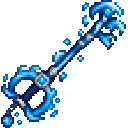
Description
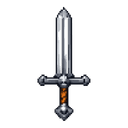
Wield the Tidecaller Keyblade to dash through foes and unleash devastating tidal waves.
Mod Wiki
Tidecaller Keyblade
Quickstart
- Obtain the Tidecaller Keyblade recipe through the recipe book. It is automatically unlocked for players.
- Craft the keyblade:
- Equip it in your main hand or off-hand.
- Right-click to dash in the direction you are looking. You can dash upward or downward as well as horizontally.
- Sneak and right-click to unleash a tidal wave around your current position.
- Hold the keyblade to receive continuous Conduit Power and Dolphin's Grace.
Overview
The Tidecaller Keyblade is a powerful, unbreakable-looking enchanted sword with water-based abilities. Use it for close combat, rapid movement, underwater exploration, and area attacks.
It can be used in any environment—its dash does not require water or rain.
What It Adds
- A Tidecaller Keyblade sword
- A directional water dash
- A radial tidal wave attack
- Continuous Conduit Power and Dolphin's Grace while held
- Splash-particle effects and water-themed sounds
- A 512-point durability bar
- A maximum stack size of 1
How To Use
Normal Attacks
Use the Tidecaller Keyblade like a sword for melee combat. Its netherite-tier construction makes it a strong weapon for fighting hostile mobs and other living targets.
Water Blessing
Keep the keyblade in your main hand or off-hand to maintain:
- Conduit Power, improving underwater visibility, breathing, and mining
- Dolphin's Grace, greatly improving swimming speed
The effects remain active as long as the keyblade is held.
Water Dash
Right-click while not sneaking to launch in the direction you are looking.
- The dash lasts for about half a second.
- Your look direction is captured when the dash begins.
- Looking upward or downward launches you along that angle.
- The dash can pass through water, land, and air.
- Living entities caught along the dash take heavy damage, but each target is damaged only once per dash.
- Gravity is disabled during the dash, and brief fall protection is applied afterward.
Tidal Wave
Sneak and right-click to create a tidal wave centered on your position.
- The wave expands outward for about 0.6 seconds.
- It reaches roughly 9 blocks from its origin.
- Nearby living entities are struck once as the wave reaches them.
- Struck targets take damage, are pushed away, and receive Poison.
- The wave remains centered where it was activated, so move enemies into its path or use it when surrounded.
The tidal wave does not create permanent water blocks; its splash particles show the attack's expanding area.
Crafting And Obtaining
The keyblade recipe uses prismarine shards, a Heart of the Sea, a diamond, and a stick. The recipe is supplied automatically and can be viewed in the recipe book.
Abilities And Mechanics
| Ability | Control | Effect |
|---|---|---|
| Water blessing | Hold the keyblade | Maintains Conduit Power and Dolphin's Grace |
| Water dash | Right-click | Launches in the direction you are looking and damages nearby targets |
| Tidal wave | Sneak + right-click | Sends an expanding wave around the activation point, dealing damage, knockback, and Poison |
The dash and tidal wave can affect living entities other than the wielder, so use the area attack carefully around friendly players or animals.
Progression And Strategy
- Craft the keyblade early when exploring oceans or monuments; its water blessing makes underwater travel much easier.
- Use the dash to cross gaps, escape danger, or close distance with ranged enemies.
- Aim upward to reach ledges and aim downward for a controlled aerial descent.
- Activate the tidal wave when enemies are grouped around you so the expanding ring reaches multiple targets.
- Combine the tidal wave's knockback and Poison with normal sword attacks to wear down tougher enemies.
- Keep the keyblade equipped while traveling underwater, but switch to another item when you do not need its effects or abilities.
How to install
This Java mod can be used on Windows and Mac PCs with the CreativeMode Launcher or any Minecraft launcher of your choice.

1. Download and install the new CreativeMode Launcher
2. Click to play on the top of the screen.
3. That's it — launches instantly. No complicated setup required.
Want to use on a different launcher? Download mod and manually install.
Players also liked

Tnt Minigun Roadster


Tear across the world in a red minigun roadster, blasting TNT wherever you aim.

Surprise Attack


Surprise Attack is a powerful weapon enchantment (I–III) obtainable from the enchanting table or as enchanted books; apply it to compatible weapons or tools in an anvil and upgrade by combining enchanted books. While holding an enchanted weapon, right-click an entity to instantly…

Crimson Beacon Armor


Don the Crimson Beacon Armor to gain twenty extra hearts and soar through survival.
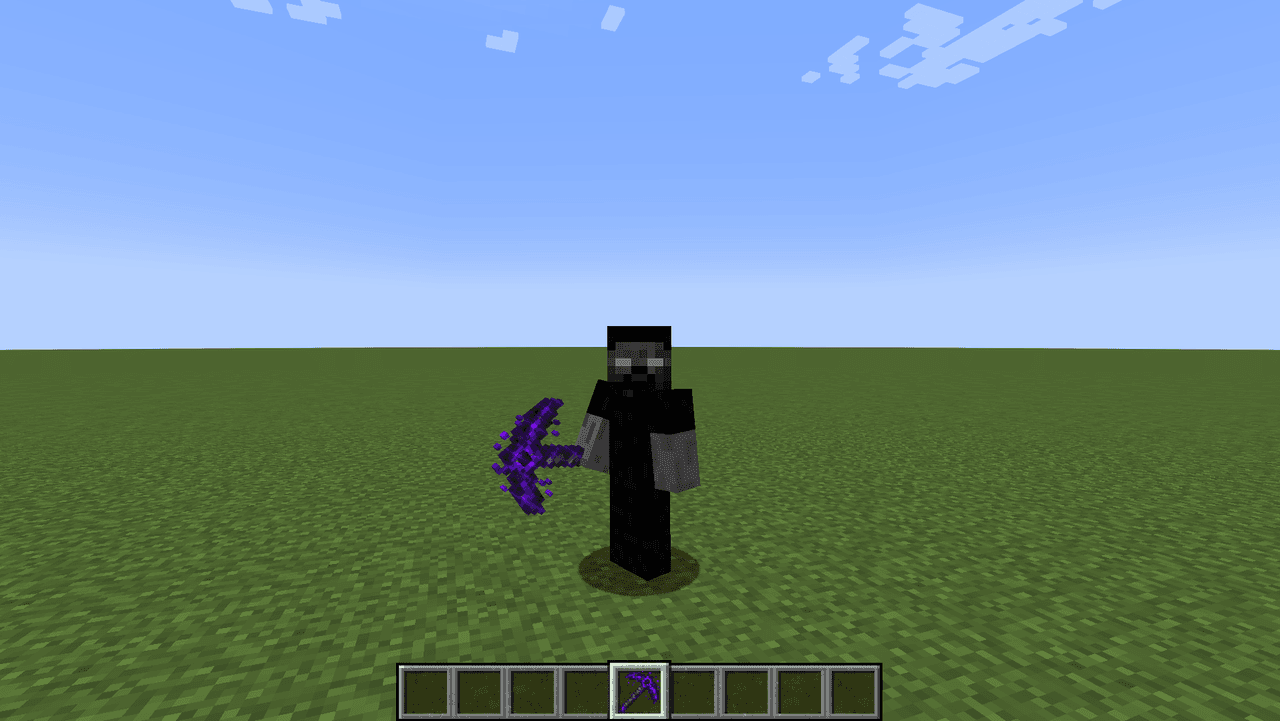
Pickaxe Of Void

The mod adds a pickaxe which behaves like a netherite pickaxe with a twist. It breaks hard blocks (obsidian, crying obsidian, netherite blocks, respawn anchors, etc.) way faster than a netherite pickaxe.

Celestial Swords 1.20.1

Wield cinematic netherite katanas that evolve and unleash orbital, blackhole, and a now-balanced ice ultimate.
This mod is licensed under the CreativeMode Mods License.