

Description
The Threshold is a fully customizable automatic door system with an intuitive, easy-to-use menu for Minecraft Bedrock. It is perfect for hidden bases, castle gates, secure entrances, and seamless builds. Choose the size, material, access rules, and opening style to create a door that reacts when the right players approach. When placing set the block one block deep into the ground to keep it out of the way. Attempts to make this automatic were hit and miss so I just left it out. Features Creates custom doors in your selected width and height, or simply choose "Fit" for a door that automatically fits to the area around it. Uses vanilla blocks or valid custom block IDs as the door material. Supports hidden-base entrances, castle gates, and everyday automatic doors. Opens for authorized visitors and closes after both detection areas are clear. Uses detection zones on both sides of the door. Offers configurable access behavior and door animations. Supports multiple opening and closing styles, including instant, row-by-row, column-by-column, and alternating-block effects. Rebuilds the door in its selected dimensions and material after visitors leave. Lets you update settings through the Threshold Crate interface. If a block in the door is ever destroyed by someone trying to get inside, that block is immediately replaced. Make your door out of glass and watch other players go insane trying to get through it.
Mod Wiki
The Threshold
Quickstart
Craft a Threshold Crate:


For a simple first door, place the crate at the bottom center of a clear doorway, facing the direction you want the doorway aligned. Use the crate while it is open and choose Exact Size. Set the width, height, door material, who can open it, and its animation, then select Submit. The default door is 3 blocks wide and 3 blocks high, made of oak planks.
Walk up to either side of the doorway to try it: permitted visitors make the door blocks disappear, and the door closes again when they leave. The crate’s owner can use the open crate to change its settings.
Overview
The Threshold Crate controls a customizable door that opens automatically for selected visitors. When the door opens, blocks in its footprint return to what was there before the door was configured. When it closes, the chosen door material fills the opening.
The crate’s placement direction sets the doorway’s alignment. In Exact Size mode, the door starts at the crate’s position and extends upward, centered across its width.
What It Adds
- One placeable block: the Threshold Crate.
- Exact Size doors with adjustable width and height.
- Fit Gap doors that adapt to an existing enclosed opening.
- Material, visitor-access, and animation settings.
How To Use
- Place a Threshold Crate in the doorway. For Exact Size, put it where you want the bottom of the door to start.
- While the door is open, use the crate and choose Exact Size or Fit Gap.
- Choose the settings and select Submit. The door will close around its configured shape.
- Approach either side of the door with an allowed visitor to open it. It closes when no allowed visitors remain nearby.
Only the crate’s owner can configure or remove it. To change settings, use the open crate and select a mode again. Remove Crate returns a crate item and clears the configured opening, so move anything you want to keep out of that area first.
For Fit Gap, place the crate within an existing empty doorway enclosed by solid blocks on the left, right, above, and below. The mode detects the opening’s shape and places its controller in a nearby free spot; leave a suitable space below or beside the opening.
Crafting And Obtaining
Craft one Threshold Crate at a crafting table using the recipe above. Breaking the placed block also drops a Threshold Crate.
Abilities And Mechanics
- Size: Exact Size width and height can each be set from 3 to 30 blocks, in steps of 3. Fit Gap uses the detected opening’s dimensions and shape.
- Door material: Choose from presets including glass, stone and masonry, sandstone, quartz and metal blocks, wood types, colored concrete, terracotta, and wool. Water and lava source blocks are also options. Select Custom to enter a block name, such as
minecraft:stone. - Access: The owner can always open the door. Choose whether it also admits villagers (including zombie villagers), other players, or farm animals such as cows, pigs, sheep, chickens, goats, horses, llamas, and rabbits. In Player Only mode, only the owner is admitted.
- Animation: Choose Row by Row, Instant, Column by Column, or Every Other Block.
- Automatic opening: An allowed visitor must be close to the doorway and within its width and height. The door can open from either side; it closes when no allowed visitors are in the area.
Progression And Strategy
Start with Exact Size for a new, clear doorway; use Fit Gap when you want a door to match an existing enclosed opening. Choose a material that suits the build, and set access deliberately if the doorway should respond to visitors other than its owner.
How to install
Download the mod and follow the step-by-step installation guide.
Players also liked
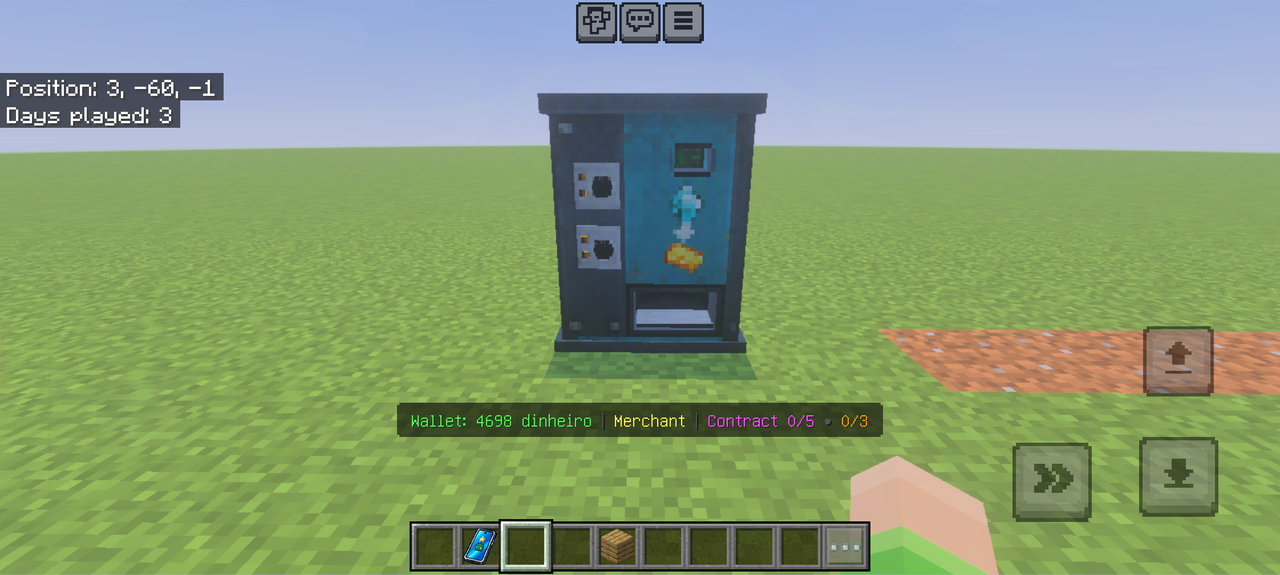
Vending machine

Turn your spare goods into treasures with a vending machine you stock yourself.
World At War: War Machines 1940


Take control of hyper powerful vehicles capable of destroying civilizations.
HERRSCHER'S ARMORY


Craft Mythic Cards to upgrade your rifle, unleash ten-heart shots, and unlock powerful effects.
Netherite Smelt Drill


Mine nine blocks at once and smelt ores instantly with a powerful Netherite drill.
This mod is licensed under the CreativeMode Mods License.