CreativeMode

Creative
Mode

ExploreModJamsCreateJoin our community
Sign in
Craft first mod
CreativeMode

Creative
Mode

Sign in
Create
Account
Community
Resources

Create without limits.

Privacy PolicyTerms of Use

© 2026 CreativeMode. Not an official Minecraft product. Not approved by or associated with Mojang or Microsoft.

CREATIVEMODE
    Create
    Account
    Community
    Resources

    Create without limits.

    Privacy PolicyTerms of Use

    © 2026 CreativeMode. Not an official Minecraft product. Not approved by or associated with Mojang or Microsoft.

    CREATIVEMODE
    v1
    MC Java 1.21.5

    The Storm King

    by
    editname
    editname

    30 downloads

    Tool
    Functional
    +1 more
    v1
    MC Java 1.21.5

    The Storm King

    by
    editname
    editname

    30 downloads

    Tool
    Functional
    Boss

    Description:

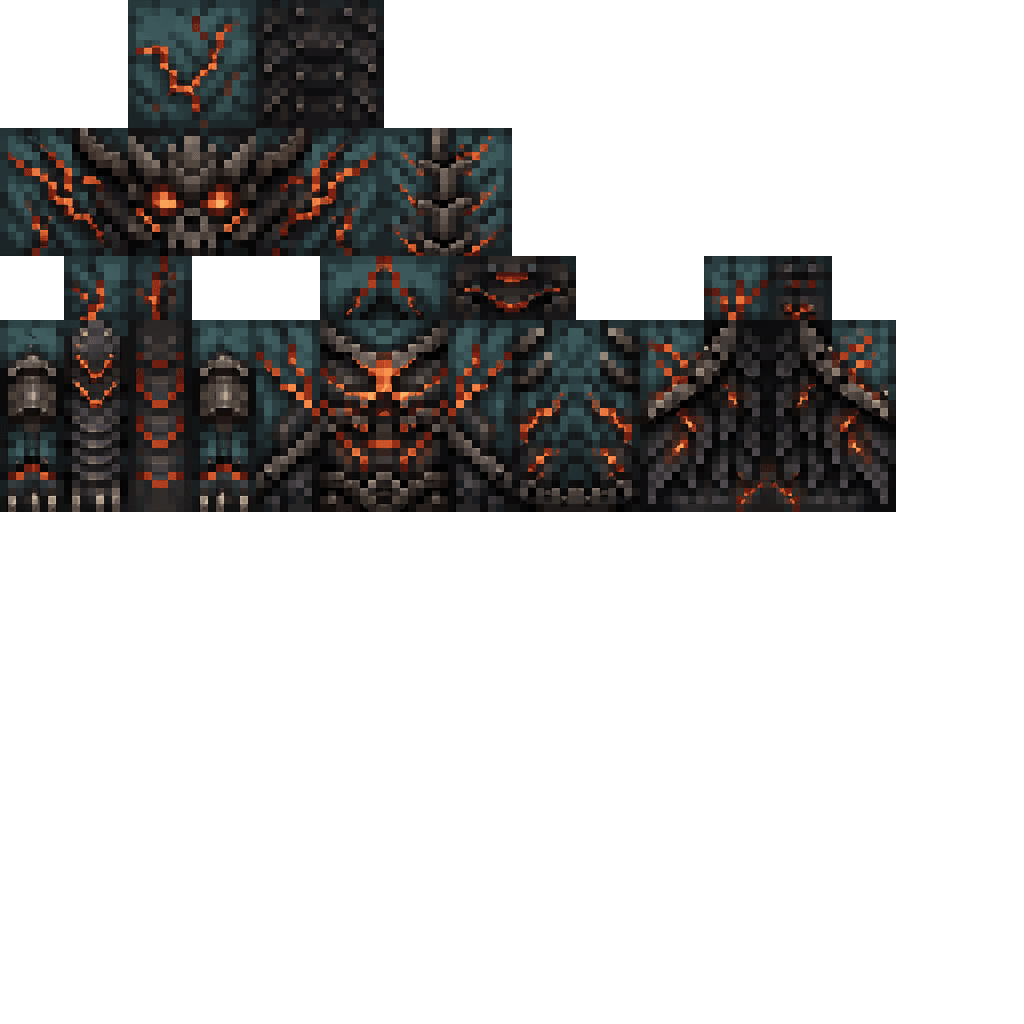
    The Storm King adds a one-time giant floating boss that spawns near the first player two minutes after they join a world, shows a boss bar, and records that it has appeared so it only spawns once per world. In combat the Storm King strikes with lightning and summons hostile Thunder Wolves, and at 50% health it becomes enraged—changing its boss bar color, attacking faster, summoning more wolves, and dealing stronger lightning damage. Defeating it drops the Crown of Tempests, which lets the wearer fly while it is raining (flight is revoked when the rain stops or the crown is no longer carried), and the mod includes custom visuals and renderers for the Storm King, Thunder Wolves, and the crown.

    Mod Wiki

    The Storm King

    Quickstart

    1. Join any new world. Two minutes after your first login you will see the message: "Storm clouds gather in the distance… The Storm King will arrive in two minutes."
    2. After the countdown, The Storm King spawns floating in the air 36–54 blocks away from you. A blue boss bar labelled The Storm King appears on your screen.
    3. Fight the boss using ranged or melee attacks. Watch out for lightning strikes and the Thunder Wolves it summons.
    4. At 50% health the boss becomes enraged — the boss bar changes color and attacks intensify.
    5. On defeat, pick up the Crown of Tempests from the drop. Carry it in your inventory and head outside during rain — you can fly!

    Overview

    The Storm King is a one-time world event boss. It spawns once per world — the first time any player joins, a two-minute timer begins. Once the boss has been defeated (or has appeared), it will never spawn again in that world. The encounter rewards the player with the Crown of Tempests, a powerful flight item tied to stormy weather.


    What It Adds

    ContentTypeNotes
    The Storm KingBoss entityGiant floating boss, 8×8 blocks in size
    Thunder WolfHostile entitySummoned by the Storm King during the fight
    Crown of TempestsItem (Epic)Grants rain-powered flight; fireproof

    How To Use

    Triggering the Boss

    • The Storm King spawns automatically — there is no spawn egg or command required for normal play.
    • It spawns once per world, roughly 2 minutes after the first player joins.
    • Nearby players (within ~192 blocks) receive a chat announcement when it descends.

    The Crown of Tempests

    • Keep the Crown of Tempests anywhere in your inventory while it is raining to gain creative-style flight.
    • Flight is immediately revoked if the rain stops or you no longer have the crown on you.
    • The crown is fireproof and has a stack size of 1 (Epic rarity).
    • It can be found in the Combat creative inventory tab.

    Abilities And Mechanics

    The Storm King

    • Health: 400 HP
    • Size: Enormous — roughly 2.5× a Ghast
    • XP on kill: 500
    • Knockback resistance: 90%
    • Attacks at normal health:
      • Calls down lightning strikes every ~4 seconds
      • Summons Thunder Wolves every ~12 seconds
    • Enraged phase (≤50% health):
      • Boss bar color changes
      • Lightning strikes every ~2 seconds (twice as fast)
      • Thunder Wolves summoned every ~6 seconds (twice as fast)
      • Lightning deals increased damage

    Thunder Wolves

    • Health: 28 HP | Attack damage: 6 | Speed: Very fast
    • Aggressively target players within 48 blocks
    • Immune to lightning — lightning bolts actually heal them for 4 HP
    • Despawn naturally after 90 seconds or if they stray more than 128 blocks from a player
    • Drop 8 XP each

    Progression And Strategy

    • Prepare before joining a new world if you want to fight the Storm King at full strength — the timer starts on your very first login.
    • Bring ranged weapons (bow, crossbow, trident). The Storm King floats high and moves in three dimensions.
    • Do not use lightning-based attacks on Thunder Wolves; it heals them. Use melee or non-lightning ranged attacks to clear them.
    • The 90-second lifespan of Thunder Wolves means you can kite them and let them despawn if overwhelmed.
    • Completing the fight grants the Crown of Tempests, which pairs extremely well with exploration in rainy or stormy biomes, effectively giving you creative flight whenever weather permits.
    • Because the boss is a one-time event, multiplayer servers should coordinate so the encounter isn't missed — only the first player to join triggers the timer.

    How to install

    CreativeMode Launcher

    1. Download and install the new CreativeMode Launcher

    Click to play

    2. Click to play on the top of the screen.
    Launches instantly

    3. That's it — launches instantly. No complicated setup required.

    Install manually

    Download the mod and follow the step-by-step installation guide.

    Players also liked

    Timber Chainshot – image 1
    29Java 1.21.5v1

    Timber Chainshot

    Profile picture for editnameeditname15 Published Mods

    Timber Chainshot adds a craftable Chainshot tool that fells entire trees sideways: use the Chainshot on any log (right-click) to trigger a blade animation with sweep particles and chain/axe sounds, scan connected logs and leaves, remove the upright tree, and rebuild it rotated so the trunk lies on its side away from the clicked face (oversized trees are safely rejected). The Chainshot is obtainable in survival via a shaped recipe using iron ingots, sticks, chains, and a diamond, and appears in the Tools creative tab; it has durability and a cooldown and uses a custom handheld icon and model. This lets you quickly harvest wood in a single, cinematic action while preserving the blocks as a fallen trunk for easy collection and aesthetic landscaping.

    Tool · Functional · Cool · +3
    Advancement Tab Sorter – image 1
    35Java 26.1v7

    Advancement Tab Sorter

    Profile picture for glamorlesssglamorlesssCreativeMode Pro

    This is the first fully functional, bug free version. Advancement Tab Sorter v7 lets you reorder the tabs on the vanilla Advancements screen by holding a configurable Pick Up Advancement Tab key (default: Left Shift; rebind it in Options → Controls → Key Binds) and dragging a tab to a new position. It is compatible with datapacks and mods that change, add, or remove advancements/advancement tabs. I personally use Blazeandcave's Advancement Pack and have experienced no issues. While dragging you get a highlighted border, a translucent ghost preview and a tooltip showing the tab's resource id, and your custom order is saved automatically with newly added tabs appended to the end — no commands or setup required beyond installing the mod.

    Functional · Customization · QoL
    Seismic Geophone Surveyor – image 1
    Staff Pick
    41Java 1.21.5v3

    Seismic Geophone Surveyor

    Profile picture for gutimodsgutimodsCreativeMode Pro

    The Seismic Geophone Surveyor (plus the Handheld Geophone, Seismic Node Surveyor, and Vibroseis Scan Controller) is a handheld geological scanner that now appears as a standard flat 2D item for a clean, consistent inventory look. Right-click any solid block to send a seismic pulse straight down that scans a 15-block column for Iron, Gold, Diamond, Emerald, Lapis, Redstone, and Copper; a sharp ping and chat message tell you what ore was detected and how far below you it is, while a dull thud and message indicate no finds. Each device has 50 charges with a 3-second cooldown between scans and retains its usual sounds, particles, durability behavior, and crafting—use charges wisely to pinpoint deposits.

    Tool · Functional
    Phantom Facade – image 1
    12Java 1.21.5v2

    Phantom Facade

    Profile picture for editnameeditname15 Published Mods

    Phantom Facade adds a placeable decorative block that can impersonate any other block: place a Phantom Facade then right-click it while holding any block item to change its appearance, with action-bar feedback and the disguise preserved across saves and synced in multiplayer. By default facades are non-solid so players and mobs can walk through them and they drop as items for easy relocation; right-clicking a Phantom Facade with a stick now toggles a locked/unlocked state—locked facades gain a full-block collision so no one can enter, while unlocked facades remain pass-through. You can craft them from glass and an ender pearl or find them in the Creative inventory; use a block item to disguise and a stick to seal or open, and the lock state is saved and synced for multiplayer.

    QoL · Tool · Functional · +1
    Cinematic Replay Recorder – image 1
    Staff Pick
    120Java 1.20.1v80

    Cinematic Replay Recorder

    Profile picture for sparolsparolCreativeMode Pro

    Record your sessions and play them back with actors that preserve each player’s exact skin, model, overlays and natural movement — just record as usual and open your replay from the in-game browser to watch, scrub and export sessions. The system is built for stability and scale: it concentrates recording on nearby entities, snapshots terrain gradually, deduplicates repeated block-state changes, ignores synthetic neighbor updates, enforces memory and per-tick limits, and flushes saves asynchronously so big fights, farms and long timelines replay reliably; visual fidelity during playback is improved for held and ranged items and item ghosts are rendered safely with restored shader state. If the Epic Fight mod is present, an optional lightweight compatibility bridge records and replays first-stage combat states (battle mode on/off, combat locomotion and idle/walk/run flags, combat pose, weapon category and transition state) and routes replay actors through Epic Fight’s renderer when available, otherwise it falls back to a stable basic holding pose; advanced Epic Fight skills, combos and special abilities are intentionally not recorded, and debug logs report detection and sync status.

    Tool · Functional · 3D Model · +5

    This mod is licensed under the CreativeMode Mods License.

    CreativeMode

    Creative
    Mode

    ExploreModJams
    Create
    Items or Blocks icon

    Items or Blocks

    Join our community
    Craft first mod
    CreativeMode

    Creative
    Mode

    Craft first mod