

Description
The Stasis Rod and Stasis Remote now support cross-dimension stasis: sneak-use saves your current coordinates and dimension, and normal use teleports you back to the saved coordinates in the saved dimension. The Stasis Remote opens a menu listing your saved stasis points (each showing its dimension) so you can pick one to teleport to, and a Manage option lets you rename or delete entries without teleporting. Older saved points that lack dimension data remain usable and will fall back to your current dimension when activated.
Mod Wiki
Stasis Rod
Quickstart
- Craft a Stasis Rod using the recipe below, then hold it in your hand.
- Sneak + Right-Click (crouch and use) to save your current position and dimension. You'll see a chat confirmation.
- Walk or travel anywhere — even into another dimension.
- Right-Click normally to teleport back to your saved coordinates instantly.
For multiple saved points, craft a Stasis Remote as well:
- Sneak + Right-Click with the Stasis Remote to save your current position as a named stasis point.
- Right-Click normally to open the stasis list and teleport to any saved point.
Overview
The Stasis Rod mod (Bedrock Edition, Minecraft 1.21.93) adds two rare, enchant-compatible teleportation items. Both support cross-dimension travel — you can save a spot in the Overworld and teleport back to it from the Nether or The End, and vice versa. Saved points persist between sessions.
What It Adds
| Item | ID | Purpose |
|---|---|---|
| Stasis Rod | com_stasis_rod_pbuci6vm:my_sword | One saved location; sneak-use to set, use to teleport |
| Stasis Remote | com_stasis_rod_pbuci6vm:stasis_remote | Multiple saved locations with a full management GUI |
Both items have an enchanted glint, stack size of 1, and appear in the Equipment tab of the creative inventory.
How To Use
Stasis Rod
- Sneak + Right-Click — Saves your exact coordinates and current dimension (Overworld, Nether, or The End). Overwrites any previous save.
- Right-Click — Teleports you to your saved coordinates, switching dimensions if necessary.
- If no coordinates have been saved yet, you'll receive a reminder message.
- The Stasis Rod has 200 durability and loses 1 durability each use. It can be enchanted like a sword.
Stasis Remote
- Sneak + Right-Click — Saves your current position as a new named stasis point (auto-named Stasis 1, Stasis 2, etc.). You can save as many points as you like.
- Right-Click — Opens the Stasis List GUI. Each entry shows the point's name, coordinates, and dimension. Click any entry to teleport to it immediately.
- From the list, a Manage option opens a sub-menu where you can:
- ✏ Rename — Enter a new name (up to 32 characters).
- 🗑 Delete — Permanently remove the saved point.
- ← Back — Return to the previous screen.
- All saved points survive world reloads and server restarts.
Dimension Support
Both items recognise three dimensions: Overworld, Nether, and The End. Older saved points that pre-date the cross-dimension update will fall back to your current dimension when activated.
Crafting And Obtaining
Stasis Rod


Stasis Remote


Abilities And Mechanics
- Cross-dimension teleportation — Saves and restores the exact dimension alongside coordinates. You do not need to be in the same dimension to teleport.
- Cooldowns — The Stasis Rod has a brief 0.5-second cooldown between uses; the Stasis Remote has a 0.3-second cooldown.
- Durability (Stasis Rod only) — Each activation costs 1 durability out of 200 max. The Remote has no durability limit.
- Enchantable — The Stasis Rod accepts sword-slot enchantments (e.g. Unbreaking to extend durability).
- Persistent storage — Points are stored on the player, so they carry over across dimensions and sessions without any extra setup.
Progression And Strategy
- Use the Stasis Rod for a single "home base" — your most important fallback point. Sneak-click it any time you relocate your base.
- Use the Stasis Remote to maintain a network of locations: mining outposts, your Nether hub, an End gateway — any number of named waypoints.
- Saving a point before entering a dangerous area (caves, Nether fortresses, End portals) gives you a quick escape if things go wrong.
- Because dimension data is stored per-point, you can set up a Nether transit system: save points at Nether portals and teleport between them without needing to find a portal every time.
- The Stasis Rod's durability can be extended with Unbreaking enchantments, making it a long-term investment worth protecting.
How to install
Download the mod and follow the step-by-step installation guide.
Players also liked
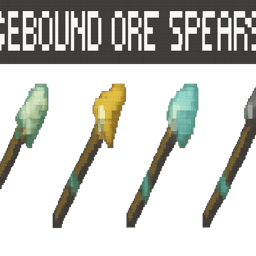
Chargebound Ore Spears


Five Chargebound Yari (Bronze, Iron, Steel, Mithril and Dragonbone) add momentum-based yari to survival with a traditional Japanese yari look: equip a Yari, hold use to charge a thrust and release to stab — damage scales with your movement speed (sprinting or closing distance inc…







This mod is licensed under the CreativeMode Mods License.