
Description
The Scissors of Cutting let you capture and reuse whole cuboid or single row/column regions: right‑click once to mark the first corner and again on a new block to mark the second, then right‑click the air to Cut (or do nothing to leave it in copy memory) and then right‑click any solid block to Paste the clipboard anchored on top of the clicked block. Selections ignore air, water, and lava. While copy memory persists, cut-memory is cleared upon paste. Left click undoes last behavior, and double-left-click clears copy memory. Chat commands let you set a block filter so only a specific block type is captured (use "/scissors only <block name>", "/scissors clear only", and "/scissors help"), and initial help text is shown in-game when you first equip the scissors.
Mod Wiki
Scissors Of Cutting
Quickstart
- Craft the Scissors Of Cutting (found in the Tools & Utilities creative tab):


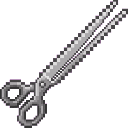
- Hold the scissors in your main hand.
- Right-click a solid block to mark your first corner.
- Right-click another solid block to mark the opposite corner of the region.
- Now choose what to do with the selection:
- Right-click air → Cut the region (blocks are removed from the world and stored).
- Right-click any solid block → Paste the stored clipboard on top of that block.
- If you make a mistake, left-click to undo the last action.
Overview
The Scissors Of Cutting is a single-item world-editing tool that lets you capture, move, and replay cuboid regions of blocks without any external editor. Select two corners, cut or copy the region, then paste it wherever you like — all from inside the game using a single item.
What It Adds
- Scissors Of Cutting — one non-stackable tool item that manages corner selection, clipboard storage, cutting, and pasting.
How To Use
Selecting a Region
Right-click any solid block to set Corner 1. Right-click a second solid block to set Corner 2. These two points define a cuboid (rectangular box). Air, water, and lava inside the region are automatically ignored — only real block states are captured.
Cut vs. Paste
After both corners are marked:
| Action | What to do | Result |
|---|---|---|
| Cut | Right-click air | Removes the selected blocks from the world and stores them in your clipboard |
| Paste | Right-click any solid block | Places the clipboard contents on top of the clicked block |
- Cut-mode clipboard is consumed after a single paste (unless undone).
- Copy-mode clipboard (when paste is triggered after corner selection without a cut) persists and can be pasted repeatedly.
Undo
Left-clicking while holding the scissors starts a short pending undo window (~10 ticks / 0.5 seconds):
- Wait out the window → the last scissors action (cut or paste) is undone.
- Left-click again during the window → the saved clipboard is cleared instead of undoing.
Chat messages confirm every action so you always know the current state.
Abilities And Mechanics
Block Filtering
You can restrict what the scissors capture using chat commands. Only one filter type is active at a time — setting one automatically clears the other.
| Command | Effect |
|---|---|
/scissors only <block name> | Capture only that block type (e.g. /scissors only oak log) |
/scissors xc <block name(s)> | Exclude one or more block types from captures (e.g. /scissors xc grass block dirt) |
/scissors clear only | Remove the "only" filter |
/scissors clear xc | Remove all exclusions |
/scissors help | Show all instructions in chat |
Block names accept natural language with spaces (e.g. grass block, oak plank). Multiple names can be listed in a single /scissors xc command.
First-Time Reminder
The first time you carry the scissors in a given world, a full help summary is printed to your chat automatically. Use /scissors help at any time to see it again.
Clipboard Behaviour Summary
- Cut mode — clipboard is one-use; paste consumes it.
- Copy/paste mode — clipboard persists until manually cleared or replaced.
- Pasted blocks respect their original block states and orientations.
- Air, water, and lava are never stored or pasted.
Progression And Strategy
- Use copy-paste mode (select corners → paste without cutting) to stamp a structure repeatedly across a build.
- Use cut mode to relocate sections of a build cleanly — the source blocks disappear on cut.
- Apply
/scissors onlywhen you want to extract a single material from a mixed region (e.g. pull only the glass panes out of a wall). - Apply
/scissors xcto exclude filler blocks like dirt or stone so only the blocks you care about transfer. - Keep the undo workflow in mind: a quick double left-click clears the clipboard, while a single left-click and a short pause undoes the last placement or removal.
How to install
This Java mod can be used on Windows and Mac PCs with the CreativeMode Launcher or any Minecraft launcher of your choice.

1. Download and install the new CreativeMode Launcher

2. Click to play on the top of the screen.
3. That's it — launches instantly. No complicated setup required.
Want to use on a different launcher? Download mod and manually install.
Players also liked
OP Buffs


OP Buffs is a mod that simply allows all buffs and debuffs to stack infinitely. That's it. A new counter displays how many stacks exist for any given effect. Yes, buffs and debuffs stack for mobs as well. Go nuts.
Galaxy Titan Tool


The Super Warden Mace is a warden/sculk‑themed all‑in‑one tool and weapon you spawn with (or receive on respawn) that massively raises your max health, keeps your hunger full, and grants creative‑mode flight and Speed 10 while carried. Press the Control (sprint) key while on the…
Mob Controller

Control allies and enemies with signals, but rain and water interrupt you—broken connections create huge, fast, enraged foes.
Emerald Starfall Cannon


Mark your target with emerald light, hold steady, and unleash a devastating orbital blast.
Temporal Stopwatch


The Temporal Stopwatch is a mystical timepiece that lets you freeze and resume the entire game world—entities, blocks, weather, and time—across all dimensions with a simple right-click. While paused, everything holds perfectly still at the exact moment you stopped, and the stopwa…
This mod is licensed under the CreativeMode Mods License.