

Description
Der Returning Blade fügt ein wirbelndes, werfbares Schwert hinzu: Rechtsklick wirft es (kurzer Klick für einen schwächeren Wurf), langes Laden füllt eine HUD‑Anzeige — je voller, desto schneller, stärker und durchschlagskräftiger (bei hoher Ladung kann die Klinge mehrere Mobs durchdringen); gestochen oder abgelegte Klingen sind unzerstörbar und despawnen nicht. Tasten steuern Spezialfähigkeiten: C ruft die Klinge dimensionsübergreifend zurück, V schaltet den Doppelklingen‑Modus (eine permanente Klinge bleibt auf einmal Pflicht; V erzeugt eine temporäre Offhand‑Klinge mit eigener Abklingzeit, echter Doppel‑Schaden nur bei simultanen Treffern) und B aktiviert den Wirbelwind (drehende Pose, temporäre Offhand‑Klinge, regelmäßiger Flächenschaden; Werfen ist während Wirbelwind deaktiviert); dazu kommen überarbeitete Partikel, Sounds, Animationen und eine verbesserte Item‑Textur. The Returning Blade adds a swirling, throwable sword: right-click to throw (short click for a weaker toss), hold to charge a HUD meter — the fuller the charge the faster, stronger, and more penetrating the blade (high charge can pass through multiple mobs); stuck or dropped blades are indestructible and do not despawn. Special abilities use keys: C recalls the blade across dimensions, V toggles Dual‑Blade mode (one persistent blade remains allowed at a time; V spawns a temporary offhand blade with its own cooldown and true double damage only on simultaneous hits), and B activates Whirlwind (spinning stance, temporary offhand blade, periodic AoE damage; throwing is disabled during Whirlwind); signing the Swordsart Pact lets you summon the blade when it does not yet exist, and if you have not signed the pact the C/V/B keys are now silently ignored with no messages.
Mod Wiki
Returning Blade
Quickstart
- Open your inventory — both recipes are unlocked automatically when you join the world.
- Craft the Swordsart Pact and right-click it to read and sign it. You must sign before the blade obeys you.
- Craft the Returning Blade and hold it in your main hand.
- Hold right-click to charge a throw, then release — the blade flies out and returns to you automatically.
- Press C at any time to instantly recall the blade, even from another dimension.
Overview
Returning Blade adds a single, powerful throwable sword built around a charge-and-recall loop. You hold right-click to load a HUD charge meter, release to hurl the blade, and it arcs back to you on its own. Three special abilities — Recall (C), Dual Blade (V), and Whirlwind (B) — are unlocked only after you sign the Swordsart Pact. The blade never despawns and is indestructible while planted in the world or lying on the ground, so it can never be lost.
What It Adds
| Item | Description |
|---|---|
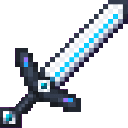
| Returning Blade | A diamond-tier throwable sword with a charge-throw mechanic and three special abilities. |
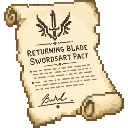
| Swordsart Pact | A one-time contract item. Right-click it to open a sign screen; signing unlocks all blade abilities. |
Crafting And Obtaining
Both recipes are automatically unlocked in your recipe book when you enter the world.
Swordsart Pact — craft and sign this first:


Returning Blade — your main weapon:


How To Use
Throwing
- Short right-click — releases immediately for a weaker, slower throw.
- Hold right-click — charges the blade. A HUD meter fills over roughly 2 seconds. Release to throw.
- The fuller the charge, the faster the blade travels, the more damage it deals, and the more enemies it can pierce in a single pass. A fully charged throw can punch through multiple mobs at once.
- After landing, the blade automatically returns to you. It deals damage on the way back as well.
- The blade has a short throw cooldown after each use.
Melee
While holding the Returning Blade in your main hand you can still swing it normally with left-click for standard melee damage, including enchantment effects and knockback.
Indestructible Blades
A blade that hits a block, misses its owner, or is dropped on the ground becomes planted and indestructible. It will never despawn. Use C to call it back whenever you are ready.
Abilities And Mechanics
All three abilities require a signed Swordsart Pact and the Returning Blade held in your main hand. The hotkeys are silent and do nothing if the pact has not been signed.
C — Recall
Instantly summons the blade back to you from anywhere in the world, including across dimensions. A trident-return sound plays on success.
V — Dual Blade
Toggles Dual Blade mode. While active:
- A temporary offhand blade appears alongside your main blade (one persistent blade allowed at a time).
- Right-click attacks with the main hand blade; left-click attacks with the offhand blade.
- True double damage is only dealt when both blades strike a target simultaneously.
- The offhand blade has its own independent cooldown and fades when the mode is deactivated.
B — Whirlwind
Activates a spinning stance:
- Your character enters a rotating pose with a temporary second blade.
- Deals periodic area-of-effect damage to all nearby enemies automatically.
- Throwing the blade is disabled while Whirlwind is active.
- Press B again to end the stance.
Progression And Strategy
Step 1 — Sign the Pact. Craft the Swordsart Pact first. Without it the blade falls to the ground the moment you hold it, and all ability keys are ignored.
Step 2 — Learn the charge window. A short click throws weakly but quickly. Taking ~2 seconds to fully charge maximises speed, damage, and pierce count — worth the wind-up against groups or tough targets.
Step 3 — Use Recall liberally. The blade is indestructible and never despawns, but pressing C brings it home instantly across any distance or dimension. There is no cost to recalling early.
Step 4 — Pick your mode for each fight.
- Solo target: standard charged throw + melee follow-up.
- Crowd: full-charge throw for multi-pierce, then Whirlwind to mop up stragglers while the blade is returning.
- Boss or paired enemy: Dual Blade mode for simultaneous hits and true double damage bursts.
Enchantments. The Returning Blade is a diamond sword and accepts standard sword enchantments (Sharpness, Fire Aspect, Knockback, etc.). These apply to both melee swings and the thrown blade's damage calculations.
How to install
This Java mod can be used on Windows and Mac PCs with the CreativeMode Launcher or any Minecraft launcher of your choice.

1. Download and install the new CreativeMode Launcher
2. Click to play on the top of the screen.
3. That's it — launches instantly. No complicated setup required.
Want to use on a different launcher? Download mod and manually install.
Players also liked

Divinity mod


This mod expands late-game divine gear and progression: divine-state apples grant temporary flight, a one-time explosion/lightning effect, and a passive crowd-control aura that pushes or frightens hostile mobs within 32 blocks (bosses are exempt), and the glowing/halo particle sp…
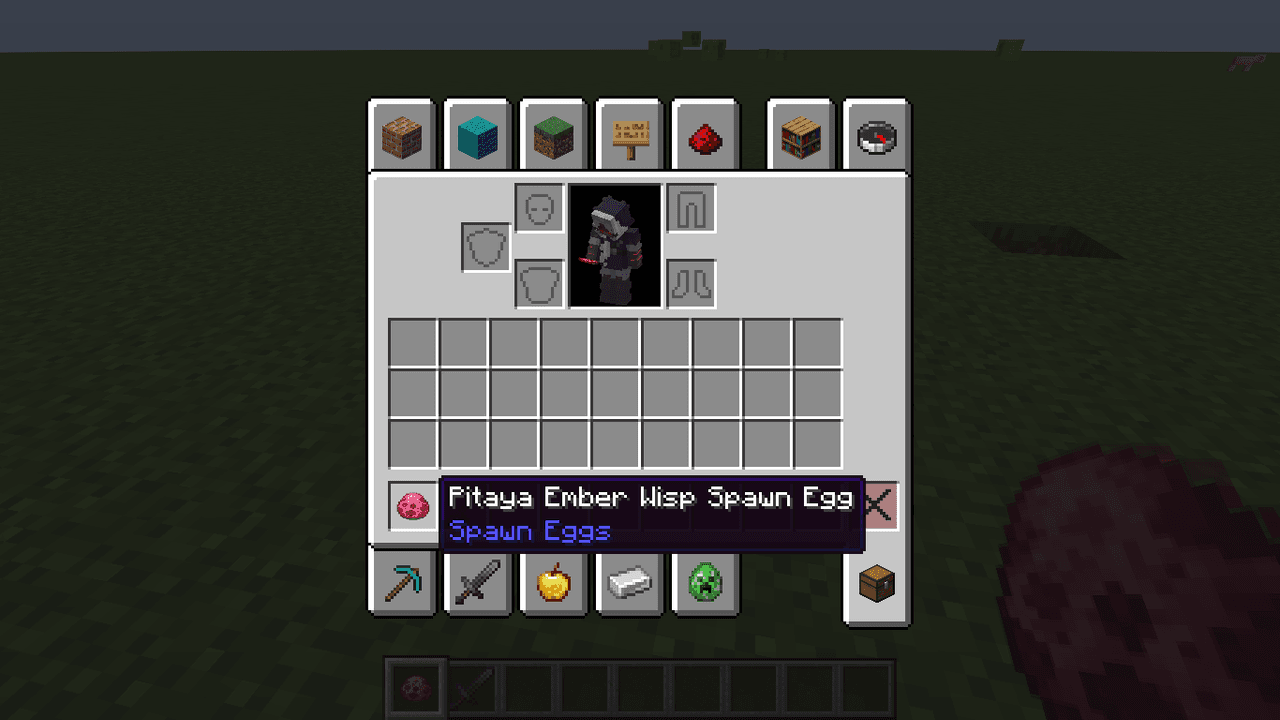
Pitaya Dragon Cookie


The Pitaya Ember Wisp is a fearsome dragon-inspired creature that floats through the world with a mystical glow, hunting down players with devastating fireball attacks. This hostile mob hovers above the ground and maintains its distance while unleashing fiery projectiles, becomin…
Howling Gale Keyblade


Wield the Howling Gale Keyblade to unleash devastating tornadoes and shield yourself with a storm of wind.
THE LOST SIGNAL


A slow-burning horror experience where a hidden presence corrupts your world through anomalies, stalkers, and buried secrets.
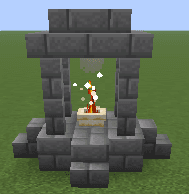
Sacred Fire Ward

Place a sacred fire, destroy nearby unholy monsters, and gain holy protection through offerings so you can build your farm, village, city or town in peace. Purify zombie villagers instantly and cure them. It works almost like a mega-torch but more, with holy magic and holy prote…
This mod is licensed under the CreativeMode Mods License.