

Description
Detonate linked nukes and missiles remotely using the remote detonator. The missiles can be launched to any corrds in the same dimension as the Missile.
Mod Wiki
Remote Doomsday
Quickstart
- Craft a Nuke, place it like a block where you want a future explosion.
- Craft a Nuclear Missile and place it as a launch silo block.
- Craft a Remote Detonator and carry it in your hand.
- Right-click a placed Nuke or Nuclear Missile with the Remote Detonator to link it.
- Use the Remote Detonator again from anywhere to trigger linked devices remotely - stand far away first!
Overview
Remote Doomsday adds powerful explosive devices that can be placed in the world and triggered remotely instead of with a normal fuse or button. A handheld Remote Detonator lets you link to placed Nukes and Nuclear Missiles, then set them off from a safe distance. Both devices produce explosions far more devastating than standard TNT.
What It Adds
| Item/Block | Description |
|---|---|
| Nuke | A placeable explosive block. Produces a massive explosion with roughly five times the destructive power of normal TNT when detonated. |
| Nuclear Missile | A placeable silo-style explosive block, similar in power to the Nuke but designed to be aimed at a target location rather than exploding only at its own position. |
| Remote Detonator | A handheld tool used to link to and remotely trigger placed Nukes and Nuclear Missiles. |
How To Use
- Placing devices: Place the Nuke or Nuclear Missile like any other block, in a safe location away from anything you want to keep.
- Linking: Hold the Remote Detonator and right-click a placed Nuke or Nuclear Missile to link it to your detonator.
- Detonating Nukes: Use the linked Remote Detonator to set off the Nuke remotely, anywhere on the map. The explosion is signaled with a distinct rumbling sound before it goes off.
- Launching Missiles: Nuclear Missiles can be aimed at a specific target location away from the launch point before being fired, letting you strike a distant area instead of just blowing up where the missile sits. A launch sound plays as the missile fires toward its target.
- Multiple links: You can link several Nukes and Missiles to the same Remote Detonator and trigger them all together for a coordinated, large-scale demolition.
- Safety first: Both explosives are far stronger than TNT — always retreat to a safe distance before detonating, and avoid placing devices near anything you don't want destroyed, including your own builds.
Crafting And Obtaining


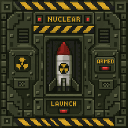


- The Nuke is crafted from TNT, Netherite Scrap, and a Redstone Block.
- The Nuclear Missile is crafted using a Redstone Block, TNT, a Nuke, and Iron Blocks — it requires a Nuke as a crafting ingredient, so craft the Nuke first.
- The Remote Detonator is crafted from Iron and Gold Ingots, Redstone, and a Stone Button.
Abilities And Mechanics
- Fivefold explosive power: Both the Nuke and Nuclear Missile are designed to explode with roughly five times the force of vanilla TNT, capable of leveling large areas.
- Remote triggering: Detonation is decoupled from the explosive's location — once linked, you can stand safely far away and still set off the blast using the Remote Detonator.
- Missile targeting: Nuclear Missiles can be directed toward a specific destination rather than detonating only where they're placed, allowing for long-range strikes.
- Audio cues: Distinct sounds play for missile launches and nuclear detonations, giving you warning before the explosion lands.
- Drops: If a Nuke or Nuclear Missile survives being caught in another explosion, it can be recovered as an item rather than being destroyed.
Progression And Strategy
Start by crafting a single Nuke to get familiar with placement and remote detonation in a controlled, empty area. Once comfortable, move on to the Nuclear Missile for long-range strikes that don't require you to be anywhere near the target. Use the Remote Detonator to link multiple devices across a build for large-scale, synchronized demolitions — useful for clearing terrain, destroying old structures, or staging dramatic finales in creative builds. Always keep a safe buffer distance, since both explosives are significantly more powerful than vanilla TNT.
How to install
This Java mod can be used on Windows and Mac PCs with the CreativeMode Launcher or any Minecraft launcher of your choice.

1. Download and install the new CreativeMode Launcher
2. Click to play on the top of the screen.
3. That's it — launches instantly. No complicated setup required.
Want to use on a different launcher? Download mod and manually install.
This mod is licensed under the CreativeMode Mods License.