

Description
Redstone Revolution is a Minecraft Bedrock mod that expands redstone into a powerful engineering system. Build complex machines and circuits with advanced logic gates, timers, wiring, memory systems, mechanical components, and more. Whether you're making a simple automated door or an enormous redstone computer, Redstone Revolution gives you the tools to build it.
Mod Wiki
Redstone Revolution
Quickstart
- Check your first-spawn kit. On your first spawn, Redstone Revolution gives you an Engineer's Probe and 16 redstone. If you do not receive them, find the mod's items in the Redstone Revolution creative group or craft the probe below.
- Craft your first Circuit Boards at a crafting table. They are the basic ingredient for nearly every engineering device.


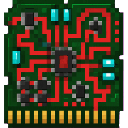
- Craft a Data Chip, then make a Programmable Controller.



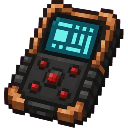
- Hold the Engineer's Probe and press Use. It calibrates the probe, grants engineering XP, and tells you to place it against a powered circuit.
- Use the Programmable Controller to open the Engineering Console. From the console you can:
- Cycle your wireless channel.
- Run a controller diagnostic for 5 engineering XP.
- View the engineering unlock tree.
- Craft and place an AND Logic Gate or another logic gate. Supply it with neighboring redstone power and interact with it to inspect its inputs.

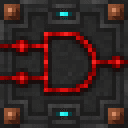
- Advance to wireless and mechanical systems as your engineering level increases. Logic gates require Level 1, wireless and sensor blocks require Level 2, and mechanical blocks require Level 3.
Overview
Redstone Revolution expands redstone into an engineering toolkit for building logic circuits, signal networks, automation prototypes, security systems, computers, calculators, and moving machinery.
The mod provides:
- Logic gates for evaluating multiple redstone inputs.
- Memory and timing components.
- Redstone cables and wireless signal devices.
- Proximity sensors and engineering displays.
- Programmable Controllers, wireless tuning, and engineering XP.
- Motors, gears, shafts, gear assemblies, and moving platforms.
Engineering machines react to nearby redstone power and provide visible status feedback such as particles and action-bar messages.
What It Adds
Tools and Components
| Item | Use |
|---|---|
| Engineer's Probe | Calibrates your engineering license and provides circuit-inspection feedback. |
| Redstone Circuit Board | Basic component used to craft advanced engineering items and blocks. |
| Engineering Data Chip | Advanced circuit component used by controllers, memory, wireless, and display systems. |
| Programmable Controller | Opens the Engineering Console. |
| Wireless Tuner | Cycles your personal wireless channel from 1 through 8. |
| Brass Gear | Mechanical crafting component. |
| Mechanical Shaft | Mechanical crafting component used for motors and platforms. |
| Motor | Component used to craft the placeable Motor block. |
Signal and Logic Blocks
- AND Logic Gate
- OR Logic Gate
- XOR Logic Gate
- NAND Logic Gate
- NOT Logic Gate
- Memory Latch
- Advanced Timer
- Redstone Cable
- Wireless Transmitter
- Wireless Receiver
- Proximity Sensor
- Engineering Display
Mechanical Blocks
- Motor
- Gear Assembly
- Moving Platform
How To Use
Supplying Redstone Power
Engineering machines inspect neighboring blocks for redstone power. Use levers, buttons, redstone torches, redstone dust, or other vanilla redstone components to test them.
A machine can detect power from any of its six adjacent sides. For two-input logic blocks, the inputs are arranged as follows:
- Input A: from the west or above.
- Input B: from the east or below.
- Any input: any powered neighboring side.
Interact with an engineering block to inspect it and gain 1 engineering XP. The block reports its name and instructs you to inspect its inputs with the Engineer's Probe.
Using the Engineer's Probe
Hold the Engineer's Probe and press Use to calibrate it. Each use grants 1 engineering XP and displays a message about placing the probe against a powered circuit.
The probe is a useful first tool for testing whether your redstone setup is providing a signal before adding more advanced components.
Using the Programmable Controller
Hold the Programmable Controller and press Use to open the Engineering Console. The console displays:
- Your engineering level and title.
- Your current engineering XP.
- Your wireless channel.
The console has three options:
- Cycle wireless channel — changes your player channel from 1 through 8.
- Run controller diagnostic — grants 5 engineering XP and confirms that the redstone, memory, and mechanical interfaces are operational.
- View unlock tree — shows the five major engineering stages.
Using the Wireless Tuner
Hold the Wireless Tuner and press Use to advance your player channel. The tuner cycles through channels 1 to 8 and grants 2 engineering XP per use.
For the basic transmitter-and-receiver link, use channel 1. The wireless transmitter broadcasts its active signal on channel 1, and a wireless receiver reports when that signal is received.
Breaking Engineering Blocks
Engineering blocks are pickaxe-mineable. Breaking one drops the block as an item so it can be repositioned or reused in another machine.
Abilities And Mechanics
Logic Gates
Logic gates evaluate the power state of their two inputs and show an output status when their result is active.
| Gate | Output is active when |
|---|---|
| AND | Both Input A and Input B are powered. |
| OR | At least one input is powered. |
| XOR | Exactly one input is powered. |
| NAND | Both inputs are not powered at the same time. |
| NOT | Input A is not powered. |
Use the gates as compact logic modules for doors, alarms, indicator systems, combination locks, and larger experimental circuits. An active result is shown with an output message and visual particle feedback near the gate.
Memory Latch
The Memory Latch has separate set and reset inputs:
- Power Input A to trigger SET.
- Power Input B to trigger RESET.
The latch reports each operation with a status message, making it useful for testing state-based circuits and control panels.
Advanced Timer
The Advanced Timer produces a visible timing pulse approximately every two seconds. It can be used as a regular timing reference for experiments, displays, and automation layouts.
Redstone Cable
A Redstone Cable acts as an engineering bus. When any neighboring side is powered, it reports CABLE BUS: SIGNAL with visual feedback.
Use cables to organize signal paths around machines and keep complex builds easier to read.
Wireless Transmitter and Receiver
A Wireless Transmitter checks for neighboring redstone power. When powered, it broadcasts an active signal on wireless channel 1.
A Wireless Receiver reports WIRELESS RX: SIGNAL RECEIVED while an active transmitter signal is present. Place the two devices in separate parts of a build to create a wireless control or status link.
The Wireless Tuner and Engineering Console can display and cycle your player channel, but the basic transmitter-and-receiver signal behavior uses channel 1.
Proximity Sensor
The Proximity Sensor detects nearby non-item entities within approximately five blocks. When it finds a target, it reports PROXIMITY SENSOR: TARGET.
Use it for entry alarms, security systems, automatic lighting concepts, and motion-triggered contraptions.
Engineering Display
The Engineering Display monitors its neighboring signal bus. When any adjacent side is powered, it reports DISPLAY BUS: ACTIVE.
Place displays beside important signal lines to create visible status panels for your machines.
Motor Block
The Motor block activates when it receives neighboring redstone power. While active, it reports MOTOR: ROTATING and pushes nearby non-player, non-item entities.
Use it to experiment with mechanical movement and powered machinery.
Gear Assembly
The Gear Assembly engages when it detects neighboring redstone power and reports GEAR TRAIN: ENGAGED.
Use gear assemblies as visible mechanical stages between powered controls and larger contraptions.
Moving Platform
A powered Moving Platform shifts approximately once per second. Players standing close to it are pushed in the platform's movement direction.
Use platforms for lifts, transport systems, moving walkways, and redstone-controlled machinery demonstrations.
Crafting And Obtaining
All recipes below are crafted at a crafting table. Hover over or tap a recipe shortcode to view its complete ingredient layout.
Core Engineering Items
| Result | Recipe |
|---|---|
| 2 Redstone Circuit Boards | |
| 2 Engineering Data Chips | |
| Engineer's Probe | |
| Programmable Controller | |
| Wireless Tuner |
Craft Circuit Boards first, then use them to make Data Chips and the advanced tools.
Signal and Logic Devices
| Result | Recipe |
|---|---|
| 8 Redstone Cables | |
| AND Logic Gate | |
| OR Logic Gate | |
| XOR Logic Gate | |
| NAND Logic Gate | |
| NOT Logic Gate | |
| Memory Latch | |
| Advanced Timer | |
| Wireless Transmitter | |
| Wireless Receiver | |
| Proximity Sensor | |
| Engineering Display |
The five logic gates use the same basic circuit pattern with different central components, so gather a supply of Circuit Boards and redstone before building a full logic system.
Mechanical Components
| Result | Recipe |
|---|---|
| 4 Brass Gears | |
| 4 Mechanical Shafts | |
| 2 Motors | |
| Gear Assembly | |
| Motor block | |
| Moving Platform |
The mechanical progression is:
Brass Gears and Mechanical Shafts → Motors and Gear Assembly → Motor and Moving Platform.
Progression And Strategy
Engineering Levels
Your engineering level is shown in the action bar as ENG. The level titles and XP thresholds are:
| Level | XP threshold | Title | Main unlock |
|---|---|---|---|
| 0 | 0 | Basic Wiring | Basic machines, cables, displays, timers, and memory components. |
| 1 | 25 | Logic Apprentice | Logic gates. |
| 2 | 75 | Signal Engineer | Wireless transmitters, receivers, and proximity sensors. |
| 3 | 150 | Automation Engineer | Motors, gear assemblies, and moving platforms. |
| 4 | 300 | Computer Architect | Advanced engineering title and progression milestone. |
| 5 | 600 | Redstone Master | Highest engineering title. |
Blocks with an engineering requirement cannot be placed until you reach the required level. Your existing items remain available, and the Engineer's Probe, Controller, Tuner, and machine interactions provide the main ways to earn XP.
Efficient Early Progression
- Use the Engineer's Probe several times to begin earning calibration XP.
- Craft Circuit Boards and Data Chips.
- Craft a Programmable Controller and run its diagnostic.
- Interact with the machines in a test area for additional XP.
- Build a simple AND, OR, or NOT test circuit to reach the logic stage.
- Add cables, displays, and timers to make signal activity easy to observe.
- Unlock wireless and sensor blocks for remote controls and security systems.
- Finish with motors, gears, and platforms for moving machinery.
Build Planning Tips
- Keep Input A and Input B sides consistent across your logic designs.
- Put an Engineering Display beside important signal paths so you can see when a bus is active.
- Use an Advanced Timer as a regular timing reference when testing repeated actions.
- Use an XOR gate for “one or the other, but not both” controls.
- Use a NAND gate for inverted combined conditions.
- Place Proximity Sensors near entrances and connect their feedback to visible displays or alarm circuits.
- Test mechanical blocks in an open area because active motors can push nearby entities.
- Leave room around Moving Platforms for players to stand safely while testing their movement.
How to install
Download the mod and follow the step-by-step installation guide.
Players also liked

Ancient Egyptian Night Sky


Transform blue terracotta into colorful Egyptian night sky paintings seen in ancient tombs.
Allay Guardian


A loyal crimson allay guardian follows you and fights anything threatening its master. it takes one Red-stone powder to tame. it has 300 health and it does 15 damage .




Patrol Drone Defense


Deploy an aerial drone with tracer fire to patrol your base, instantly eliminating hostile mobs across a wide, uneven defense zone. I tried to get a screenshot of the kills, but it happens to fast to catch.


This mod is licensed under the CreativeMode Mods License.