

Description
Create persistent 8x8 pixel paintings on block faces including carved pumpkins
Mod Wiki
Pumpkin Painter
Quickstart
- Craft a Pumpkin Paintbrush and a Color Palette (recipes below).
- Hold the Paintbrush and middle-click (Pick Block) on any block face in the world.
- A painting screen opens — pick a color from the hue/brightness wheel on the right, then click pixels on the 8×8 grid to draw.
- Press Done to save your pixel art permanently onto that block face.
- To paint a carved pumpkin's face specifically, right-click the carved pumpkin while holding the Paintbrush — the screen title changes to "Draw Carved Pumpkin Face" and lets you customize the jack-o'-lantern expression.
Overview
Pumpkin Painter lets you draw persistent 8×8 pixel images directly onto the faces of blocks in your world. Paintings survive chunk unloads and server restarts. The mod also adds a Pumpkin Face Stamp, a Color Palette, and a placeable Pumpkin Pie Block, each with their own crafting recipes and secondary uses.
What It Adds
| Item / Block | Purpose |
|---|---|
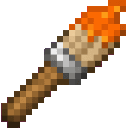
| Pumpkin Paintbrush | Main painting tool; middle-click a block face to open the pixel editor |
| Color Palette | Crafting ingredient; also used to craft pumpkin pies in bulk |
| Pumpkin Face Stamp | Stamps the classic carved-pumpkin face; doubles as a crafting ingredient |
| Placeable Pumpkin Pie | A block form of pumpkin pie you can set on the ground and eat slice by slice (like cake) |
How To Use
Painting Block Faces
With a Pumpkin Paintbrush in hand, press your middle mouse button (Pick Block) while looking at any block face. The painter screen opens showing:
- 8×8 pixel grid (left) — click or drag to paint pixels in the selected color.
- Color wheel (right) — click anywhere on the wheel to select a hue/brightness. Colors range across the full spectrum with adjustable brightness.
- Done button — saves the painting to that exact block face and closes the screen.
The painting is stored server-side and visible to all players.
Painting Carved Pumpkins
Right-clicking a placed Carved Pumpkin with the Paintbrush opens the same editor under the title "Draw Carved Pumpkin Face." The canvas starts transparent so you only draw the parts of the face you want. Saving writes a custom face pattern onto that pumpkin permanently.
Crafting And Obtaining
Pumpkin Paintbrush


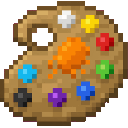


Color Palette



Pumpkin Face Stamp


Placeable Pumpkin Pie


Bonus / Utility Recipes
The mod also unlocks several handy conversion recipes:
Craft a Jack o' Lantern using the Stamp:


Craft Orange Dye using the Stamp:
Bulk Pumpkin Pie from painter tools:

Craft Shears from a Paintbrush:


Abilities And Mechanics
- Persistence — Paintings are saved as world data on the server. They reload automatically when the chunk is loaded, so artwork is never lost.
- Per-face storage — Each face of a block stores its own independent painting. You can decorate all six sides of a single block with different art.
- Carved pumpkin mode — When painting a carved pumpkin the canvas is transparent by default, so unpainted pixels show nothing, letting you sculpt just the glowing face lines.
- Placeable Pumpkin Pie — Functions exactly like a cake: place it on any solid surface and right-click it to eat one slice at a time until it is gone.
Progression And Strategy
- Start with the flower recipe for the Color Palette (bowl + poppy + dandelion + cornflower + pumpkin seeds) — it requires no dyes and is easy to gather early.
- Craft the Paintbrush from the palette variant (palette + stick + string) to skip hunting for orange wool.
- Use the Pumpkin Face Stamp to quickly craft Jack o' Lanterns without a carving tool, and recycle a used stamp into orange dye so nothing goes to waste.
- Decorate the faces of builds — signs, walls, doors, floors — each face holds its own painting, so a single column of blocks can display a full multi-panel mural.
- Place Placeable Pumpkin Pie blocks as themed food sources in pumpkin farms or autumn-decorated areas; they function as a renewable food block similar to cake.
How to install
This Java mod can be used on Windows and Mac PCs with the CreativeMode Launcher or any Minecraft launcher of your choice.

1. Download and install the new CreativeMode Launcher

2. Click to play on the top of the screen.

3. That's it — launches instantly. No complicated setup required.
Want to use on a different launcher? Download mod and manually install.
This mod is licensed under the CreativeMode Mods License.