Description
Pumpkin Painter lets you draw persistent 8×8 pixel images directly onto the faces of blocks in your world. Paintings survive chunk unloads and server restarts. The mod also adds a Pumpkin Face Stamp, a Color Palette, and a placeable Pumpkin Pie Block, each with their own crafting recipes and secondary uses.
| Item / Block | Purpose |
|---|---|
| Pumpkin Paintbrush | Main painting tool; middle-click a block face to open the pixel editor |
| Color Palette | Crafting ingredient; also used to craft pumpkin pies in bulk |
| Pumpkin Face Stamp | Stamps the classic carved-pumpkin face; doubles as a crafting ingredient |
| Placeable Pumpkin Pie | A block form of pumpkin pie you can set on the ground and eat slice by slice (like cake) |
With a Pumpkin Paintbrush in hand, press your middle mouse button (Pick Block) while looking at any block face. The painter screen opens showing:
The painting is stored server-side and visible to all players.
Right-clicking a placed Carved Pumpkin with the Paintbrush opens the same editor under the title "Draw Carved Pumpkin Face." The canvas starts transparent so you only draw the parts of the face you want. Saving writes a custom face pattern onto that pumpkin permanently.


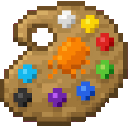





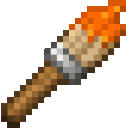

The mod also unlocks several handy conversion recipes:
Craft a Jack o' Lantern using the Stamp:


Craft Orange Dye using the Stamp:
Bulk Pumpkin Pie from painter tools:

Craft Shears from a Paintbrush:


This Java mod can be used on Windows and Mac PCs with the CreativeMode Launcher or any Minecraft launcher of your choice.

1. Download and install the new CreativeMode Launcher

2. Click to play on the top of the screen.
3. That's it — launches instantly. No complicated setup required.
Want to use on a different launcher? Download mod and manually install.
This mod is licensed under the CreativeMode Mods License.

