Description
Carve perfect moats with flat or V-cut bottoms and customizable lip and floor blocks. Make moats filled with water or lava, and with the floor options of soul sand and magma blocks, you can use them for defense too!
Just place block A, then place block B, click use on block B, select your options, and press submit... viola, instant Moat!
They do not have to be straight, nor do they have to be level. I hope you all enjoy!
Mod Wiki
Moat Maker
Quickstart
- Craft Point A and Point B blocks using the recipes below.
- Place Point A at one corner of the area you want to dig a moat around, and place Point B at the opposite corner.
- Right-click (interact with) the Point B block to open the Moat Maker configuration menu.
- Choose your moat's shape and materials in the form, then confirm.
- Watch the moat carve itself out automatically between the two markers!
Overview
Moat Maker lets you dig clean, symmetrical moats around castles, bases, or any structure without manually digging and shaping trenches by hand. Instead of placing blocks one at a time, you mark two corners of your desired moat with special placeholder blocks, then use a simple menu to configure exactly how the moat should look — its shape, depth, lip blocks, and floor material. The mod handles the terrain carving for you.
What It Adds
- Point A — a marker block used to set the first corner of your moat.
- Point B — a marker block used to set the second corner of your moat and open the configuration menu.
Both blocks look like plain placeholder cubes and are meant to be placed temporarily — they are consumed as part of the moat-building process and are not decorative blocks.
How To Use
- Place your markers. Set Point A at one corner of the region you want moated, and Point B at the diagonally opposite corner. The rectangle formed between these two points defines the outer boundary of your moat.
- Open the configuration menu. Interact with the Point B block once both markers are placed. A form will appear letting you customize the moat.
- Configure your moat. From the menu you can choose:
- A flat-bottomed or V-cut (sloped) moat profile.
- The lip block used to frame the top edge of the moat.
- The floor block used to line the bottom of the moat (also used as a fallback if water or another liquid can't be placed).
- Whether to fill the moat with water, and optionally stock it with fish (a single fish type or a mixed variety).
- Confirm the form. Once submitted, the mod scans the marked area, checks for anything flammable nearby, and then carves out the moat column by column, replacing terrain with your chosen materials and finishing with a sound effect and a completion message once the excavation is done.
Both marker blocks are automatically returned/dropped as items when broken, so you can reuse them for your next moat.
Crafting And Obtaining
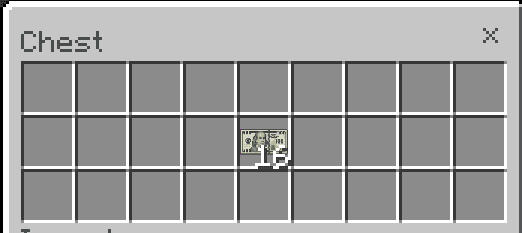
Point A and Point B are both crafted at a crafting table.
Abilities And Mechanics
- Two-point marking system: The moat's size and position are fully determined by where you place Point A and Point B — no measuring or manual digging needed.
- Customizable profile: Choose between a flat-bottom moat or a V-shaped cut for a more natural trench look.
- Custom lip and floor materials: Pick which blocks frame the top edge and line the bottom of the moat, letting you match your build's aesthetic.
- Optional water and fish: Fill your moat with water and stock it with fish for a livelier defensive feature or decorative water feature.
- Safety checks: The mod checks the surrounding area for flammable materials before carving, helping avoid unwanted fire hazards during construction.
- Progress feedback: You'll receive an in-game message and sound cue once your moat has finished generating.
Progression And Strategy
Use Moat Maker early in a build to quickly outline defensive earthworks around a castle, keep, or village before adding walls and towers. Because the marker blocks are cheap to craft and reusable, you can plan multiple moats across a large base, experimenting with different lip and floor block combinations to match different building themes — a mossy stone lip and water-filled trench for a medieval keep, or a sandstone lip with fish-stocked water for an oasis-style estate. Pair the V-cut profile with water for a more natural-looking waterway, or use a flat bottom lined with your floor block of choice for a dry pit trap or decorative garden trench.
This mod is licensed under the CreativeMode Mods License.