

Description
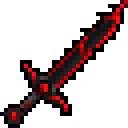
Mark your home with the Riftblade, then step through a crimson portal to return—even across dimensions.
Mod Wiki
Homeward Riftblade
Quickstart
- Craft a Homeward Riftblade and hold it in either hand.
- At the spot you want to return to, use the blade (right-click) to set its home waypoint.
- When you want to go back, crouch and press Attack while holding the blade. A rift opens ahead of you.
- Walk through the rift within 15 seconds to return to the waypoint, even if it is in another dimension.
Overview
The Homeward Riftblade stores a home location on the item itself. Using it again sets a new waypoint, replacing the previous one on that blade. The blade is unbreakable and does not get used up when you set a waypoint or open a rift.
How To Use
- Set or move your waypoint: Use the blade while holding it. The waypoint is your current position and dimension.
- Open a rift: Crouch and press Attack while the blade is in your main hand or offhand. The rift appears ahead of you; walk into it to teleport.
- No waypoint set: The blade tells you to set one first.
- Timing: The rift lasts 15 seconds. Opening one starts a 5-second cooldown.
Crafting And Obtaining
Craft the blade with an Ender Pearl, an Iron Ingot, and a Stick arranged vertically in a crafting grid:


How to install
This Java mod can be used on Windows and Mac PCs with the CreativeMode Launcher or any Minecraft launcher of your choice.

1. Download and install the new CreativeMode Launcher
2. Click to play on the top of the screen.
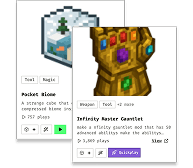
3. That's it — launches instantly. No complicated setup required.
Want to use on a different launcher? Download mod and manually install.
Players also liked
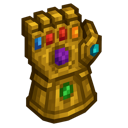
Infinity Master Gauntlet


a insane gauntlet be carefull though not all abiltys are helpfull
This mod is licensed under the CreativeMode Mods License.