


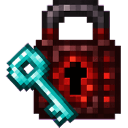
Description
Unlock dangerous Netherlocks, gather requested materials, and upgrade before time runs out.
Mod Wiki
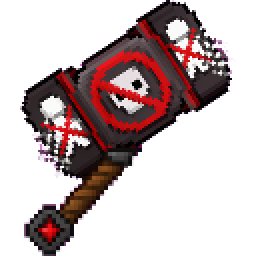
Diamond Key Netherlock
Quickstart
- Craft or obtain the Diamond Key Netherlock.
- Hold the key and use it, or use it directly on an Enchanting Table, to unlock a Netherlock contract.
- Check the objective shown in chat and on your action bar. You will be randomly asked to gather one of these:
- 16 Gold Ingots
- 24 Nether Quartz
- 12 Obsidian
- 24 Iron Ingots
- Gather the required materials within one real-life hour.
- Hold the key and use it on an Anvil, Chipped Anvil, or Damaged Anvil.
- In the Upgrading Lock screen, choose Upgrade Lock once you have all the required materials.
If you do not finish the contract in time, a dangerous Netherlock threat arrives and begins pursuing you.
Overview
Diamond Key Netherlock turns the Diamond Key into a timed challenge. Each player receives an individual material-gathering objective and must submit the requested materials at an anvil before the countdown ends.
Completing the upgrade secures the Netherlock and cancels the threat. Letting the timer expire summons a hostile zombie-like Netherlock that chases and attacks you.
What It Adds
- Diamond Key Netherlock item
- Randomized material contracts
- A one-hour real-life countdown
- Action-bar progress and timer updates
- An Upgrading Lock interaction at anvils
- A hostile Netherlock threat if the contract expires
- Durability, repair, off-hand use, and sword-type enchanting support for the key
How To Use
Start a Contract
Use the Diamond Key Netherlock normally, or use it on an Enchanting Table. This starts a new contract and displays your required material and amount.
If you already have an active contract, using the key again will remind you of the current objective instead of starting another one.
Track Progress
Your action bar displays:
Objective: collected/required material | time remaining
The inventory is checked for the required material. Materials may be spread across multiple inventory slots.
When you have gathered enough, you will receive a message telling you to use the key on an anvil.
Submit Materials
With the required materials in your inventory, use the key on an Anvil, Chipped Anvil, or Damaged Anvil. The Upgrading Lock interface shows:
- The required material and amount
- How many required items are in your inventory
- The remaining time
- An Upgrade Lock button
- A Cancel button
Choose Upgrade Lock to submit the materials. The required items are removed from your inventory, the Netherlock is secured, and the threat is cancelled.
Using the key on an anvil before collecting enough materials shows your current progress and does not consume the materials.
Crafting And Obtaining
Craft the key at a crafting table using one Diamond, one Enchanting Table, and one Netherite Ingot in a vertical arrangement:
You can also obtain it from the Creative inventory under equipment, or use its item ID in a command:
/give @s com_diamond_key_netherlock_mi4ecc77:my_sword
Abilities And Mechanics
Timed Contracts
Each new contract randomly selects one objective:
| Objective | Required amount |
|---|---|
| Gold Ingots | 16 |
| Nether Quartz | 24 |
| Obsidian | 12 |
| Iron Ingots | 24 |
The countdown lasts one real-life hour from the moment the contract begins. The objective and timer are tracked separately for each player.
Netherlock Threat
If the contract expires before you upgrade the lock, the Netherlock returns. A hostile zombie threat is summoned approximately 14 blocks in the direction you are facing and uses normal hostile behavior to pursue and attack you.
When it comes within about three blocks, you receive a warning accompanied by repeated door-banging sounds:
BANG! BANG! The Netherlock is at the door.
An expired contract cannot be upgraded.
Key Durability
The Diamond Key Netherlock has 3 durability. Its durability decreases when it is used, and each use consumes one point.
Repair the key with:
- Diamond — restores 1 durability
- Netherite Ingot — restores 3 durability
The key can be held in either hand and supports sword-type enchanting.
Progression And Strategy
- Gather or prepare common Nether and mining supplies before starting a contract.
- Keep the key and the required materials in your inventory while working toward the objective.
- Use an Enchanting Table to start the challenge and an anvil to submit it.
- Do not wait until the final moments: the timer is based on real-world time, and the anvil interaction must be completed before it expires.
- Build or choose a safe location for the final upgrade so you can respond quickly if the timer is nearly finished.
- If the Netherlock arrives, treat it as a hostile pursuing enemy rather than trying to use the expired contract again.
How to install
Download the mod and follow the step-by-step installation guide.
Players also liked
Crimson Apple Switch

Place an apple on the Crimson Apple Switch to trigger a redstone signal.
Diamondbound Iron Sword


Reforge iron with diamonds and unleash devastating sword strikes.


Gates Of Argonath


Not perfect, but you can make it part of your LOTR build and get the general feeling or you an do some editing to it and have it more to your liking. Pass beneath colossal guardians carved into the cliffs of a forbidden river gorge.

This mod is licensed under the CreativeMode Mods License.