

Description
Cut meats and cook them though smokehouse, put the in drying rack to make jerky. make canned meats. ground meat in grinder to make ground beef into cheeseburger, ground chicken to make chicken nuggets.
Mod Wiki
Butcher Block
Quickstart
- Open the Butchery creative tab, or craft a cleaver and a Butcher Block.
- Hold the Butcher Cleaver in one hand and a raw meat item in the other. Right-click the Butcher Block.
- Try raw beef, porkchop, chicken, mutton, or rabbit. The block produces family-specific cuts, a specialty cut, and Meat Scraps.
- Craft a Smokehouse, place it, and open it by right-clicking. Put Coal in the fuel slot and raw meat, fish, or meat cuts in the food slot.
- For fish, use the cleaver on a Fish Cleaning Station while holding cod, salmon, tropical fish, or pufferfish in your other hand.
- For jerky, place a Drying Rack directly above a lit campfire, open it, and put meat or fish into its input slot.
Craft the basic tool first:


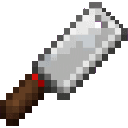
Then make a Butcher Block:

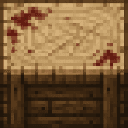
Overview
Butcher Block turns ordinary Minecraft meat and fish into a complete butchery and food-preservation system. Process animals into cuts, specialty portions, mince, fillets, jerky, smoked foods, canned meals, and prepared dishes.
Most station interactions use the same control:
- Hold the cleaver in one hand.
- Hold the input item in the other hand.
- Right-click the appropriate station.
- The station consumes one input and places the results in your inventory or output slot.
All food follows normal Minecraft hunger rules.
What It Adds
Tools and stations
| Content | Use |
|---|---|
| Butcher Block | Processes beef, pork, chicken, mutton, and rabbit |
| Fish Cleaning Station | Turns fish into fillets |
| Smokehouse | Cooks meat and fish using coal |
| Drying Rack | Makes jerky above a lit campfire |
| Meat Grinder | Produces ground meat and butchery by-products |
| Butcher Cleaver | Used with the Butcher Block and Fish Cleaning Station |
| Butcher Block Field Guide | In-game reference for the mod’s recipes and workflow |
Meat and fish items
The mod includes:
- Meat Cuts, Beef Cuts, Pork Cuts, Chicken Cuts, Mutton Cuts, and Rabbit Cuts
- Prime Rib, Pork Belly, Chicken Breast, Mutton Shoulder, and Rabbit Loin
- Chunk Steak, Cubed Steak, Ground Beef, Beef Patty, and Cheeseburger
- Bacon, Pork Rinds, Ground Chicken, Chicken Nuggets, and Country Fried Steak
- Cooked Chunk Steak, Cooked Prime Rib, Cooked Chicken Breast, Cooked Mutton Chops, Cooked Mutton Shoulder, and Cooked Rabbit Loin
- Beef, Pork, Chicken, Mutton, Rabbit, and Fish Jerky
- Cod Fillet, Salmon Fillet, Tropical Fish Fillet, and Pufferfish Fillet
- Smoked Cod, Smoked Salmon, Smoked Tropical Fish, and Smoked Pufferfish
- Meat Scraps, Beef Tallow, Lard, Bone Broth, Meat Pink Slime, and Tin Cans
- Spam and canned beef, pork, chicken, mutton, rabbit, cod, salmon, tropical fish, and pufferfish
How To Use
Butcher Block
Hold a cleaver and one of the following raw foods in your other hand, then right-click the Butcher Block.
| Input | Results |
|---|---|
| Beef | 2 Beef Cuts, 1 Prime Rib, and 1 Meat Scraps |
| Porkchop | 2 Pork Cuts, 1 Pork Belly, and 1 Meat Scraps |
| Chicken | 2 Chicken Cuts, 1 Chicken Breast, and 1 Meat Scraps |
| Mutton | 2 Mutton Cuts, 1 Mutton Shoulder, and 1 Meat Scraps |
| Rabbit | 1 Rabbit Cuts, 1 Rabbit Loin, and 1 Meat Scraps |
The cleaver can refine beef further:
- Beef Cuts → Chunk Steak
- Chunk Steak → Cubed Steak
Fish Cleaning Station
Hold a cleaver in one hand and a fish in the other, then right-click the station.
| Input | Result |
|---|---|
| Cod | 2 Cod Fillets and 1 Meat Scraps |
| Salmon | 2 Salmon Fillets and 1 Meat Scraps |
| Tropical Fish | 2 Tropical Fish Fillets and 1 Meat Scraps |
| Pufferfish | 2 Pufferfish Fillets and 1 Meat Scraps |
Fillets can be smoked, dried, or canned.
Smokehouse
Right-click the Smokehouse to open its inventory.
- Put Coal in the fuel slot.
- Put a valid raw food or meat cut in the food slot.
- Collect the finished food from the output slot.
- Each operation consumes one coal and one input.
- Cooking takes about 5 seconds per item.
The Smokehouse accepts raw vanilla meats and fish, meat cuts, specialty cuts, mince, fillets, Meat Scraps, and several prepared raw items.
| Input group | Smokehouse result |
|---|---|
| Beef, Porkchop, Chicken, Mutton, Rabbit | Their standard cooked meat |
| Cod or Salmon | Cooked Cod or Cooked Salmon |
| Tropical Fish or Pufferfish | Smoked Tropical Fish or Smoked Pufferfish |
| Beef Cuts, Meat Cuts, Ground Beef, Beef Patty | Cooked Beef |
| Pork Cuts | Cooked Porkchop |
| Chicken Cuts, Ground Chicken, Chicken Nuggets | Cooked Chicken |
| Chicken Breast | Cooked Chicken Breast |
| Mutton Cuts | Cooked Mutton Chops |
| Mutton Shoulder | Cooked Mutton Shoulder |
| Rabbit Cuts | Cooked Rabbit |
| Rabbit Loin | Cooked Rabbit Loin |
| Prime Rib | Cooked Prime Rib |
| Pork Belly | Bacon |
| Chunk Steak | Cooked Chunk Steak |
| Cubed Steak | Country Fried Steak |
| Cod Fillet | Smoked Cod |
| Salmon Fillet | Smoked Salmon |
| Tropical Fish Fillet | Smoked Tropical Fish |
| Pufferfish Fillet | Smoked Pufferfish |
| Meat Scraps | Cooked Beef |
Drying Rack
Place the Drying Rack directly above a lit campfire. Right-click it to open the input and output slots.
- Put meat or fish into the input slot.
- The rack does not use coal.
- A lit campfire must remain directly below it.
- Drying takes about 10 seconds per item.
The output depends on the food family:
| Input family | Result |
|---|---|
| Beef, Beef Cuts, Prime Rib, Chunk Steak, Cubed Steak, Ground Beef, or Beef Patty | Beef Jerky |
| Pork, Pork Cuts, or Pork Belly | Pork Jerky |
| Chicken, Chicken Cuts, Chicken Breast, Ground Chicken, or Chicken Nuggets | Chicken Jerky |
| Mutton, Mutton Cuts, or Mutton Shoulder | Mutton Jerky |
| Rabbit, Rabbit Cuts, or Rabbit Loin | Rabbit Jerky |
| Cod, Salmon, Tropical Fish, Pufferfish, or any fish fillet | Fish Jerky |
| Meat Scraps or generic Meat Cuts | Beef Jerky |
Meat Grinder
Right-click the Meat Grinder while holding a compatible input in one hand. The grinder consumes one input and places the result in your inventory.
Special conversions:
- Chicken Breast → Ground Chicken
- Ground Chicken → 2 Chicken Nuggets
- Beef, Beef Cuts, Prime Rib, Chunk Steak, or Cubed Steak → Ground Beef
Other compatible meat and cut inputs produce Meat Pink Slime and Meat Scraps. Meat cuts produce 2 Meat Pink Slime; other by-product inputs produce 1.
Hand placement
The easiest setup is:
- Main hand: Butcher Cleaver
- Off-hand: meat or fish input
The interaction also works with the hands reversed. The cleaver is consumed when crafting stations that require one, but it is not consumed during normal processing.
Crafting And Obtaining
Workstations and tools
The six main workstations and tools are crafted at a crafting table.
Butcher Cleaver

Butcher Block

Fish Cleaning Station
Smokehouse


Drying Rack
Meat Grinder

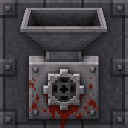
Butcher Block Field Guide
Craft the field guide from a book, paper, and an ink sac.



Ingredients and prepared foods
These recipes are crafted at a crafting table. Hover over each recipe for its complete ingredient layout.
| Result | Recipe |
|---|---|
| Beef Patty | |
| Beef Tallow | |
| Bone Broth | |
| Tin Can | |
| Lard | |
| Pork Rinds | |
| Spam | |
| Cheeseburger |
Canned foods
Canned foods are crafted by combining a Tin Can with the matching meat, cut, or fillet.
| Result | Recipe |
|---|---|
| Canned Beef | |
| Canned Chicken | |
| Canned Cod | |
| Canned Mutton | |
| Canned Pork | |
| Canned Pufferfish | |
| Canned Rabbit | |
| Canned Salmon | |
| Canned Tropical Fish |
Canned food is ready to eat after crafting; no additional opening step is required.
Smoked fish recipes
Fillets can also be cooked through the normal smelting recipe.
| Result | Recipe |
|---|---|
| Smoked Cod | |
| Smoked Pufferfish | |
| Smoked Salmon | |
| Smoked Tropical Fish |
Abilities And Mechanics
Processing leftovers
Meat processing often produces Meat Scraps. Scraps are useful in several recipes:
- Beef Cuts + Meat Scraps → Beef Tallow
- Pork Cuts + Meat Scraps → Lard
- Bone + Bowl + Meat Scraps → Bone Broth
- Meat Scraps can be dried into Beef Jerky.
- Meat Scraps can be smoked into Cooked Beef.
- Meat Scraps can be composted.
Complete food pathways
A few useful progression routes are:
- Beef → Beef Cuts + Prime Rib → Chunk Steak → Cubed Steak
- Beef Cuts → Ground Beef → Beef Patty → Cheeseburger
- Porkchop → Pork Cuts + Pork Belly → Bacon or Pork Rinds
- Chicken → Chicken Cuts + Chicken Breast → Ground Chicken → Chicken Nuggets
- Mutton → Mutton Cuts + Mutton Shoulder → cooked mutton dishes
- Rabbit → Rabbit Cuts + Rabbit Loin → cooked rabbit dishes
- Fish → Fillets → Smoked Fish, Fish Jerky, or canned fish
Butchery creative tab
The Butchery creative tab contains the mod’s blocks, cleaver, field guide, intermediate materials, by-products, and food items. It is useful for testing processing chains or building a smokehouse display.
Progression And Strategy
- Start with a cleaver and Butcher Block to multiply the usefulness of animal drops.
- Save Meat Scraps instead of discarding them. They are used for tallow, lard, Bone Broth, and other recipes.
- Build a Fish Cleaning Station when you have access to fishing or ocean resources. Fillets have three uses: smoking, drying, and canning.
- Build a Smokehouse for fast batch cooking. Keep a supply of Coal in its fuel slot.
- Add a Drying Rack over a lit campfire to preserve surplus meat as jerky.
- Use the Meat Grinder to turn beef into Ground Beef or chicken into Ground Chicken and Chicken Nuggets.
- Combine Beef Patty with bread and yellow dye to make a Cheeseburger.
- Use Tin Cans to convert cuts and fillets into portable canned meals.
How to install
This Java mod can be used on Windows and Mac PCs with the CreativeMode Launcher or any Minecraft launcher of your choice.

1. Download and install the new CreativeMode Launcher

2. Click to play on the top of the screen.
3. That's it — launches instantly. No complicated setup required.
Want to use on a different launcher? Download mod and manually install.
Players also liked
Earthshaper Toolkit


Terraform landscapes with powerful tools for mining, farming, tree-felling, and carving canals.
Ascendant Slayer Blade


The Ascendant Slayer Blade is an epic progressive sword that grows stronger with every enemy you kill, starting with the same power as a netherite sword but evolving into something far more deadly. At 10 kills it unlocks Fire Aspect that sets enemies ablaze, at 25 kills it gains…

Final Stand Arena


Final Stand Arena adds a tense 10-wave survival minigame you launch with /finalstand start (use /finalstand stop and /finalstand status to manage sessions). Waves escalate from ordinary zombies (1), skeletons (2), spiders (3), netherite‑armored zombies (4) and skeletons (5), spid…
Cobble Crusher

Turn cobblestone into rubble with the Cobble Crusher, a drill built for relentless mining.

Red Slime Block


The Red Slime Block is a redstone-activated block that acts as a normal solid block when unpowered but becomes a bouncy, slime-like surface when powered, reducing fall damage and launching entities upward while giving a slight bounce when walked across. It can be activated by sta…
This mod is licensed under the CreativeMode Mods License.