

Description
make a nether fortress like tower with spawners and blazes.
Mod Wiki
Blaze Spawner Spire
Quickstart
- Get the Structure Wand from the Creative inventory, or use
/give @s blaze-spawner-spire-3l7giz3s:structure_wandif you have commands enabled. - Find a clear area and aim at the ground where you want the spire to appear.
- Right-click to throw the wand’s projectile. When it hits, the Nether-fortress-style tower builds at the impact spot. Face the direction you want the structure oriented before throwing.
Expect blazes around the tower. Give yourself room to fight, and wait briefly for the build effect to finish.
Overview
Blaze Spawner Spire lets you place a fortress-like tower containing blaze spawners and blazes. Use the Structure Wand for an aimed placement, or use the structure commands in single-player.
What It Adds
- Structure Wand — throws a projectile that triggers the spire’s placement when it hits.
- Blaze Spawner Spire — a Nether-fortress-style tower with spawners and blazes.
How To Use
The wand’s projectile places the structure beside the block face it hits, so aiming at the top of the ground is a good way to place it above the terrain. It can also hit entities; aim carefully if you want a specific placement spot.
The wand has a short cooldown between throws. The structure faces the direction you were facing when you threw it.
In single-player, you can also use:
/structure listto view available structures./structure build blaze_spawner_spireto build the spire at your position, facing your direction./structure build blaze_spawner_spire <size>to choose a target size from 16 to 256. This can scale the structure down, but does not enlarge it beyond full size.
Crafting And Obtaining
There is no crafting recipe for the wand. Find it in the Creative inventory, or use the /give command shown in Quickstart.
Abilities And Mechanics
The projectile leaves a particle trail and triggers a brief build effect on impact. The tower’s spawners and blazes make the site dangerous, so approach prepared for combat.
How to install
This Java mod can be used on Windows and Mac PCs with the CreativeMode Launcher or any Minecraft launcher of your choice.

1. Download and install the new CreativeMode Launcher

2. Click to play on the top of the screen.
3. That's it — launches instantly. No complicated setup required.
Want to use on a different launcher? Download mod and manually install.
Players also liked
Synthetic Factions


Synthetic Factions is a full server-side suite adding economy, factions, diplomacy, events and admin tools — persistent cash, a /sell GUI, auction house, server shop, revamped kits, timed bosses, Treasure Hunts, Daily Rewards and a full faction system with vaults, wars and a Fact…
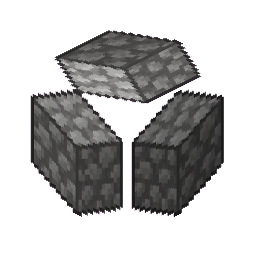
Roblock Loot Block

Break the Roblock block and discover which vanilla item its surprise holds!

Red Slime Block


The Red Slime Block is a redstone-activated block that acts as a normal solid block when unpowered but becomes a bouncy, slime-like surface when powered, reducing fall damage and launching entities upward while giving a slight bounce when walked across. It can be activated by sta…
Lavaforge Blaster

The Lavaforge Blaster is a powerful weapon that fires scorching projectiles capable of turning the world into molten chaos. Right-click to shoot a fast-moving bolt that instantly converts any block it strikes into a lava source, and deals heavy magic damage to any mob it hits whi…



This mod is licensed under the CreativeMode Mods License.