

Description
Erase blocks across growing areas, then build structures using blocks in your off hand.
Mod Wiki
World Eraser
Quickstart
- Get a World Eraser from the Combat tab in Creative inventory, or craft one using the recipes below.
- Hold it and left-click a block to erase a square area one block thick, aligned with the face you hit. Erased blocks do not drop items.
- Try the Iron World Eraser for a 5 × 5 area. The wood version only erases cobblestone; the Diamond and Netherite versions also let you build.
- With a Diamond or Netherite World Eraser, put a block item in your off hand and right-click a block to place it on the far side. Sneak + right-click cycles the build shape.
Overview
World Eraser tools clear blocks over increasingly large areas. The Diamond and Netherite versions can also place structures using blocks from your off hand.
What It Adds
| Tool | Erasing area | Special ability |
|---|---|---|
| Wood World Eraser | 1 × 1 | Erases cobblestone only |
| Iron World Eraser | 5 × 5 | — |
| World Eraser (Diamond) | 20 × 20 | Builds with your off-hand block |
| Netherite World Eraser | 50 × 50 | Builds with your off-hand block |
Erasing affects a one-block-thick square on the face you attack. Blocks that cannot be broken, blocks with block entities, and blocks you are not allowed to use items on are skipped. Erased blocks do not drop items.
How To Use
Erasing
Attack a block while holding a World Eraser. The square area is oriented to the face you hit. The wood tool only removes cobblestone; the other versions can remove any eligible breakable block.
Building
The Diamond and Netherite tools can place blocks:
- Put the block you want to use in your off hand.
- Right-click a block within reach to place the selected shape against the face you hit.
- Sneak + right-click to cycle through the shapes. The selected shape appears on screen.
| Shape | What it places |
|---|---|
| Single block | One block |
| 3 × 3 wall | A 3 × 3 panel against the hit face |
| 3 × 3 × 3 cube | A cube beside the hit block |
In survival, each placed block uses one block from your off hand. Creative players do not consume blocks. Placement skips spaces that cannot be replaced, contain a block entity, are outside a loaded area, or are not permitted for use.
Crafting And Obtaining
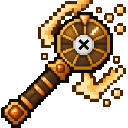
Craft the tool variants using the recipes below. The Netherite World Eraser is made by upgrading a Diamond World Eraser in a smithing table.









Progression And Strategy
Start with the wood tool for clearing cobblestone, then use the Iron World Eraser for a larger area. The Diamond version offers both broad clearing and building; upgrade it to Netherite for the largest erasing area. Use a smaller tool when you want more control, since erased blocks do not drop items.
How to install
This Java mod can be used on Windows and Mac PCs with the CreativeMode Launcher or any Minecraft launcher of your choice.

1. Download and install the new CreativeMode Launcher

2. Click to play on the top of the screen.

3. That's it — launches instantly. No complicated setup required.
Want to use on a different launcher? Download mod and manually install.
This mod is licensed under the CreativeMode Mods License.