Description
The blaster holds one item per stack. If you aim into empty space without hitting a target, no gate is placed.
The Warp Gate Blaster creates a linked pair of warp gates for each player. Walking close to one gate teleports you to the other gate in the same world.
Warp gates are marked by animated portal particles and remain active until you start a new pair.
Hold the Warp Gate Blaster and use it while aiming at a target. The blaster can reach targets up to 32 blocks away.
The gates are placed at the point you target, so aim carefully at the surfaces or locations where you want to travel.
After both gates are placed, walk within about 1.5 blocks of either gate. You are moved to the other gate, slightly above its marked location.
A short cooldown prevents immediate repeated teleportation.
Use the blaster again after both gates are active. The new shot becomes the first gate of a new pair, and the next successful shot completes it.
The recipe becomes available after you join a world. Craft the Warp Gate Blaster in a crafting table:


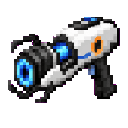
You can also find it in the Combat section of the Creative inventory.
Use the blaster to connect practical travel points such as a base, mine, village, or distant build site. Place each gate on clear, safe ground with enough room to arrive and move away.
Because the third shot replaces the current pair, avoid firing until you are ready to establish a new route. Aim at visible surfaces to make your endpoints easier to locate and use.
This Java mod can be used on Windows and Mac PCs with the CreativeMode Launcher or any Minecraft launcher of your choice.

1. Download and install the new CreativeMode Launcher

2. Click to play on the top of the screen.
3. That's it — launches instantly. No complicated setup required.
Want to use on a different launcher? Download mod and manually install.
This mod is licensed under the CreativeMode Mods License.

