

Description
Craft Hard Nope Buttons and Remotes to master redstone and keep favorite locations loaded across dimensions.
Mod Wiki
The Hard Nope Button
Quickstart
- Gather iron ingots, redstone, and a redstone lamp.
- Craft The Hard Nope Button:


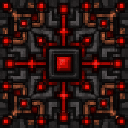
- Place the button where you want a powerful, persistent redstone source.
- Right-click the placed button with The Hard Nope Button Remote to bind the remote to it.
- Use the remote to toggle the button from anywhere the target dimension is available—including across dimensions.
- Try connecting the button to redstone devices. When active, it emits a full-strength redstone signal and keeps the surrounding area loaded.
Overview
The Hard Nope Button adds two redstone tools:
- The Hard Nope Button — a placeable redstone block that can be switched on or off.
- The Hard Nope Button Remote — a single-target remote that toggles a bound button, even from another dimension.
The button remains in its current state until it is toggled again. It is useful for permanent redstone controls, remote bases, dimension-spanning machinery, and keeping an important location active.
What It Adds
The Hard Nope Button
- Emits redstone power when active.
- Emits power in every direction at strength 15.
- Glows when active.
- Stores its active state in the world.
- Keeps the chunks around it loaded while active.
- Drops itself when broken, provided it survives the destruction.
The Hard Nope Button Remote
- Holds one bound button target at a time.
- Can target a button in another dimension.
- Is limited to one remote target; binding it to another button replaces the previous target.
- Has a short cooldown after activation.
How To Use
Activating the Button Directly
Place The Hard Nope Button, then interact with it to toggle it on or off. Its active state is visible from its glow and from the redstone signal it produces.
An active button:
- Powers adjacent redstone components at full strength.
- Powers redstone devices through normal redstone behavior.
- Keeps the surrounding area loaded.
Binding a Remote
Hold The Hard Nope Button Remote and right-click a placed Hard Nope Button. The remote records that button's dimension and coordinates and confirms that it has been bound.
A remote can remember a button even when you are not currently in that dimension.
Using the Remote
With a target bound, use the remote in your hand to toggle the target button:
- An inactive button becomes active.
- An active button becomes inactive.
- The button's redstone output and loading effect change immediately.
The remote works from any dimension whose target world is available. It does not need to be used near the button.
Crafting And Obtaining
The button uses iron, redstone, and a redstone lamp:

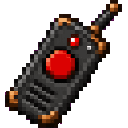
The remote uses iron, redstone, and quartz:
Both items are available in the Redstone creative inventory. The remote is also listed in the Tools creative inventory.
Abilities And Mechanics
Full-Strength Redstone Output
While active, The Hard Nope Button emits both weak and strong redstone power at level 15. This makes it a persistent full-power redstone source rather than a brief button pulse.
When inactive, it emits no redstone power.
Area Loading
An active button forces the chunks covering the area around its position to remain loaded. This effect applies in the button's own dimension, allowing farms, machines, and other important locations to continue operating while you are elsewhere.
Turning the button off releases the forced area. Breaking an active button also releases it.
Remote Target Status
The remote reports a status message when used:
- No button target — the remote has not been bound.
- Target dimension unavailable — the recorded dimension cannot currently be accessed.
- Bound button no longer exists — the block at the saved position is no longer a Hard Nope Button.
- Activated or deactivated — the remote successfully toggled its target.
Progression And Strategy
- Place a button near machinery that must remain active, then turn it on before leaving the area.
- Keep a remote bound to a central control point for convenient cross-dimensional access.
- Use separate remotes for separate locations when you need multiple dedicated controls.
- Build redstone safety systems around the button's persistent state: it stays on until deliberately toggled off.
- If a remote stops working, rebind it to the correct button. Moving or removing the target block invalidates the saved location.
How to install
This Java mod can be used on Windows and Mac PCs with the CreativeMode Launcher or any Minecraft launcher of your choice.

1. Download and install the new CreativeMode Launcher

2. Click to play on the top of the screen.

3. That's it — launches instantly. No complicated setup required.
Want to use on a different launcher? Download mod and manually install.
This mod is licensed under the CreativeMode Mods License.