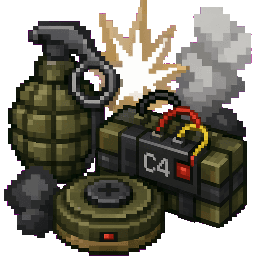
Tactical Equipment Addon
Quickstart
- Open your Creative inventory and search "Creeper" to find every item this addon adds — grenades, mines, missiles, turrets, barricades, and firearms.
- Grab a Creeper Auto Turret, Shotgun Turret, Arrow Turret, or Flame Turret placer item, look at a wall or the ground, and use it to build a turret emplacement instantly.
- Pick up a firearm like the Creeper Assault Rifle or Creeper Shotgun, hold it, and use it like a normal held tool/weapon against mobs or other players.
- Throw a Creeper Frag Grenade or Creeper Flashbang to test area effects, or place a Creeper Claymore Mine / Creeper AP Mine as a trap.
- Place a Creeper C4 Charge or Creeper Breaching Charge, then use the Creeper Remote Detonator to blow it up from a distance.
- Stack up Creeper Barbed Wire, Wooden/Metal/Barbed Barricades, and Reinforced Steel/Steel Blocks to build a defensible creeper-themed fortress around your turrets.
Overview
Tactical Equipment Addon turns your world into a modern combat sandbox with a creeper-themed twist. It adds fifteen-plus explosive and tactical weapons, a full lineup of automated turrets, breachable defensive structures, and heavy ordnance like guided missiles and orbital strikes. Everything is built for Creative-style base building and combat experimentation — construct a fortified creeper stronghold, arm it with automatic turrets, and lay waste to anything that gets close with grenades, mines, rockets, and firearms.
What It Adds
Explosives & Grenades
- Creeper Frag Grenade, High Explosive Grenade, Impact Grenade, Cluster Grenade
- Creeper Flashbang, Smoke Grenade, Incendiary Grenade, Phosphorus Grenade
- Creeper C4 Charge, Breaching Charge, Thermite Charge
Mines & Traps
- Creeper Claymore Mine — directional blast trap
- Creeper Anti-Personnel (AP) Mine — pressure-triggered explosive
Detonation & Targeting Tools
- Creeper Remote Detonator — triggers placed C4/charges from a distance
- Creeper Laser Designator — marks targets for guided strikes
- Creeper Missile Tablet — control device for missile strikes
- Creeper Orbital Strike Panel — calls down orbital bombardment
- Creeper Mortar Strike Marker — calls in mortar fire on a location
Heavy Ordnance
- Creeper Kinetic Missile, Bunker Buster Missile, EMP Missile, Thermobaric Rocket
Firearms & Melee
- Creeper Assault Rifle, Sniper Rifle, SMG, Combat Shotgun, Burst Pistol, Minigun
- Creeper Grenade Launcher, Rocket Launcher, Railgun Carbine, Plasma Caster, Sonic Disruptor, Flame Projector
- Creeper Knife, Combat Machete (sword-type melee), Stun Baton (sword-type melee)
Turrets (Placeable Structures)
- Creeper Flame Turret, Shotgun Turret, Arrow Turret, Auto Turret
Each turret is placed using its matching placer item (e.g. Creeper Auto Turret placer) and assembles automatically as a multi-block structure facing the direction you're looking, ready to defend an area on its own.
Fortification Blocks
- Creeper Barbed Wire — slows and damages anything crossing it
- Creeper Wooden Barricade, Metal Barricade, Barbed Barricade — cover and chokepoints
- Creeper Reinforced Steel, Steel Block — heavy-duty defensive building blocks
How To Use
- Firearms: hold in your hand like a normal weapon and use the attack/use control to fire. Each weapon has its own durability pool, so it will eventually wear out with heavy use.
- Grenades and thrown explosives: use them to throw; they detonate with an area-of-effect blast, knocking back and damaging nearby entities.
- Mines and charges: place them on the ground or against a surface. Claymores and AP mines trigger automatically when something gets close; C4 and breaching charges wait for a remote detonator signal instead.
- Remote Detonator: use it while charges are placed nearby to set them off on command — perfect for ambushes or controlled demolition.
- Turret placers: right-click/use them against a block face to build a turret that automatically orients toward the direction you were facing. Turrets have their own health pool and will defend the area against nearby threats.
- Missiles and orbital tools: use the Missile Tablet, Laser Designator, Mortar Strike Marker, or Orbital Strike Panel to call in devastating strikes on a marked location — great for clearing out large areas or enemy bases.
Crafting And Obtaining
All items in this addon are obtained directly from the Creative inventory — search for "Creeper" under the Equipment and Items categories to find weapons, explosives, turret placers, and fortification blocks. There are no survival crafting recipes; everything is meant to be picked up and used immediately for combat and base-building experimentation.
Abilities And Mechanics
- Explosive damage falloff: explosions deal maximum damage near the blast center and less damage the farther a target is from it, along with a knockback push away from the explosion.
- Turrets: each turret type (Flame, Shotgun, Arrow, Auto) is a stationary multi-block entity with a large health pool (500 HP) that can be destroyed by sustained damage but resists knockback and cannot be pushed by pistons.
- Directional placement: turrets assemble differently depending on which direction you're facing when you place them, so plan your fortress layout before deploying.
- Heavy ordnance: bunker busters, EMP missiles, and thermobaric rockets are stackable consumable items meant for large-scale destruction — use them sparingly since they cover wide areas.
Progression And Strategy
Since this is a Creative-focused arsenal, there's no traditional grind — the fun comes from combining pieces into a cohesive setup. Start by fortifying a base perimeter with barbed wire and barricades, then reinforce key walls with Reinforced Steel or Steel Blocks. Place turrets at chokepoints using the placer items so they automatically cover approaches. Lay mines and claymores around the outside as an early-warning defense, and keep firearms and grenades on hand for direct engagements. For large-scale demolition or clearing enemy structures, switch to heavy ordnance like missiles, mortar strikes, or orbital strikes coordinated through the Laser Designator and Missile Tablet.