

Description
Your pocket dimension survives death, keeping your chamber and its secrets intact.
Mod Wiki
Scattered Chambers
Quickstart
- Obtain Scattered Chambers from the Functional item group in Creative mode, or craft it with .
- Hold the item in your main hand or off-hand and use it.
- The first use creates your personal chamber and teleports you to its center. Build, decorate, and store your supplies inside.
- Use the same item again while inside the chamber to return to the exact position where you entered.
- Keep the item in your inventory when exploring or building. If you die while carrying it, the item and its chamber data are restored instead of being dropped.
Overview
Scattered Chambers provides a persistent personal pocket chamber in the current world. Each chamber is a sealed, hollow cube made from Barrier blocks and generated high above the world. Your chamber location is remembered by the item, so the chamber and everything you build inside it remain available after leaving, rejoining, or dying.
The item does not stack and has a permanent enchanted-like glint to make it easy to recognize.
What It Adds
- A personal 50×50×50 hollow chamber.
- A Barrier-block shell that encloses the chamber.
- An air-filled interior with three Glowstone light sources.
- Toggleable travel between the overworld and your chamber.
- A saved return location for each trip into the chamber.
- Death protection for the chamber item and its stored chamber data.
- Stable chamber placement for multiplayer worlds.
How To Use
Entering a chamber
Use a fresh Scattered Chambers item to create your chamber. It is generated in a corner area near the world border and you are teleported to its center.
On later uses, the item takes you directly to the chamber it remembers.
Leaving a chamber
Use the item again while inside your chamber. You return to the position you occupied immediately before entering.
The return position is recorded each time you enter, so stand somewhere safe before activating the item.
Staying inside the boundaries
Your chamber occupies a 50×50×50 area. Its Barrier shell prevents ordinary movement through the walls. If you are detected outside the chamber’s boundaries while the item is in your inventory, you are returned to the chamber’s center.
Crafting And Obtaining
In Creative mode, Scattered Chambers is available in the Functional item group.
To craft it, combine four Ender Pearls, two Obsidian, two Chorus Fruit, and one Diamond:
Abilities And Mechanics
Personal chamber placement
Players receive stable chamber assignments. The first four claimed chambers are placed near the northwest, northeast, southwest, and southeast world-border corners. Additional chambers are placed farther inward in rings.
Your assignment remains tied to you in the world, including after server restarts.
Persistent building space
The chamber starts as an empty enclosed space. You can use it as a private base, workshop, storage room, or building project. Blocks placed inside remain there when you leave.
Death recovery
If Scattered Chambers is in your player inventory when you die, it is removed from the normal death-drop process and restored to your inventory with its chamber information intact. Dying does not reset the chamber or erase its contents.
Item handling
- The item holds one per stack.
- It has a constant glint.
- The chamber location and travel state are stored on the item.
- Keep the item available when you need to enter or leave the chamber.
Progression And Strategy
- Before your first use, choose a safe location where you want to return after leaving the chamber.
- Keep the item on your hotbar or in your off-hand for quick access.
- Build storage and essential utilities inside the chamber so they remain protected by the Barrier shell.
- Avoid placing the item in a chest while you are inside; you need to use it to return to the world.
- In multiplayer, each player’s chamber is assigned separately, so use your own Scattered Chambers item to access your chamber.
How to install
This Java mod can be used on Windows and Mac PCs with the CreativeMode Launcher or any Minecraft launcher of your choice.

1. Download and install the new CreativeMode Launcher

2. Click to play on the top of the screen.

3. That's it — launches instantly. No complicated setup required.
Want to use on a different launcher? Download mod and manually install.
Ported from
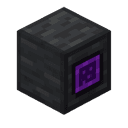
Scattered Chambers
zagizenken
Java 1.21.5
This mod is licensed under the CreativeMode Mods License.