Description


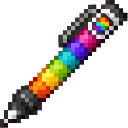
The pen starts with White selected. It can recolor blocks up to 8 blocks away and does not target liquids or passable blocks.
The Rainbow Block Pen is a single-use-at-a-time coloring tool for building and decorating. It replaces supported blocks with the matching colored variant without requiring dye for each recoloring action.
The pen supports all 16 standard Minecraft colors:
The selected color is tracked separately for each player, so one player's color choice does not affect another player's pen.
Hold the Rainbow Block Pen and use it without aiming at a supported block. Each use advances to the next color in this order:
White → Orange → Magenta → Light Blue → Yellow → Lime → Pink → Gray → Light Gray → Cyan → Purple → Blue → Brown → Green → Red → Black → White
The action bar displays the new selection, such as Rainbow Block Pen: Blue.
Aim at a supported block and use the pen on it. The block changes to the selected color while keeping its block family.
For example:
A recolored block can be targeted again to change it to another color.
| Block family | Examples |
|---|---|
| Wool | Any colored wool |
| Concrete | Any colored concrete |
| Concrete powder | Any colored concrete powder |
| Terracotta | Any colored terracotta |
| Glazed terracotta | Any colored glazed terracotta |
| Glass | Plain glass or any stained glass |
| Glass pane | Plain glass pane or any stained glass pane |
Blocks outside these families cannot be recolored with the pen. When an unsupported block is targeted, the action bar displays a message telling you to target wool, concrete, terracotta, or glass.
The Rainbow Block Pen is crafted at a crafting table using the full rainbow selection of dyes together with a feather. The recipe becomes available after obtaining red dye.
It can also be obtained directly with a command:
/give @s com_rainbow_block_pen_lghokcjb:my_sword
The pen does not stack and has 256 durability. Keep an eye on its durability while recoloring large builds.
Craft the pen early when working on colorful builds so you can carry one tool instead of many stacks of dyed blocks. Plan your color palette before starting, then cycle through the colors while checking the action-bar display.
For large projects:
Download the mod and follow the step-by-step installation guide.
This mod is licensed under the CreativeMode Mods License.

