

Description
it can be any game u want
Mod Wiki
Pocket Arcade Phone
Quickstart
Craft a Pocket Arcade Phone, then hold it and use it (right-click by default) to play the selected game. It starts on Coin Flip. Sneak and use the phone to switch to the next game; use it again to play.


Overview
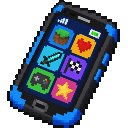
The Pocket Arcade Phone is a handheld collection of three quick games. Results appear as chat messages. Games are for fun: they don’t consume items or award prizes.
What It Adds
- Coin Flip — randomly returns Heads or Tails.
- Dice Roll — rolls a six-sided die; rolling a 6 gets a special message.
- Lucky Slots — shows three symbols: Cherry, Bell, Star, or Diamond. Three matching symbols make a jackpot; two matching symbols make a pair.
How To Use
- Hold the phone in either hand.
- Sneak and use it to cycle through Coin Flip, Dice Roll, and Lucky Slots. The phone tells you which game is selected.
- Use it without sneaking to play that game and see the result in chat.
Each sneak-use advances to the next game, looping back to Coin Flip after Lucky Slots.
Crafting And Obtaining
Craft one phone in a crafting table with 5 iron ingots, 2 redstone, 1 glass pane, and 1 copper ingot, arranged as shown in the recipe above. It can also be taken from the Tools & Utilities creative inventory tab.
Abilities And Mechanics
The phone is a single-stack item. Each play generates a random result; there are no bets, costs, or rewards. For Lucky Slots, any two matching symbols count as a pair, while three matching symbols count as a jackpot.
Progression And Strategy
There’s no progression system or special strategy—switch games whenever you like and play as often as you want.
How to install
This Java mod can be used on Windows and Mac PCs with the CreativeMode Launcher or any Minecraft launcher of your choice.

1. Download and install the new CreativeMode Launcher
2. Click to play on the top of the screen.
3. That's it — launches instantly. No complicated setup required.
Want to use on a different launcher? Download mod and manually install.
This mod is licensed under the CreativeMode Mods License.