

Description
This mod turns Minecraft into a true sandbox. No need to grind in the mines—just relax! Build houses, listen to music, and progress at your own pace. [BETA]
Mod Wiki
Pleasures Of Life
Quickstart
- If the world presents a Pleasures Of Life setup screen, enable the 3×3 tools and Lumber Totem options you want, then apply.
- Craft a wooden hammer and scoop. Hold the hammer to mine a block or the scoop to dig one; each works across a 3×3 area.
- For whole-tree felling, craft a Lumber Totem and use an axe on a tree.
- Tame wolves, craft a Dog Whistle, and use it to open the order menu. Try Guard or Gather first.
Overview
Pleasures Of Life brings together resource-gathering tools, dog commands, worker stations, exploration aids, village interactions, pets, survival details, and home furnishings. The mod also tracks warmth and water on the HUD.
What It Adds
- 3×3 tools: Hammers for mining and scoops for digging, in wood, stone, copper, iron, gold, diamond, and netherite tiers.
- Tree felling: A Lumber Totem supports chopping whole trees.
- Companions and exploration: A whistle for commanding tamed wolves, a Life Compass for finding selected biomes, and rats with a configurable Rat Flute.
- Work and trade: Lumber stations, quarries, a coin smelter, sociality tracking, and raid-related items.
- Aquatic and outdoor features: Aquariums, fish roe, ponds, orchard sprouts, and orchard fruit.
- Home and utility items: Furniture, kitchen pieces, lighting, a music machine, medical supplies, and fitness equipment.
How To Use
Hammers, scoops, and tree felling
Use a hammer as a pickaxe and a scoop as a shovel. The 3×3 effect mines or digs around the targeted block, so take care near blocks you want to keep. Upgrade the material tier as you progress:
| Material | Hammer | Scoop |
|---|---|---|
| Wood | ||
| Stone | ||
| Copper | ||
| Iron | ||
| Gold | ||
| Diamond | ||
| Netherite |
The Lumber Totem recipe uses leaves and a sapling. Chop with an axe to try out its whole-tree felling.
Dog Whistle
Use the Dog Whistle to open the order menu for your tamed wolves:
- Sit keeps them seated.
- Guard assigns them to protect the area.
- Attack All orders them to attack creatures with increased damage until you give another order.
- Gather sends them to collect nearby dropped items.
Life Compass and aquarium
Use the Life Compass to choose a biome to search for. Its choices include plains, forest, desert, taiga, jungle, and ocean. The compass then points toward the selected biome.
Place an aquarium and interact with it to open its menu. Add fish roe to hatch fish after about a minute. With suitable items in hand, use the menu to add sand, aquatic plants, or coral; the display reports its fish, roe, and decorations.
Rats and plague
The Rat Flute can be configured to search for a material. Crouch and use it to choose a different material; its message reports the companion rats and what they are seeking. Rats can infect you with plague. The Plague Doctor Helmet protects against infection.
Workers and resources
Place a Lumber Station or Quarry, then hire a worker at the station. The hire screen tells you what to put in its first slot; slots two and three are for the worker’s tools. Put an axe or pickaxe in the station inventory as appropriate. Gathered blocks go into that inventory.
A Coin Smelter turns one gold ingot in its first slot into four gold coins in its second slot after ten seconds.
Biomes, ponds, and orchards
Pond sites mark out a 4×6 area. Supply 12 stone, two buckets of water, and nine kelp by interacting with the marked spots. Once built, the pond has a stone bottom and border; add fish to the water. Fish roe is collected in a barrel every three days.
Orchard sprouts can be planted and orchard fruit harvested. The Life Compass can help you search for biomes as you explore.
Villages, raids, and sociality
The Adventure Book displays your sociality score, good and evil deeds, and whether your standing is neutral, good, or raider. Feeding villagers or animals and trading with raiders are among the actions reflected in your sociality.
The Raider Horn starts a raid call: sound it, then enter a village to begin the raid. Use it again before the raid begins to cancel Bad Omen. A raid can award a ravager; right-click the ravager to ride it, and use a chest to attach storage.
Peace and Plunder Scrolls can trigger nearby settlement or raider-building effects. They need a suitable open site.
Music and home items
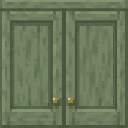
Use a Music Machine to insert records; it can hold up to 16. Its menu lets you select a record and switch between repeating the selection and queuing records. Dye the machine during crafting to change its color. Other craftable home pieces include a chair, side table, sofa, living lamp, fridge, kitchen cabinet, and kitchen stove.
Crafting And Obtaining
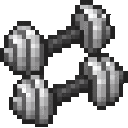
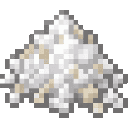
The recipes above cover the main tools and interactive blocks. Other useful craftables include the Architect Table, Builder Hammer, bandage, medicine, and First Aid Kit. The mod also includes salt and salt-preservation recipes, a status watch, dumbbell, treadmill, and plague-doctor armor.
For the armor set, see the recipes for the helmet, chestplate, leggings, and boots. The helmet is the piece that protects against rat-borne plague.
Abilities And Mechanics
- The HUD shows Water and Warmth readings.
- The Adventure Book tracks sociality and your good, evil, or neutral standing.
- Aquarium menus show fish, roe, and decoration status; roe hatches after roughly one minute.
- A finished pond produces fish roe in its barrel every three days.
- The Music Machine supports repeat and queue playback modes.
Progression And Strategy
Start with wooden 3×3 tools and a Dog Whistle, then improve your tool tiers as you gather better materials. Use the compass to guide exploration, and build worker stations when you want resources collected into station storage. For the sociality system, check the Adventure Book as you interact with villagers, animals, and raiders.
Recipes













How to install
This Java mod can be used on Windows and Mac PCs with the CreativeMode Launcher or any Minecraft launcher of your choice.

1. Download and install the new CreativeMode Launcher

2. Click to play on the top of the screen.

3. That's it — launches instantly. No complicated setup required.
Want to use on a different launcher? Download mod and manually install.
This mod is licensed under the CreativeMode Mods License.