

Description
Upgrade you're minecraft world with a... phone? Play Minecraft with friends with this Mod for how you use a phone in real life, for some reason. There is even RAM for storing items, but don't overfill it, because something surprising happens.
Mod Wiki
Ophone Overload
Quickstart
Craft an OPhone, hold it, and use it to open the menu. Choose Apps, pick a category, then choose an app. Try Coordinates or Camera first to check your location, or Heal for a quick survival boost.


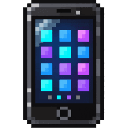
The phone menu also has a Store, Settings, and RAM Drive. Keep RAM below its 64-item capacity: overloading it destroys the stored contents and the phone, and detonates TNT nearby.
Overview
Ophone Overload puts 32 apps in a handheld phone: 24 everyday tools and 8 powerful OPhone-Apps. Menus let you send messages, use survival abilities, buy supplies, customize the phone, and store items.
Your settings, notes, and RAM are saved for your player. Camera saves location snapshots rather than image files.
What It Adds
- OPhone: A single-stack item that opens the phone menu when used.
- 32 apps: Organized into eight categories, including communication, utilities, travel, survival, building, system tools, and OPhone-Apps.
- OPhone Store: Buy item bundles with emeralds.
- RAM Drive: Store and retrieve inventory items, up to 64 item-units.
How To Use
Use the OPhone from your hand to open its menu. Select Apps to browse by category; use Back to return to the previous menu. The main menu also opens the Store, Settings, and RAM Drive.
Everyday apps
| Category | Apps | What they do |
|---|---|---|
| Communication | Messages, Camera, Contacts, Notes | Messages posts a message for everyone; Contacts sends one to another online player. Camera saves a snapshot of your dimension and coordinates, viewable in Gallery (the System category). Notes saves text for your player. |
| Utilities | Calculator, Compass, Clock, Coordinates | Calculate arithmetic, check your facing direction, view the world tick and dimension, or check your coordinates. |
| Travel | Map, Weather, Blink, Wayfinder | Map displays your current location as a pin; Weather clears the weather; Blink attempts a short teleport forward to a safe spot; Wayfinder shows your direction and location. |
| Survival | Heal, Food, Night Vision, Water Breathing | Apply regeneration, saturation, night vision, or water breathing. Night Vision lasts 90 seconds; Water Breathing lasts 90 seconds. |
| Builder | Light, Crafting Guide, Mining Assist, Farm Grow | Light grants brief night vision; Mining Assist grants Haste for 45 seconds; Farm Grow instantly matures nearby crops. Crafting Guide shows the phone recipe and RAM warning. |
| System | RAM Monitor, Alarm, Music Player, Gallery | Check RAM usage, play alert sounds, play a note, or view your saved camera snapshots. |
OPhone-Apps
| App | Effect |
|---|---|
| TNT | Spawns TNT a short distance in front of you. |
| XRay | Temporarily highlights nearby ore blocks. |
| Kick | Knocks nearby entities away in the direction you are facing. |
| Lightning | Calls lightning a short distance ahead. |
| Speed | Grants increased speed for 60 seconds. |
| Shield | Grants resistance for 30 seconds. |
| Super Jump | Grants jump boost and brief slow falling. |
| Saturation | Restores saturation. |
Crafting And Obtaining
Craft the OPhone at a crafting table using the recipe above. You can also look for OPhone in the Creative inventory. The phone is not consumed when you open its menu, but a RAM overload can destroy it.
The Store takes emeralds from your inventory. Its current offers are:
| Offer | Cost |
|---|---|
| TNT ×3 | 8 emeralds |
| Golden Apple ×1 | 5 emeralds |
| Glowstone ×4 | 6 emeralds |
| Iron Ingots ×8 | 4 emeralds |
| Emeralds ×2 | 3 emeralds |
Make room in your inventory before buying; purchases require space for the items.
Abilities And Mechanics
Settings lets you choose the phone’s Neon, Gold, or Stealth look, turn interface sounds on or off, and select English, Spanish, or French.
The RAM Drive can store up to 64 item-units. Choose Store Inventory Item to deposit a stack, Withdraw Stored Stack to retrieve stored items, RAM Status to check usage, or Clear RAM to empty it. Withdrawals go into your inventory, so leave room for them. If a deposit would exceed capacity, the stored data is lost, the OPhone is destroyed, and TNT detonates nearby.
Progression And Strategy
Use the everyday apps to scout and manage a trip: check coordinates, save a Camera snapshot, and try Blink only when you want to move forward. Before using TNT or Lightning, make sure the area ahead is clear. Check RAM Monitor before storing more items, and withdraw or clear contents before approaching the 64-item limit.
How to install
Download the mod and follow the step-by-step installation guide.
This mod is licensed under the CreativeMode Mods License.