

Description
Turn Minecraft into a Pokemon-style creature-catching adventure: craft Poke Balls, weaken a mob, and right-click to capture it into a Filled Poke Ball that persistently stores species, name, level, XP and learned moves; use Filled Poke Balls on enemies to send your creatures into battle, earn XP and level up (cap 50), or speed progression with Rare Candy. A new client Moves GUI (open by right-clicking a Filled Poke Ball, or the Pokedex to view the first captured Pokemon) shows the Pokemon summary and four move slots; captured Pokemon start with Tackle and can learn up to four moves, battles will use the strongest learned move. Craftable TMs (Tackle, Ember, Water Gun, Vine Whip) are included and appear in the mod creative tab—use a TM while holding a Filled Poke Ball in the other hand to teach the move (learned moves persist on the ball); handy commands like /pokemon party, /pokemon givekit, and /pokemon release plus the action-bar held-ball status display and survival recipes round out the experience.
Mod Wiki
Pokemon
Quickstart
- Craft a Poke Ball using the recipe below and gather a few extras.
- Find any mob, damage it until it is nearly defeated, then right-click it with a Poke Ball to capture it.
- You now hold a Filled Poke Ball — right-click it to open the Moves GUI and see your new Pokémon's summary and moves.
- Right-click a hostile mob while holding the Filled Poke Ball to send your Pokémon into battle and earn XP.
- Craft Rare Candy to level up quickly, or craft TMs to teach new moves.



Overview
Pokemon transforms your Minecraft world into a creature-catching RPG. You capture mobs with Poke Balls, store them inside Filled Poke Balls that remember their species, nickname, level, XP, and moves, then deploy them to fight enemies and grow stronger. A dedicated Moves GUI, craftable TMs, and a Pokédex round out the experience.
What It Adds
| Item | Purpose |
|---|---|
| Poke Ball | Thrown at weakened mobs to capture them |
| Filled Poke Ball | Stores a captured Pokémon and all its data |
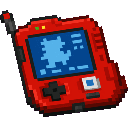
| Pokédex | Opens the Moves GUI for the first Pokémon you've captured |
| Rare Candy | Instantly grants a Pokémon one level |
| TM – Tackle | Teaches the move Tackle |
| TM – Ember | Teaches the move Ember |
| TM – Water Gun | Teaches the move Water Gun |
| TM – Vine Whip | Teaches the move Vine Whip |
All items appear in the Pokemon Minecraft Mod creative tab.
How To Use
Capturing a Pokémon
Weaken a mob so its health is low, then right-click it while holding a Poke Ball. A successful capture converts the Poke Ball into a Filled Poke Ball containing that creature. The ball stores the Pokémon's species, name, level, XP, and moves — these persist indefinitely.
Battling
Hold a Filled Poke Ball and right-click a hostile mob to deploy your Pokémon. It will attack using the strongest move it knows, and you earn XP toward leveling up. Your currently held Filled Poke Ball's status is displayed on the action bar so you can always see your active Pokémon at a glance.
Moves GUI
Right-click a Filled Poke Ball to open the Moves GUI. It shows your Pokémon's summary (species, name, level) and up to four move slots. You can also right-click the Pokédex to open the GUI for the first Pokémon you've captured. Press Esc to close.
Teaching Moves with TMs
- Hold a TM in one hand and a Filled Poke Ball in the other.
- Use (right-click) the TM.
- The move is permanently added to that ball's move list (up to four moves total).
Every Pokémon starts with Tackle upon capture. During battle the game automatically selects the strongest learned move.
Leveling Up
Pokémon earn XP from battles and level up automatically, to a maximum of level 50. To skip the grind, use a Rare Candy on a Filled Poke Ball to instantly grant one level.
Crafting And Obtaining
Poke Ball


Pokédex



Rare Candy



TM – Tackle


TM – Ember


TM – Water Gun


TM – Vine Whip
All four TMs are crafted shapelessly with Paper + Redstone + a move-specific ingredient:
| TM | Key Ingredient |
|---|---|
| Tackle | Flint |
| Ember | Blaze Powder |
| Water Gun | Water Bucket |
| Vine Whip | Vine |
(See the TM recipes above — Vine Whip follows the same Paper + Redstone pattern with a Vine.)
Abilities And Mechanics
- Persistent data — A Filled Poke Ball never loses its stored information, even across sessions.
- Up to four moves — Once all four slots are full, new TMs cannot be applied until a move is freed (use
/pokemon releaseto start fresh with a new capture). - Strongest-move targeting — In battle, your Pokémon automatically uses whichever of its learned moves deals the most damage.
- Action-bar display — When you hold a Filled Poke Ball, a status line appears on-screen showing the Pokémon's name and level.
Progression And Strategy
- Start by crafting several Poke Balls at once so you can attempt multiple captures early.
- Weaken mobs carefully before throwing — a mob that dies cannot be captured.
- Grab a Pokédex early; it gives you quick access to your first Pokémon's move info without needing to select the ball.
- Prioritise teaching Ember, Water Gun, or Vine Whip via TMs as soon as possible — Tackle is a weak default and stronger moves pay off fast in battle.
- Stockpile Rare Candy if you want to hit level 50 without grinding through large numbers of battles.
- Use
/pokemon partyto review all your captured Pokémon,/pokemon givekitto receive a starter kit of items, and/pokemon releaseto release a Pokémon from a Filled Poke Ball.
How to install
This Java mod can be used on Windows and Mac PCs with the CreativeMode Launcher or any Minecraft launcher of your choice.

1. Download and install the new CreativeMode Launcher

2. Click to play on the top of the screen.

3. That's it — launches instantly. No complicated setup required.
Want to use on a different launcher? Download mod and manually install.
This mod is licensed under the CreativeMode Mods License.