

Description
Discover Bluds, peaceful creatures that fly and wail across the night sky—unless you provoke them.
Mod Wiki
Midnight Skywhale
Quickstart
- Look to the night sky for Bluds and Blud Elders flying and wailing overhead.
- In Creative mode, select a Blud Spawn Egg or Blud Elder Spawn Egg and use it to spawn that creature.
- Right-click a spawned Blud to cycle through its attack and whaling animations. Sneak and right-click to stop the current animation.
- Give them space: Bluds are peaceful unless provoked. Hitting one makes it retaliate.
Overview
Midnight Skywhale adds two sky-flying creatures: the Blud and the Blud Elder. They call out at night and generally leave players alone until attacked.
What It Adds
| Creature | Spawn egg | Drops when killed |
|---|---|---|
| Blud | Blud Spawn Egg | 1–3 prismarine shards |
| Blud Elder | Blud Elder Spawn Egg | 2–5 prismarine shards |
How To Use
Use either spawn egg to place its creature in the world. You can also interact with a Blud using your empty hand: right-click to cycle its attack and whaling animations, or sneak and right-click to stop the animation.
The whaling call occurs at night while the creature has no target. The attack animation can also play during combat. Interacting to play an animation does not itself attack you; damaging a Blud is what provokes retaliation.
Crafting And Obtaining
The spawn eggs are the direct way to place Bluds when playing in Creative mode. The mod has no crafting recipes. Bluds can also be encountered flying in the night sky.
Abilities And Mechanics
Both creatures fly without being provoked and retaliate against a living attacker that damages them. Their nighttime calls are staggered, so several Bluds may not wail at once.
Progression And Strategy
Observe them from a safe distance to enjoy their calls. If you want to collect prismarine shards, be prepared for the creature to fight back once attacked.
How to install
This Java mod can be used on Windows and Mac PCs with the CreativeMode Launcher or any Minecraft launcher of your choice.

1. Download and install the new CreativeMode Launcher
2. Click to play on the top of the screen.
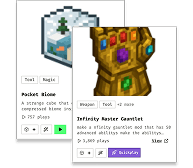
3. That's it — launches instantly. No complicated setup required.
Want to use on a different launcher? Download mod and manually install.
This mod is licensed under the CreativeMode Mods License.