

Description
Defend your flag through three enemy waves with allied knife fighters, shooters, and a craftable iron blaster.
Mod Wiki
Iron Blaster
Quickstart
- Join the world in Creative mode. On your first visit, you receive an Iron Blaster and 60 Iron Rounds, and an arena is prepared around your location. Choose an open area for the flag and its white boundary.
- Run
/ironblaster waves startto begin Wave 1. Two blue pocket-knife fighters and one blue shooter defend the flag. - Hold the Iron Blaster and right-click to fire. Aim at an enemy; the shot travels up to 36 blocks. In Creative mode, firing does not use Iron Rounds.
- Keep your blue defenders alive through all three waves. The arena reports the current wave and whether you have won or lost.
Overview
Iron Blaster is a flag-defense battle with blue allied troops, red enemy waves, and a craftable ranged weapon. The arena is centered on the player who starts the defense. Blue and red units automatically seek opposing fighters; shooters attack from range, while pocket-knife fighters rush into melee.
You can also use the mod’s spawn eggs and equipment to stage battles outside the defense challenge.
What It Adds
- Weapons and ammunition: Iron Blaster, Iron Rounds, Musket, Pocket Knife, General’s Pistol, Support Jet Bomb, and Tank Cannonball.
- Troops: Blue and Red Army Men (shooters), Blue and Red Pocket-Knife Army Men, and Blue and Red Team Medics.
- Vehicles and bosses: Blue and Red Army Tanks, and The General.
- Rubberwood materials and gear: Rubberwood Logs, Rubber Tree Leaves, Rubber, Rubberwood Planks, Blue Bandana, Rubber Field Vest, and Rubber Field Leggings.
Spawn eggs are available for the colored troops and tanks, the medics, and The General.
How To Use
Start a flag defense
Run:
/ironblaster waves start
This prepares the arena and starts the three-wave challenge. A white-wool ring marks the defense area around the central flag. Enemy units spawn outside it. The blue team is defeated if all the arena’s blue defenders are lost; clear all three waves to win.
Wave 1 has one red shooter. Wave 2 has two red shooters and a red knife fighter. Wave 3 has three red shooters. Brief intermissions separate cleared waves.
Other useful commands:
/ironblaster givegives you an Iron Blaster and 60 Iron Rounds./ironblaster ammogives you 32 Iron Rounds.
Use the Iron Blaster
Right-click to fire in the direction you are looking. It hits the first valid target in its line of fire, up to 36 blocks away, and has a short firing cooldown. Outside Creative mode, each shot consumes one Iron Round; without ammunition it will not fire. The weapon also has limited durability.
Crafting And Obtaining
The Iron Blaster recipe:


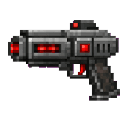
Iron Rounds are crafted in batches of eight:

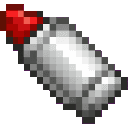
Other craftable equipment and materials:
| Item | Recipe |
|---|---|
| Musket | |
| Pocket Knife | |
| Blue Bandana | |
| Rubber Field Vest | |
| Rubber Field Leggings | |
| 4 Rubberwood Planks |
Rubberwood Logs drop Rubber as well as the log itself. Spawn eggs can be used to place the corresponding units into the world.
Abilities And Mechanics
- Blue shooters carry Iron Blasters and fire at nearby enemies. Blue and red pocket-knife fighters close in and attack at melee range.
- The General is a durable blue-team boss with a health bar. At half health, he can call in a support jet that drops bombs near a target.
- In the flag-defense challenge, the allied team stays close to the arena. Keep the fighting near the flag so your defenders remain in the battle.
Progression And Strategy
Your starting kit is enough to begin the defense without crafting. Use the blaster to support your allied fighters, and keep a clear line of sight to enemies. During the short breaks between waves, reload your supplies and prepare for the next group. The later waves have more shooters, and the second wave also includes a knife fighter.
How to install
This Java mod can be used on Windows and Mac PCs with the CreativeMode Launcher or any Minecraft launcher of your choice.

1. Download and install the new CreativeMode Launcher
2. Click to play on the top of the screen.
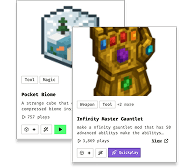
3. That's it — launches instantly. No complicated setup required.
Want to use on a different launcher? Download mod and manually install.
This mod is licensed under the CreativeMode Mods License.