

Description
Print houses, towers, bridges, and gardens from simple ideas using an in-game printer.
Mod Wiki
Idea Forge Printer
Quickstart
- Craft an Idea Forge Printer:


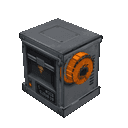
- Place it where there’s room for the printer assembly and a clear building area in front. The printer faces toward you when placed.
- Right-click any part of the printer, type an idea such as
oak cottage with a garden, then choose Submit or press Enter. - Try words like
tower,bridge, orstone castle. Press Escape to close the screen; use Backspace to edit your prompt.
The printer places a small build in the world without needing you to load building materials into it.
Overview
Describe a build in plain text and the printer uses recognizable keywords to choose a structure and its materials. It selects from a set of small preset builds, rather than turning arbitrary descriptions into custom block-by-block designs. Unrecognized ideas produce a general workshop-style building.
What It Adds
The printer can create:
| Build | Example keywords |
|---|---|
| House | house, home, cottage, cabin, hut |
| Tower | tower, lighthouse, watchtower, spire |
| Bridge | bridge, overpass, crossing |
| Garden | garden, park, flower bed, farm, orchard |
| Castle | castle, fort, fortress, keep |
| Barn | barn, stable, ranch, farmhouse |
| Shop | shop, bakery, store, market, tavern, café |
| Shrine | shrine, temple, chapel, altar |
| Dock | dock, pier, harbor, boardwalk |
| Well | well, fountain, water feature |
| Camp | camp, campsite, tent, campfire |
| Treehouse | treehouse, tree house |
How To Use
Right-click any block in the printer assembly to open its idea screen. Type directly into the prompt field; prompts can be up to 96 characters. Submit or Enter starts printing, while Close or Escape exits the screen. The printer must still be assembled and within reach when you submit.
The build appears about five blocks out from the printer’s front. Give that area room: the printer leaves solid blocks alone, so obstructions can cause parts of a build to be skipped. Breaking any printer part dismantles the assembly.
Crafting And Obtaining
The recipe unlocks automatically when you join the world. The printer is also available in the Functional section of the Creative inventory.
Abilities And Mechanics
Words in the prompt can influence the build’s material. For example, oak, birch, dark oak, stone, brick, desert, blue, white, and ice can select matching materials. With no recognized material word, builds generally use spruce; castles default to stone bricks.
You can combine a build idea with extra details: chimney, garden, flowers, pond, fountain, flag, banner, path, or entrance can add related features. For example, try birch cottage with flowers and a path.
Progression And Strategy
There’s no material supply or upgrade step for printing. Experiment with one clear keyword for the build, then add a material or detail word to see how the result changes. For the best results, place the printer where its front faces an open patch of ground.
How to install
This Java mod can be used on Windows and Mac PCs with the CreativeMode Launcher or any Minecraft launcher of your choice.

1. Download and install the new CreativeMode Launcher

2. Click to play on the top of the screen.
3. That's it — launches instantly. No complicated setup required.
Want to use on a different launcher? Download mod and manually install.
Players also liked

Infinity Stone Gauntlet


The Infinity Stone Gauntlet lets you channel seven stones — Space (teleportation and anchors), Soul (soul‑harvesting and Soulworld banishment), Reality (large‑area edits plus a Projectile Bubble Field that converts hostile projectiles into harmless bubbles), Power (destructive mo…




💎X Heroes 1.2💎


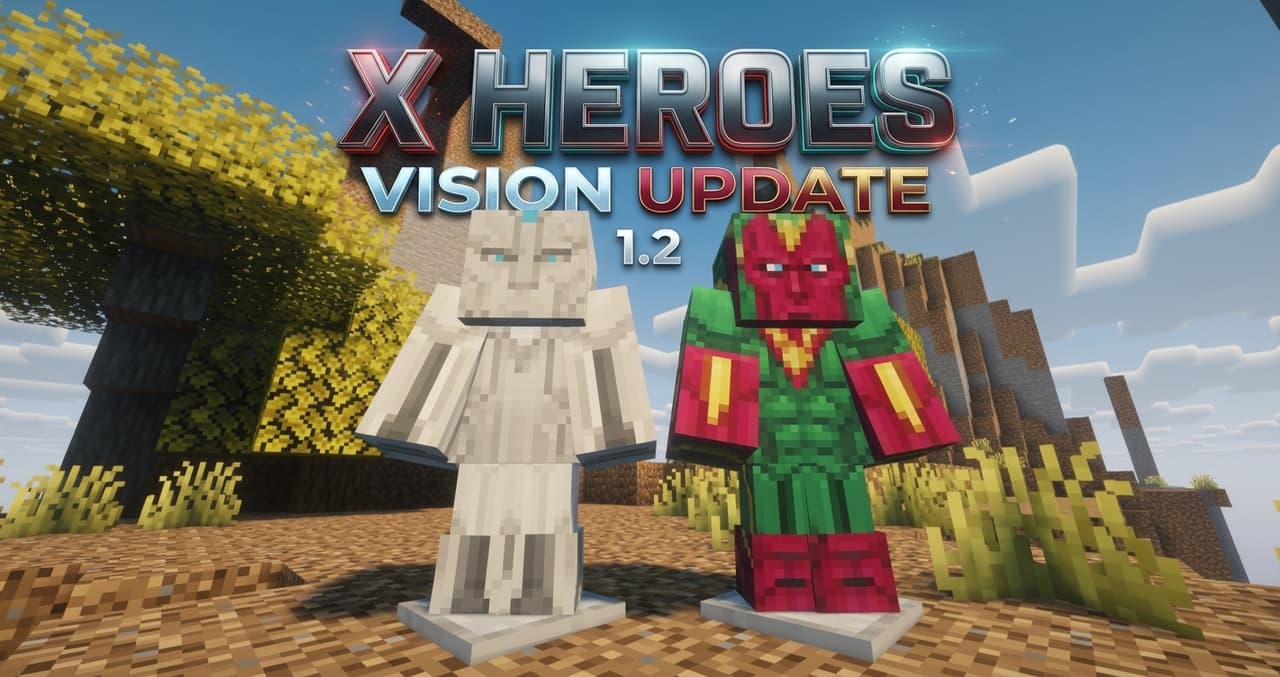
# 🦸 X-HEROES — Become a Superhero! **X-Heroes** — масштабный супергеройский мод для Minecraft, вдохновлённый вселенными **Marvel и DC**! Стань любимым супергероем или суперзлодеем, получи невероятные способности, создавай уникальные костюмы, исследуй новые структуры и сражайся…
This mod is licensed under the CreativeMode Mods License.