

Description
Hurl the glowing Gilded Storm Disc to pierce foes, ricochet off walls, and call down lightning before it returns.
Mod Wiki
Gilded Storm Disc
Quickstart
- Craft a disc at a crafting table: . The full recipe is shown below.
- Hold it and use your Use Item control (right-click by default) to throw it where you’re aiming.
- Try aiming through a line of mobs, then watch the disc ricochet and return. In Survival, the disc returns to the hand you threw it from if that hand is empty; otherwise it goes into your inventory, or drops nearby if your inventory is full.
Overview
The Gilded Storm Disc is a glowing, reusable throwing weapon. It flies without falling, pierces living targets, calls down lightning on them, and homes back to you.
How To Use
- Aim before throwing; the disc launches in the direction you’re facing.
- It can hit each living target once per throw, dealing 15 damage before defenses and summoning lightning at the target.
- Hitting a block makes the disc ricochet. After its third ricochet, it turns back toward you.
- If it hasn’t already started returning, it turns back after 28 ticks (about 1.4 seconds).
- The returning disc steers toward you. If it hits a block on the way back, it redirects toward you again.
Crafting And Obtaining
The recipe is unlocked in your recipe book after you enter a world. It uses six gold ingots, two lapis lazuli, and one amethyst shard:
You can also find the disc in the Combat tab of the Creative inventory.
Abilities And Mechanics
Each hit on a living target calls down lightning. When a target is struck, you are protected from fire and lightning damage for 200 ticks (10 seconds), and any fire on you is cleared.
Progression And Strategy
There’s no additional progression to unlock. For a useful first test, line up several mobs so the disc can pass through them, or throw near block faces to make it ricochet before returning.
How to install
This Java mod can be used on Windows and Mac PCs with the CreativeMode Launcher or any Minecraft launcher of your choice.

1. Download and install the new CreativeMode Launcher
2. Click to play on the top of the screen.
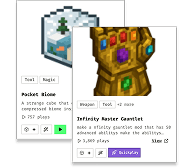
3. That's it — launches instantly. No complicated setup required.
Want to use on a different launcher? Download mod and manually install.
This mod is licensed under the CreativeMode Mods License.