

Description
Craft a Genesis Tablet (3 obsidian + 1 diamond + 1 map) to open a text prompt UI; type any creation request to generate and save a Project in your personal Projects bar, then select a saved project and right‑click any block to spawn the generated structure or encounter above it. All generated outputs use only vanilla Bedrock blocks and entities, projects are saved per player and persist across menu closes and world reloads, and older projects are automatically normalized so they continue to work with new theme and population options. The tablet now recognizes an enormous free‑text catalog of creations — from houses, towers, farms, lamps, chests, golems, sheep and bridges to skyscrapers, mansions, bunkers, orchards, ranches, streetlights, warehouses, mechs, zoos, aqueducts, palisades, waterfalls, campsites, citadels, cities, airships, submarines, marinas, tunnels, roller coasters, plazas, rifts, stadiums, escape rooms, malls, reactors, cathedrals, planetariums, conservatories, sentry towers, mausoleums, bee farms, fungus groves, snow forts, craters, academies, infirmaries, treasuries, prison cells, cinemas and many more, including themed and population variants like nether, end, ocean, desert, snow, jungle, ruined, crowded/populated or empty/abandoned sites. Generation modifiers are parsed far more broadly — scale (mega, colossal, compact, sprawling), material and color (bronze, crystal, blackstone, marble, copper, multicolor, crimson, cyan), width, crop‑specific farms, guarded/defended, decorated, redstone/powered and themes such as arctic, tropical or underwater — with helpful prompt examples in the tablet UI (for example: mega redstone skyscraper, coral reef aquarium, jungle city, crowded market, icy castle, copper robot, ruined prison, rainbow zoo, guarded fortress) to get you started.
Mod Wiki
Genesis Tablet
Quickstart
- Craft a Genesis Tablet at a crafting table:


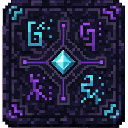
- Use the tablet to open its menu and choose Generate New Project. Enter a clear prompt, such as
mega redstone skyscraper,coral reef aquarium, orwide carrot farm. - Select the generated project in the menu. With the tablet selected, right-click a block to place the creation above it. Choose a clear area for large projects.
Overview
The Genesis Tablet turns text prompts into placeable projects made from vanilla Bedrock blocks and entities. Projects are saved to your player, remain available after closing the menu or reloading the world, and can be selected and placed again.
What It Adds
Prompts can describe buildings, landmarks, farms, machines, traps, vehicles, gardens, arenas, and more. Examples include houses, castles, cities, bridges, aquariums, roller coasters, labs, zoos, and underwater bases.
You can also generate themed or populated variants—such as a jungle city, ruined prison, crowded market, or abandoned site. The mod includes a Tall Fat Sheep and a spawn egg for it.
How To Use
- Use the tablet to open the project menu. Choose Generate New Project to enter a prompt, or select a saved project.
- A new project is selected automatically after generation. You can keep up to 12 projects in your personal list.
- With a project selected, right-click a block with the tablet to spawn it above that block. If no project is selected, open the menu and generate or select one first.
Abilities And Mechanics
Use descriptive words to shape the result:
- Scale and width: Try
mega,colossal,compact,sprawling, orwide. - Materials and colors: Try
copper,crystal,blackstone,marble,crimson,cyan, orrainbow. - Themes: Try
nether,end,ocean,desert,snow,jungle,arctic,tropical, orunderwater. - Details and activity: Try
guarded,decorated,redstone,powered,crowded,populated,empty, orabandoned. - Farms: Name a crop, such as
carrot farmorpotato farm.
Prompts combine a creation with any modifiers you want, for example icy castle, copper robot, guarded fortress, or rainbow zoo. Generated creations use vanilla Bedrock blocks and entities.
Progression And Strategy
There is no required progression: craft the tablet and experiment with prompts. Start with a compact build to learn how placement works, then try larger creations in an open area. Use specific project names and modifiers to make saved projects easy to recognize in the menu.
How to install
Download the mod and follow the step-by-step installation guide.
This mod is licensed under the CreativeMode Mods License.