

Description
Summon a protective nano-suit, take flight, and rocket skyward with the Gamma Knightblade.
Mod Wiki
Gamma Nano Knightblade
Quickstart
- Craft the Gamma Nano Knightblade using the recipe in Crafting and Obtaining.
- Use the Knightblade to equip the full Gamma Nano suit. Any armor you were wearing is moved to your inventory, or dropped if there is no room.
- With all four suit pieces equipped, use Minecraft’s normal flight controls to fly. Use the Knightblade again to boost in the direction you’re looking.
- Hold Shift and use the Knightblade to retract the suit.
Overview
The Knightblade is a melee weapon that deploys a protective four-piece suit. Wearing the complete suit enables flight and lets the Knightblade launch you skyward.
What It Adds
- Gamma Nano Knightblade — crafts into a single, reusable item. Use it to deploy the suit or, while suited up, trigger a forward-and-upward boost.
- Gamma Nano Helmet, Chestplate, Leggings, and Boots — the four armor pieces that make up the flight-enabling suit.
How To Use
- Use the Knightblade without the full suit: equips all four pieces.
- Use it while wearing the full suit: boosts you toward your view direction. Aim upward for a steeper launch.
- Shift + use while wearing the full suit: retracts the suit and returns its pieces to your inventory. If there is no room, items are dropped.
Crafting And Obtaining
Craft the Knightblade at a crafting table:


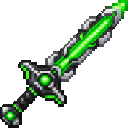
The suit pieces are equipped automatically when you use the Knightblade. In Creative mode, the Knightblade and individual suit pieces are available in the Combat inventory tab.
Abilities And Mechanics
The suit enables flight only while all four Gamma Nano pieces are equipped. Use the usual Minecraft flight controls to take off, ascend, descend, and stop flying. The Knightblade’s boost adds momentum in the direction you’re looking, with an upward push as well.
Progression And Strategy
Try the boost from a safe, open area first, and look upward when you want more lift. Retract the suit when you no longer need it; remember to leave inventory space for the armor you were wearing before deployment.
How to install
This Java mod can be used on Windows and Mac PCs with the CreativeMode Launcher or any Minecraft launcher of your choice.

1. Download and install the new CreativeMode Launcher

2. Click to play on the top of the screen.
3. That's it — launches instantly. No complicated setup required.
Want to use on a different launcher? Download mod and manually install.
Players also liked

Explosive Meatball Launcher

Explosive meatballs blast foes and carve a 3×3 shaft down to bedrock.
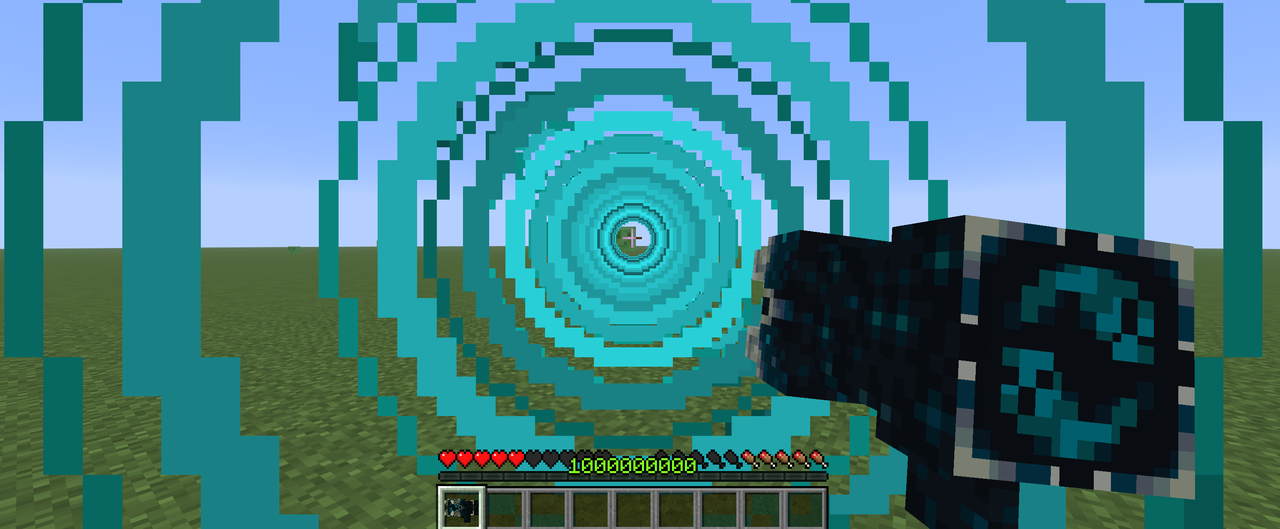
Sonic Boom Gun


Fire a Sonic Boom Gun to blast foes and shatter fragile blocks with a 25-block beam. hi this gun was not designed by creative mod it was designed by me i really love making stuff and this is one of them i had this idea for a couple of months but i just didnt make it for some reas…

Paxels (1.21.5)

This mod adds six multi-tools—the Wooden, Stone, Iron, Gold, Diamond, and Netherite Paxels—that combine pickaxe, axe, and shovel functions so you can mine, chop, and dig without swapping tools; equip and left-click to break appropriate blocks (stone, ores, wood, dirt, sand, grave…
Celestial Judgment Blade

Wield a godlike blade that summons an angel and banishes foes to the Nether.
X Heroes Halloween + 2000 Downloads Update — Part I 1.3

# X-Heroes — Become the Hero! **Your world. Your powers. Your story.** Welcome to X-Heroes, a massive superhero mod for Minecraft Java Edition 1.20.1! Become your favorite comic-book characters, craft powerful suits, unlock mutations, discover advanced technology, explore new…
This mod is licensed under the CreativeMode Mods License.