

Description
Choose humanity or become a tiny, flying fairy with half the health and fearless gliding.
Mod Wiki
Fairy Life
Quickstart
- Join the world to open the character setup. Choose Child or Adult, then choose Become Fae or Remain Human. Your first choices must be completed before you can play.
- If you become a fairy, choose a wing appearance from the wing list. Your wings are cosmetic; all fairy wing styles have the same abilities.
- As a fairy, leave the ground while holding a movement key to begin gliding. You do not need an Elytra and you take no fall damage.
- While gliding, press R by default for Fairy Wing Propulsion, a burst in the direction you are looking. You can change this key in Minecraft's Controls menu.
- Craft a Fairy Dust Charm to choose a different wing appearance later, or craft an essence to change species or age.
Overview
Fairy Life gives every character two permanent setup choices:
- Species: Human or Fairy
- Age: Child or Adult
Fairies are extremely small, can glide through the air, and have reduced health. Humans are larger and sturdier but do not have fairy gliding abilities.
The initial species and age screens cannot be closed without making a choice. Afterward, use the appropriate crafted essence to change your choices. Your selections persist through death and rejoining the world.
What It Adds
| Item | Use |
|---|---|
| Essence of the Fae | Changes your species to a fairy. |
| Essence of Humanity | Changes your species to a human. |
| Fairy Dust Charm | Opens the wing appearance selector for a fairy. |
| Essence of the Ages | Opens the age selector so you can become a Child or Adult. |
| Frog Body Flesh | Indestructible flesh forming the walls of the frog-stomach encounter. |
| Frog Acid | Dangerous acid found at the bottom of the frog-stomach encounter. |
How To Use
Choosing Your Species
During first-time setup, select one of the following:
- Become Fae: Become a tiny fairy and select one of 12 wing styles.
- Remain Human: Keep the human form. Humans do not display fairy wings.
The first species choice is not available again as a menu. To change species later, consume an Essence of the Fae or Essence of Humanity.
Choosing Your Age
Choose Child or Adult during first-time setup. To change age later, hold an Essence of the Ages and use it. The item is consumed and the age selector opens.
Children are smaller and have Speed I, while adults have more health and their normal age-based size.
Changing Fairy Wings
A fairy can use a Fairy Dust Charm to open the wing selector. Select any of the following appearances:
- Rose Butterfly
- Sapphire Butterfly
- Golden Butterfly
- Moonlit Butterfly
- Bird Wings
- Bat Wings
- Magical Wings
- Ice Shard Wings
- Crystal Wings
- Phoenix Wings
- Moth Wings
- Starlight Wings
The charm is consumed when the selector opens. Humans cannot use it to select wings.
Crafting And Obtaining
All four special items are crafted in a crafting table. Each recipe produces one item.
Essence of the Fae
Uses four Diamonds, four Feathers, and one Nether Star.



Essence of Humanity
Uses four Diamonds, four Wheat, and one Nether Star.


Essence of the Ages
Uses four Diamonds, four Eggs, and one Nether Star.


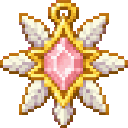
Fairy Dust Charm
Uses one Diamond surrounded by eight Feathers.
Abilities And Mechanics
Species and Age Stats
| Form | Maximum health | Size | Other effects |
|---|---|---|---|
| Human Child | 16 health points | 60% of normal | Speed I |
| Human Adult | 20 health points | Normal | None |
| Fairy Child | 8 health points | 7.5% of normal | Speed I, gliding, no fall damage |
| Fairy Adult | 12 health points | 12.5% of normal | Gliding, no fall damage |
Fairy Gliding
Fairies can glide whenever they are airborne and have movement input. Use the normal movement keys to steer:
- Gliding starts while moving through the air.
- Releasing movement stops horizontal drifting, allowing you to hover downward more precisely.
- Vertical collisions and the ground stop the glide.
- Fairies do not take fall damage.
- Press R while gliding to use Fairy Wing Propulsion. The burst follows your camera direction, including upward or downward aim.
Animal Threats
Some normally passive animals become dangerous depending on your species and age.
| Animal | Characters it attacks |
|---|---|
| Untamed Wolf | Human Children and all fairies |
| Tamed Wolf | Fairy Children only |
| Polar Bear | Human Children and all fairies |
| Untrusting Ocelot | All fairies |
| Sheep | All fairies |
| Cat, Parrot, Bat, Horse, Cow, Mooshroom | Fairy Children only |
| Chicken, Axolotl, Armadillo | All fairies |
| Pig, Fox, Frog, Dolphin | All fairies |
Animals that are hostile under these rules deal greatly increased damage to their targets: 2× on Easy, 2.5× on Normal, 3× on Hard, and 3.5× in Hardcore.
Being Swallowed
Frogs can swallow a targeted fairy when the fairy is close. Chickens, parrots, cats, and axolotls can also swallow a fairy occasionally after attacking.
When swallowed, you are teleported into a small stomach encounter built from Frog Body Flesh. Your original position is saved, and escaping returns you there.
To escape:
- Avoid the acid at the bottom of the stomach.
- Move or glide upward toward the opening at the top.
- Leave the stomach through the upper opening or beyond the encounter area.
Standing deep in Frog Acid inflicts Poison, Darkness, Nausea, and recurring damage. The flesh walls are indestructible, so escaping through the opening is the intended route.
Progression And Strategy
- Choose a Fairy Child for the smallest body and Speed I, but expect the lowest health and the widest range of animal threats.
- Choose a Fairy Adult for more health while keeping the full fairy movement abilities.
- A Human Adult has the most health and is not targeted by the animal rules that specifically target fairies or human children.
- Use fairy gliding to cross gaps, avoid ground-level animals, and reach the upper opening when swallowed.
- Keep an Essence of Humanity available if you want to temporarily leave fairy life, and use an Essence of the Fae to return to fairy form later.
- Carry an Essence of the Ages when you want to change between the safer health of an adult and the speed and smaller size of a child.
How to install
This Java mod can be used on Windows and Mac PCs with the CreativeMode Launcher or any Minecraft launcher of your choice.

1. Download and install the new CreativeMode Launcher

2. Click to play on the top of the screen.

3. That's it — launches instantly. No complicated setup required.
Want to use on a different launcher? Download mod and manually install.
This mod is licensed under the CreativeMode Mods License.