Description

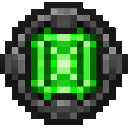

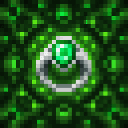


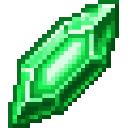


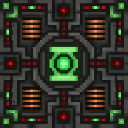
Open it, put the ring in the Ring Slot and crystals in the crystal slot. Each crystal restores 100 energy over five seconds. 6. Try the default ability keys while the ring is equipped:
| Ability | Default key |
|---|---|
| Toggle Ring Flight | F |
| Create Energy Sword | G |
| Create Energy Hammer | H |
| Activate Energy Shield | J |
| Fire Energy Beam | B |
| Green Lantern Dash | V |
| Create Energy Platform | P |
Keys can be changed in Minecraft's Controls menu.
Emerald Will adds a rechargeable Green Lantern Ring with flight and temporary green hard-light abilities. The ring's energy is shown in a HUD panel while it is equipped.
All ring abilities require the ring to be in the hand/ring slot. If the ring is removed, active constructs disappear. Abilities that require more energy than the ring currently has do not activate.
The ring can only be equipped in a hand/ring accessory slot. The ability HUD appears when the ring is equipped and shows:
Place a Green Lantern Ring and one or more Green Energy Crystals into a Green Lantern Charging Station.
The station has separate ring and crystal slots and displays charging progress.
Press an ability's key while the ring is equipped. Energy is spent when an ability activates. Temporary sword, hammer, and shield constructs follow the ring hand and disappear when their effect ends.
Activating a different weapon replaces the currently active weapon construct.
Craft a Green Energy Crystal from one emerald and one glowstone dust.
The station requires iron, redstone, copper, a lightning rod, and an emerald.
The ring is crafted with a Green Power Battery Core surrounded by emerald blocks.
The Green Power Battery Core is available in the Emerald Will Creative inventory and is used as the center ingredient of the ring recipe. The Energy Platform and Green Lantern Charging Station are also available as placeable items in the mod's Creative inventory.
| Ability | Cost and duration | Effect |
|---|---|---|
| Flight | 4 energy per second while flying | Press F to toggle flight. While the ring has energy, it grants flight capability outside Creative Mode. Flight ends when energy runs out or the ring is removed. |
| Energy Sword | 10 energy to create, then 1 per second | Creates a temporary sword for up to 20 seconds. Attack normally to deal 7 damage. |
| Energy Hammer | 32 energy to create, then 4 per second | Creates a temporary hammer for up to 15 seconds. Attack normally to deal 16 damage with strong knockback. |
| Energy Shield | 40 energy to activate, then 3 per second | Blocks incoming damage for up to 10 seconds. It has a 30-second cooldown before it can be activated again. |
| Energy Beam | 12 energy per shot | Fires a green beam up to 32 blocks in the direction you are facing and deals 12 damage to living targets in its path. |
| Dash | 20 energy | Launches you forward in the direction you are facing. The dash has a five-second cooldown. |
| Energy Platform | 8 energy | Creates a temporary 3×3 platform beneath your feet. The generated platform lasts about three seconds and only fills air blocks. |
These are glowing constructs rather than inventory items. After activating one, use your normal attack control against nearby targets.
Press J to surround yourself with a hard-light shield. While the shield is active and the ring remains equipped, damage to the player is prevented. The shield consumes energy over time and cannot be immediately reactivated after it ends.
Press B to fire instantly from the ring hand toward your crosshair direction. The beam reaches 32 blocks and damages living entities along its line. It does not create an item or leave a permanent structure behind.
Press P while falling or moving through the air to create a 3×3 landing surface at your feet. Only empty spaces are filled, so the ability does not replace existing blocks.
You can also place an Energy Platform item manually. A manually placed platform disappears after about five seconds.
This Java mod can be used on Windows and Mac PCs with the CreativeMode Launcher or any Minecraft launcher of your choice.

1. Download and install the new CreativeMode Launcher
2. Click to play on the top of the screen.
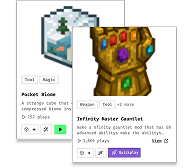
3. That's it — launches instantly. No complicated setup required.
Want to use on a different launcher? Download mod and manually install.
This mod is licensed under the CreativeMode Mods License.

