

Description
Harness elemental power and receive matching blocks from your enchanted tool.
Mod Wiki
Elemental Blocksmith
Quickstart
- Craft the Elemental Blocksmith at a crafting table:



- Equip it in your hotbar.
- Use the item—right-click on keyboard, or use the item control on touch/controller.
- Each use grants one elemental block and displays a message identifying the element. Use it repeatedly to cycle through all four elements.
You can also obtain it with:
/give @s com_elemental_blocksmith_dubzqo4j:my_sword
Overview
The Elemental Blocksmith is a sword-like tool that creates elemental blocks when used. It combines melee combat with a repeating block-gifting ability, making it useful for building, decoration, and quick access to several special materials.
What It Adds
- Elemental Blocksmith tool
- A four-step elemental block cycle
- Particle effects and messages for each granted element
- Sword combat properties:
- 7 attack damage
- 512 durability
- Sword enchantment compatibility
- Maximum stack size of 1
How To Use
Hold the Elemental Blocksmith and activate its use action. The tool grants one block immediately and shows the current element in a message.
The cycle proceeds in this order:
| Use | Element | Granted block | Visual effect |
|---|---|---|---|
| 1 | Fire | Magma block | Lava particles |
| 2 | Frost | Ice | Snowflake particles |
| 3 | Arcane | Amethyst block | Falling-dust particles |
| 4 | Nature | Moss block | Spore-blossom particles |
After Nature, the next use returns to Fire. The cycle is tracked for each player, so changing between copies of the tool does not provide a separate sequence.
Crafting And Obtaining
Craft the tool at a crafting table using:
- Amethyst shards
- Blaze powder
- A diamond
- A stick
It is also available through the Creative inventory in the equipment category. For commands, use:
/give @s com_elemental_blocksmith_dubzqo4j:my_sword
Abilities And Mechanics
Elemental Block Creation
Every activation gives one block from the current position in the cycle. The particle effect and message make it clear which element was selected.
The tool does not require a separate mode-selection interface. Simply activate it again to move to the next element.
Combat And Durability
The Elemental Blocksmith can be used as a melee weapon and deals 7 attack damage. It has 512 durability and can receive sword-compatible enchantments.
Flame and smoke warning effects appear as its durability decreases, helping you recognize when it is becoming worn.
Progression And Strategy
- Use the first activation for magma, then continue through the cycle when gathering the other blocks.
- Keep the tool equipped while building so you can create a steady supply of all four block types.
- Use the particle effects and chat messages to confirm which block was granted.
- Since the item works as a sword, it can remain in your combat or building hotbar without requiring a separate utility tool.
- Watch for durability warning effects and repair or replace the tool before relying on it for extended combat.
How to install
Download the mod and follow the step-by-step installation guide.
Players also liked


Obsidian Dragonblade


Wield a dragon-forged blade of obsidian, diamond, netherite, and Dragon's Breath.
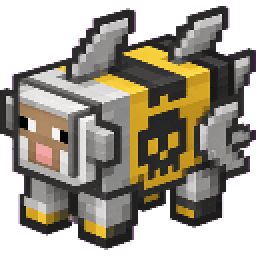
Exploding Ironfin Sheep


Unleash a finned iron sheep that can erase entire biomes in one explosive blast.
Tungsten Skybreaker (bedrock preview)

Mine rare tungsten ores, craft powerful gear, and launch enemies skyward with a devastating tungsten sword.
Nethergate (Netherite) Gauntlet

Nethergate Gauntlet takes you back and forth to the Nether without needing to build a portal, very helpful if you get lost in the Nether. It also has maximum "God-like" attack damage, so you can "one punch" a Warden or the Ender Dragon, easy kills.
This mod is licensed under the CreativeMode Mods License.