

Description
Store items up top, and let the chest below handle the rest.
Mod Wiki
Downflow Chest
Quickstart
Craft a Downflow Chest with one chest above one hopper:


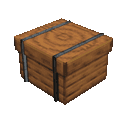
Place it with a chest directly underneath, then put items into the Downflow Chest’s storage. It automatically sends items down into the chest below. A trapped chest also works.
Overview
The Downflow Chest is an automatic item-transfer unit. When placed, it forms a 2×2 footprint that is two blocks tall and faces the direction you placed it. Items move from its storage to a chest directly below; no manual transfer is needed.
How To Use
- Place a regular chest or trapped chest directly below the Downflow Chest.
- Put items in the Downflow Chest’s storage to start the transfer.
- Items that don’t fit in the lower chest remain in the Downflow Chest.
The target must be directly below the unit. Other nearby containers do not receive items.
Crafting And Obtaining
Craft it at a crafting table using one chest and one hopper, with the chest above the hopper. The complete recipe is shown in Quickstart.
How to install
Download the mod and follow the step-by-step installation guide.
This mod is licensed under the CreativeMode Mods License.