

Description
Choose the ores you seek, then scan underground to find them—even through stone.
Mod Wiki
Ore Scanner
Quickstart
Craft a scanner using the recipe below, then hold it in either hand. Right-click to turn ore markers on; right-click again to turn them off. Sneak and right-click to choose which ores to reveal.


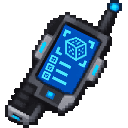
Try scanning underground and looking around for colored markers, which can show ore locations through stone. The scanner starts set to find coal and iron.
Overview
The Deep Vein Scanner searches nearby blocks for selected ores and displays their locations as colored markers on your screen. It works through terrain, so you can use it to decide where to dig.
What It Adds
The scanner can find:
- Coal ore
- Iron ore
- Copper ore
- Gold ore, including Nether gold ore
- Redstone ore
- Lapis ore
- Diamond ore
- Emerald ore
- Ancient debris
For coal, iron, copper, gold, redstone, lapis, diamond, and emerald, both regular and deepslate ore blocks are recognized.
How To Use
- Right-click while holding the scanner to toggle scanning on or off.
- Sneak and right-click to open the ore selection screen. Click ore types to toggle them, then choose Apply to save your choices. Cancel or closing the screen discards unsaved choices.
- Keep the scanner in your main hand or offhand while scanning. Putting it away stops the scan.
- Markers appear in the direction of nearby ore. Look around to find markers that are outside your view.
Abilities And Mechanics
The scanner checks within a 16-block radius of you, including nearby blocks above and below. It refreshes its results every 10 ticks and displays up to 12 of the nearest blocks for each selected ore type. Only loaded areas are scanned.
Each scanner remembers its own ore selections. If you deselect every ore, no markers will appear.
Crafting And Obtaining
Craft the scanner using the recipe in Quickstart. In Creative mode, it is also available in the Tools & Utilities tab.
How to install
This Java mod can be used on Windows and Mac PCs with the CreativeMode Launcher or any Minecraft launcher of your choice.

1. Download and install the new CreativeMode Launcher

2. Click to play on the top of the screen.

3. That's it — launches instantly. No complicated setup required.
Want to use on a different launcher? Download mod and manually install.
This mod is licensed under the CreativeMode Mods License.