

Description
Build a crystal aquarium with clear glass and a fully customizable underwater world.
Mod Wiki
Crystal Aquarium
Quickstart
- Gather the materials for the Crystal Aquarium.
- Craft the aquarium at a crafting table:


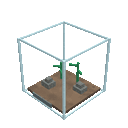
- Find a clear area with enough room for an 8×8×8-block structure.
- Hold the Crystal Aquarium item and place it on the ground. The item is replaced by a complete crystal-and-glass aquarium structure.
- Walk around the aquarium to view it from different sides, then customize the underwater scene with your preferred water features, aquatic decorations, plants, and mobs.
The aquarium faces according to the direction you place it. Make sure the surrounding area is clear before placing it.
Overview
Crystal Aquarium adds a large, transparent aquarium structure for creating a customizable underwater display. Its crystal-themed shell is made to showcase the scene inside, making it suitable for homes, museums, underwater bases, gardens, and decorative builds.
What It Adds
- Crystal Aquarium placeable item
- A complete 8×8×8 aquarium structure
- Clear glass viewing surfaces
- Crystal-themed framing and aquatic lighting
- A customizable interior for your own underwater designs
- Four-direction placement, based on the direction you are facing
How To Use
Placing the Aquarium
Select the Crystal Aquarium item and place it like a normal block. Placement automatically creates the full aquarium structure and orients it toward your facing direction.
The original item is used during placement, so prepare another crafted aquarium if you want to build multiple displays.
Customizing the Interior
After placing the structure, use normal Minecraft building interactions to personalize the aquarium. You can add or arrange:
- Water and water features
- Aquatic plants
- Coral and natural underwater terrain
- Sea lanterns and other lighting
- Decorative blocks
- Fish and other aquatic mobs
Leave the glass viewing areas unobstructed if you want the interior to remain easy to see.
Removing or Remodeling It
The aquarium is made from many structure blocks rather than remaining as a single item. Mine the individual blocks you want to remove or remodel, then rebuild the area with your own materials.
Crafting And Obtaining
The Crystal Aquarium is crafted at a crafting table using:
- Glass
- A water bucket
- A sea lantern
- An amethyst shard
The recipe uses eight glass blocks, one water bucket, one sea lantern, and one amethyst shard. Crafting returns one Crystal Aquarium item.
In Creative mode, search for Crystal Aquarium in the Items tab.
Abilities And Mechanics
Automatic Multiblock Placement
Placing the item builds the aquarium automatically, including its glass shell, frame, and internal structural details. You do not need to assemble the structure block by block.
Directional Orientation
The completed aquarium is rotated to match the placement direction. Choose your viewing angle before placing it, especially when building it against a wall or alongside other structures.
Full-Size Structure
The aquarium occupies an area approximately 8 blocks wide, 8 blocks deep, and 8 blocks high. Clear nearby blocks and avoid placing it where the structure would overlap important builds.
Decorative Underwater World
The aquarium provides the display enclosure; the underwater scene is yours to design. Combine natural materials, lighting, plants, and aquatic mobs to create anything from a small reef to a glowing fantasy habitat.
Progression And Strategy
- Gather glass early so the aquarium can become a centerpiece for your base.
- Prepare the build site before crafting or placing it.
- Place the aquarium with its most visible side facing your main walkway or viewing area.
- Use sea lanterns and other light sources to keep the interior bright and emphasize the crystal frame.
- Build the floor and background first, then add plants, terrain, and aquatic life.
- Keep paths around the structure open so you can view and maintain all sides.
- Craft multiple aquariums to create themed exhibits, such as a coral reef, deep-ocean display, or glowing crystal habitat.
How to install
Download the mod and follow the step-by-step installation guide.
This mod is licensed under the CreativeMode Mods License.