

Description
Build launch pads, explore alien planets, and enter Creep Base X’s endless Nether complex of trades, secrets, and services.
Mod Wiki
Creeper Tech Frontier
Quickstart
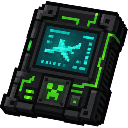
- Craft a Frontier Rocket and a Frontier Arrival Platform at a crafting table:


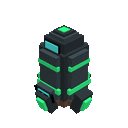


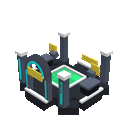
- Use the platform placer to set down an arrival site, then use the rocket item in an open area to place your rocket. Use its in-game interaction prompt to begin exploring.
- Head into the Nether to find Creep Base X. Talk to its Creeper residents to explore the trades, services, and secrets there.
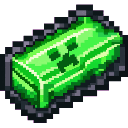
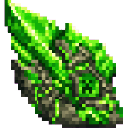
- Gather Creeprite materials as you explore. Refined Creeprite can be made into plates and rods for tools, weapons, vehicles, and technology.
Overview
The mod combines frontier travel, Creeper technology, vehicles, alien landscapes, and a large Nether base. Set up places to land and explore, develop Creeprite equipment, and visit Creep Base X to meet its residents.
What It Adds
- Travel and building: Frontier Rockets, arrival platforms, launch pads, and futuristic base-building blocks.
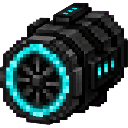
- Creeprite technology: Creeprite Ore, Raw Creeprite, Refined Creeprite Ingots, Energy Crystals, Quantum Alloy, and a range of machines and components.
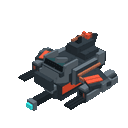
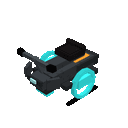
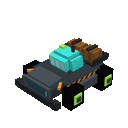
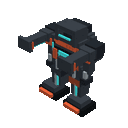
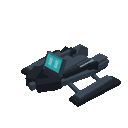
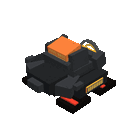
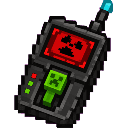
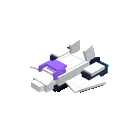
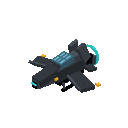
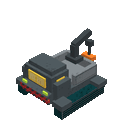
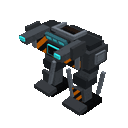
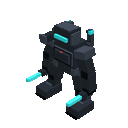
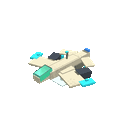
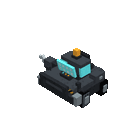
- Vehicles: Creeper Hover Rover, Frontier Crawler, Drone Bike, Deep Sub, Hover Speeder, Creeper Assault Tank, Aerial Gunship, and more.
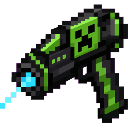
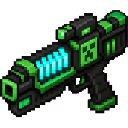
- Equipment: Creeprite tools and weapons, the Ultra Suit, pulse and cryo weapons, grenades, and other combat gear.
- Frontier life: Creepershrooms, Gunpowder Flowers, alien terrain blocks, and creatures including Voidmites and Kharos Stalkers.
- Creep Base X: A Nether complex with Creeper traders and other residents, plus services and secrets to investigate.
How To Use
Travel and launch pads
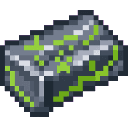
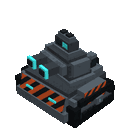
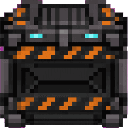
Place the Frontier Arrival Platform where you want to establish an arrival site. Use Frontier Rocket items to place rockets, then follow their in-game prompts to travel. For a more advanced launch area, the Elite Launchpad recipe produces four blocks:


Vehicles
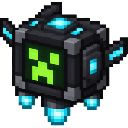
Many vehicles have their own placer items. Use one in a suitable open space to spawn the vehicle, then follow its interaction prompt. The selection includes land, air, and water options, from rovers and tanks to jets and submarines.
Creep Base X
Explore the Nether for Creep Base X. Interact with its residents to discover what they trade or offer. The base includes several kinds of Creepers, such as traders, engineers, scientists, pilots, guards, and archivists.
Crafting And Obtaining
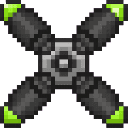
Creeprite equipment is a useful early technology goal. Refined Creeprite Ingots can be crafted into plates and rods:
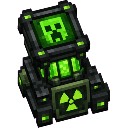
Use those components to work toward Creeprite tools and equipment. Other recipes branch into vehicle parts, weapons, drones, launch pads, and machines such as the Alloy Smelter, Creeper Fabricator, and Creeprite Reactor.
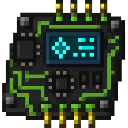
Some recipes use advanced materials such as Energy Crystals, Neural Processors, Void Shards, or Quantum Alloy. Keep these resources as you find them; they are used in later technology and equipment.
Abilities And Mechanics
- Placement items such as vehicle placers and the Frontier Rocket place their associated vehicle or structure in the world. Leave enough space for large vehicles.
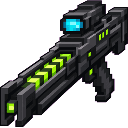
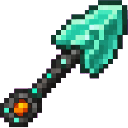
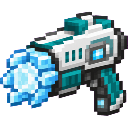
- Creeprite gear includes a full set of tools as well as weapons such as the Creeprite Railgun, Energy Blade, and Cryo Blaster.
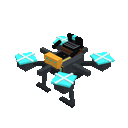
- Frontier equipment includes drones, utility machines, and building pieces for developing an outpost.
- Creeper Credit appears in some crafting recipes and is part of the mod’s trade-and-economy theme.
Progression And Strategy
- Establish an arrival site and try out Frontier Rocket travel.
- Gather Creeprite materials and make plates and rods for your first tools and components.
- Explore alien terrain for unfamiliar resources, then invest in advanced machines, drones, and vehicles.
- Prepare suitable equipment before exploring dangerous areas or confronting unfamiliar creatures.
- Visit Creep Base X regularly: its residents, trades, services, and secrets offer another path for discovering what the frontier has to offer.
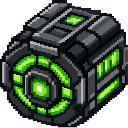
Recipes












































How to install
Download the mod and follow the step-by-step installation guide.
This mod is licensed under the CreativeMode Mods License.