

Description
Craft Everything turns survival into a true craft-everything experience by adding crafting-table recipes for many normally creative- or operator-only items — placeable water and lava source blocks, functioning End and Nether portal blocks, command/structure/barrier blocks, spawners, debug sticks, end portal frames, knowledge books, dragon eggs, trial spawners, vaults and more — so you can make them legitimately at a table without cheats. The mod also dynamically generates recipes so you can craft doors, trapdoors, slabs and stairs out of virtually any vanilla block (stair recipes accept mirrored patterns) and uses special ingredients like Water Blob, Lava Blob, End Portal Shard, Nether Portal Spark and Structure Void; generated variants adopt Banana Blossom Biome textures when available and now render correctly in-world and in inventories. Recent fixes make open/closed trapdoor models respect the direction you place them (so trapdoors open the right way for affected families) and improve stained-glass door/slab/trapdoor/stair texture coverage, while crafting remains as simple as placing the appropriate ingredients on a crafting table.
Mod Wiki
Craft Everything
Quickstart
- Open your crafting table — all recipes are automatically unlocked when you load a world.
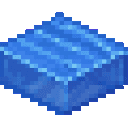
- Craft a Block of Water (Water Blob) by combining Ice + Blue Dye, then place it in the world to create a water source block.
- Look in the Craft Everything creative tab for the four special placeable items and browse the recipe book for the full list of newly craftable blocks.
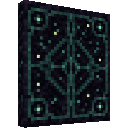
- To build an End Portal immediately, craft Block of End Portal shards and place them directly in the world.
Overview
Craft Everything removes the creative-mode or operator requirement from dozens of blocks that are normally unobtainable in survival. Every block is crafted at a standard crafting table with no special tools. The mod also dynamically generates door, trapdoor, slab, and stair variants for virtually every vanilla block, so you can build with shapes that were never available before.
What It Adds
Special Placeable Items
These four items are unique to the mod. Each one is held and placed like a normal block item, but places a block that vanilla normally forbids in survival:
| Item | Places | Obtained By |
|---|---|---|
| Block of Water | Water source block | Craft |
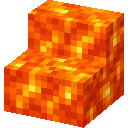
| Block of Lava | Lava source block | Craft |
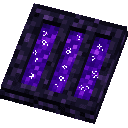
| Block of Nether Portal | Functioning Nether Portal block | Craft |
| Block of End Portal | Functioning End Portal block | Craft |
All four appear in the Craft Everything creative tab.
Normally Unobtainable Blocks — Now Craftable
The following vanilla blocks gain crafting recipes:
- Barrier, Structure Void, Structure Block, Jigsaw
- Command Block, Repeating Command Block, Chain Command Block, Command Block Minecart
- Spawner, Trial Spawner, Vault
- End Portal Frame, Dragon Egg, Knowledge Book, Debug Stick
- Bedrock, Reinforced Deepslate, Budding Amethyst
- Grass Block, Mycelium, Podzol, Tuff, Calcite, Cobweb, Crying Obsidian, Obsidian (alternative recipe), Light
- Earth, Fire, Water, and Wind variant paintings
- Test Block, Test Instance Block, and more
Dynamic Block Variants
The mod generates door, trapdoor, slab, and stair versions of virtually every vanilla block. This means you can craft, for example, a Barrier Door, a Command Block Staircase, or an Obsidian Trapdoor — shapes that do not exist in unmodded Minecraft. These variants render correctly in-world and in your inventory.
Crafting And Obtaining
Special Ingredient Recipes
These four crafted items are ingredients or placeables used throughout the mod:
Selected Notable Recipes








All recipes are available in the in-game recipe book automatically when you join a world — no advancement or unlock step is needed.
How To Use
Placing Fluid and Portal Blocks
- Block of Water and Block of Lava: Hold the item and right-click any surface. A full source block is placed immediately, exactly like placing any solid block.
- Block of Nether Portal and Block of End Portal: Place them the same way. The portal block is live and functional as soon as it is placed — no frame construction required.
Using Dynamic Variants
Craft the desired door, trapdoor, slab, or stair from the recipe book. Place them exactly like their vanilla counterparts:
- Slabs stack into full blocks when placed on the same face.
- Stairs are placed directionally and accept both normal and mirrored crafting patterns.
- Trapdoors open and close with a right-click and respect the direction you place them.
- Doors are two blocks tall and open with a right-click or redstone signal.
Abilities And Mechanics
- Command Blocks crafted here function identically to those obtained via operator commands — they execute commands when powered by redstone.
- Spawner (crafted) places as an empty spawner. Use a Spawn Egg on it to set which mob it spawns.
- Trial Spawner and Vault work exactly as they do in Trial Chambers.
- Debug Stick lets you cycle through block states on any block, same as in creative mode.
- Knowledge Book can be held and used to grant recipe knowledge.
- Budding Amethyst grows amethyst buds naturally over time once placed.
- Barrier, Structure Void, Jigsaw, and Structure Block all retain their full vanilla functionality.
Progression And Strategy
- Start early by crafting Grass Block, Mycelium, and Podzol to set up farms and biome-specific builds without relying on finding the right terrain.
- Craft Crying Obsidian and then Block of Nether Portal items to place Nether Portals wherever you like — handy for building portal networks without carving out traditional frames.
- Use the End Portal Shard (Block of End Portal) to construct custom End Portal rooms in your base.
- Unlock Barrier blocks early to create invisible walls and protected zones without needing operator access.
- The dynamic slab and stair recipes dramatically expand your build palette — experiment with unusual materials like Bedrock Stairs or Command Block Slabs for unique aesthetic builds once you have the harder ingredients.
How to install
This Java mod can be used on Windows and Mac PCs with the CreativeMode Launcher or any Minecraft launcher of your choice.

1. Download and install the new CreativeMode Launcher

2. Click to play on the top of the screen.

3. That's it — launches instantly. No complicated setup required.
Want to use on a different launcher? Download mod and manually install.
This mod is licensed under the CreativeMode Mods License.