

Description
Single-wire tripwires that shoot, retract, and accept access codes—now fixed and reliable
Mod Wiki
Codewire Trigger
Quickstart
- Craft a Codewire Trigger using string, redstone, and a tripwire hook.
- Place it on top of a block — it only attaches facing upward.
- When you place it, you'll automatically receive an Access Tablet in your inventory. Hold onto this!
- Walk near the trigger (without authorization) to watch it fire — it extends, pulses redstone power to nearby blocks, then retracts.
- To set or change who's allowed near the trigger, equip your Access Tablet and use it on the trigger to open the code entry screen.
Overview
Codewire Trigger turns a simple crafted block into a smart, single-wire tripwire sensor. Unlike a normal tripwire, it doesn't need string strung across multiple blocks — it works as a standalone detector that watches the area around it and reacts to unauthorized entities passing by.
Each trigger can be locked with an access code. Players carrying a matching tablet can walk past freely, while anyone without the code (or without a tablet) will set it off.
What It Adds
- Codewire Trigger — a placeable redstone sensor block with two visual states: idle and triggered.
- Access Tablet — an item automatically given to you when you place a trigger, used to manage that trigger's access code.
How To Use
Placing the Trigger
- The Codewire Trigger can only be placed on the top face of a block (facing up), similar to a tripwire hook.
- Placing it registers it in the world and immediately gives the placer an Access Tablet linked to that specific trigger.
Triggering It
- The block continuously scans its surroundings for entities.
- If an entity without the correct access code enters range, the trigger fires: it plays an extending sound, switches to its "triggered" visual state (with a taller hitbox), and sends a burst of redstone power to adjacent blocks — perfect for powering doors, traps, or alarms.
- After a short pulse, it retracts on its own, plays a retracting sound, and resets to idle, ready to fire again.
Setting an Access Code
- Equip the Access Tablet tied to a specific trigger.
- Use the tablet on that trigger block to open a form where you can type in an access code.
- Entering a code locks the trigger so only players/entities carrying a tablet with the matching code can pass without setting it off.
- Leaving the code field blank clears the trigger's access requirement, letting it react to everyone again.
- Each tablet remembers the code it was set to, so you can carry multiple tablets for multiple triggers with different codes.
Breaking the Trigger
- Breaking the block drops a Codewire Trigger item, ready to be placed again elsewhere.
Crafting And Obtaining
Craft the Codewire Trigger at a crafting table using string, redstone dust, and a tripwire hook:


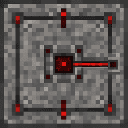
The Access Tablet cannot be crafted — it is only obtained automatically by placing a Codewire Trigger block.
Abilities And Mechanics
- Redstone Output: When triggered, the block pulses redstone power to neighboring blocks, then automatically stops after a short delay.
- Selection Box Changes: The trigger's hitbox grows taller while in its "triggered" state, reflecting the extended tripwire visual.
- Non-Solid: The trigger doesn't conduct redstone like a wire and has no collision — entities can walk over or through it freely.
- Persistent Registry: Each placed trigger keeps track of its own location, ID, and access code, even after the world is reloaded.
Progression And Strategy
- Use multiple Codewire Triggers around a base or hidden area as an early-warning system — anyone without the right access code passing nearby will set off redstone-powered alarms, lights, or traps.
- Distribute tablets with matching codes to trusted players so they can move through guarded zones without setting off alarms.
- Combine several triggers with different codes to create layered security zones, each requiring a specific tablet to pass safely.
- Because the trigger resets automatically after firing, it can be reused indefinitely as a recurring perimeter alert rather than a single-use trap.
How to install
Download the mod and follow the step-by-step installation guide.
This mod is licensed under the CreativeMode Mods License.