

Description
A dimension where you can walk on air with the boots of air from the ore, you can get back down by jumping and pressing use on an empty hand which will activate feather falling and you will glide down, you can also make bridges from thin air with the staff of earth made by putting 2 gold in the middle and bottom and the 1 in the top left corner and 1 in the top right corner, then the earth ore in-between the gold at the top
Mod Wiki
Cloudstep Realm
Quickstart
- Craft a Cloudstep Compass with four gold ingots and a regular compass . Use it and choose Cloudstep Realm to travel there; use it again to return.
- Explore the realm and mine Air Ore and Earth Ore to collect their crystals.
- Craft and equip the Boots of Air in your feet slot. They create temporary clouds beneath you over empty space, letting you walk across the air.
- To descend safely, keep your main hand empty and hold Jump while falling. The boots give you Slow Falling so you can glide down.
- Craft the Staff of Earth and use it while facing open space to make a short bridge ahead of you.
Overview
Cloudstep Realm is a high, rolling dimension with a landscape of Skygrass, Cloudsoil, Cloudstone, and Skygravel. Air Ore and Earth Ore provide the crystals used to make its signature gear.
The Cloudstep Compass provides travel to and from the realm. The Boots of Air help you cross gaps, while the Staff of Earth creates bridges through empty space.
What It Adds
| Item or block | Use |
|---|---|
| Cloudstep Compass | Opens the travel menu for Cloudstep Realm and returning. |
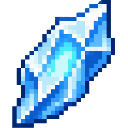
| Air Crystal | Drops from Air Ore; used to craft and repair Boots of Air. |
| Earth Crystal | Drops from Earth Ore; used to craft the Staff of Earth. |
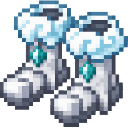
| Boots of Air | Create temporary footholds over empty space and let you glide down. |
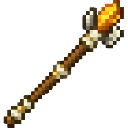
| Staff of Earth | Makes an Earth Bridge in the direction you face. |
| Skygrass, Cloudsoil, Cloudstone, Skygravel | Blocks that form the realm’s terrain and shores. |
| Ethereal Cloud | Temporary footholds created by the Boots of Air. |
| Earth Bridge | A bridge block placed by the Staff of Earth. |
How To Use
Travel with the Cloudstep Compass
Use the compass to open its travel menu and select the destination shown. Use it again in Cloudstep Realm to return.
Walk and glide with the Boots of Air
Equip the boots in your feet slot. When you move over empty space, they place an Ethereal Cloud beneath your feet. The clouds are temporary: a foothold fades after you leave it, so keep moving if you are crossing a wide gap.
While descending, hold Jump with your main hand empty to trigger Slow Falling. The effect lasts about five seconds and can be triggered again while you fall.
Build with the Staff of Earth
Hold the staff and use it while facing the direction you want to cross. It places up to five Earth Bridge blocks in a straight horizontal line at your level, filling air but not replacing existing blocks.
Crafting And Obtaining
Mine Air Ore and Earth Ore in Cloudstep Realm to obtain Air Crystals and Earth Crystals.
Craft Boots of Air from four Air Crystals:

Craft the Staff of Earth from an Earth Crystal and four gold ingots:


The Cloudstep Compass recipe is shown in the Quickstart.
Abilities And Mechanics
- Air footholds: Boots of Air place an Ethereal Cloud beneath you when the space below is empty. They work outside Cloudstep Realm too.
- Safe descent: With the boots equipped, an empty main hand and holding Jump while descending triggers Slow Falling.
- Earth bridges: The Staff of Earth fills up to five air blocks in the horizontal direction you face. Existing blocks are left untouched.
Progression And Strategy
Start by using the compass to reach Cloudstep Realm, then gather both kinds of ore. Air Crystals let you make boots for crossing open gaps; Earth Crystals let you craft a staff for building a more direct path. Keep your main hand empty when you need to slow your fall, and use the staff where its straight bridge will help you reach the next stretch of terrain.
How to install
Download the mod and follow the step-by-step installation guide.
This mod is licensed under the CreativeMode Mods License.