

Description
Take on randomized survival contracts and spin Chaos Spinner rewards in Minecraft.
Mod Wiki
Chaos Randomizer
Quickstart
- Start a run with
/randomizer start. A random contract is assigned and your progress appears in the sidebar. - Obtain Chaos Spinners with
/randomizer give, craft one using the recipe below, or use/give @s chaos-randomizer-bae2npc5:chaos_spinner. - Try the assigned contract:
- Wander: Move 128 blocks away from your starting point.
- Survive: Remain in the world for 60 seconds.
- Use the Chaos Spinner: Right-click a Chaos Spinner three times.
- Hold a Chaos Spinner in your main hand or off-hand and use it to reroll an active contract and receive a random item. If the active contract requires spinner uses, each accepted use advances its progress.
- Check your objective with
/randomizer status.
Using a Chaos Spinner with no active run starts a run and gives you a random gift, but does not count as a use for the newly assigned contract.
Overview
Chaos Randomizer gives you a randomly selected survival contract whenever you start a run. Complete the contract before the run ends to receive a diamond and two Chaos Spinners.
The active contract, current progress, and target are tracked in the sidebar. Progress updates during play, and /randomizer status displays the current objective in chat.
What It Adds
Chaos Spinner
The Chaos Spinner is a stackable item that can be crafted, awarded for completing contracts, or obtained with commands. Using it produces one random gift from the following pool:
- Bread
- Torch
- Iron Nugget
- Arrow
- Glowstone Dust
A short cooldown prevents the spinner from being used repeatedly in the same instant.
How To Use
Starting a run
Use:
/randomizer start
This begins a new run at your current location and assigns one of the available contracts. Starting again resets the current run and chooses a new contract.
Tracking progress
The contract progress is shown in the sidebar while a run is active. You can also use:
/randomizer status
Using a Chaos Spinner
Right-click while holding a Chaos Spinner. The result depends on your current contract:
- During a Wander or Survive contract, the spinner rerolls the contract and gives you one random gift.
- During a Use the Chaos Spinner contract, the use counts toward the contract and gives you one random gift.
- With no active run, the use starts a run and gives you one random gift.
A normal spinner action consumes one Chaos Spinner. Players in Creative mode do not lose the item.
Rerolling with a command
Use:
/randomizer reroll
For an active Wander or Survive contract, hold a Chaos Spinner in either hand to reroll the contract. The spinner is consumed outside Creative mode. During a spinner-use contract, the command counts as one spinner use instead of choosing a new contract.
If no run is active, this command starts one.
Ending a run
Use:
/randomizer stop
This ends the current run without awarding its completion reward.
Crafting And Obtaining
Craft a Chaos Spinner with amethyst shards and a clock:


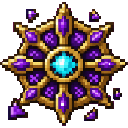
You can also obtain three Chaos Spinners at any time with:
/randomizer give
For direct item commands, use:
/give @s chaos-randomizer-bae2npc5:chaos_spinner
Completing a contract awards:
- 1 Diamond
- 2 Chaos Spinners
Abilities And Mechanics
Available contracts
| Contract | Target | How to complete it |
|---|---|---|
| Wander 128 blocks from your starting point | 128 blocks | Travel horizontally away from the location where the run began. Your greatest distance reached is retained as progress. |
| Survive for 60 seconds | 1,200 ticks | Stay in the world while the run is active until the timer is complete. |
| Use the Chaos Spinner 3 times | 3 uses | Use a Chaos Spinner three times while this contract is active. |
The Wander contract measures horizontal distance, so vertical movement does not contribute to the target. Returning closer to your starting point does not remove your greatest recorded progress.
Contract completion
When the target is reached, the run ends automatically. The completion reward is placed in your inventory, and the progress sidebar is hidden when no other player has an active run.
Progression And Strategy
- Use
/randomizer startnear a safe base if you receive the Wander contract and want a convenient reference point. - Keep spare Chaos Spinners available. They can reroll unwanted contracts and are also the objective for spinner-use contracts.
- A Survive contract can be completed by securing a shelter and waiting out the timer.
- Use
/randomizer statuswhenever you need to confirm the current contract and progress. - Save the two awarded Chaos Spinners after completion so the next run can be rerolled or completed quickly.
How to install
This Java mod can be used on Windows and Mac PCs with the CreativeMode Launcher or any Minecraft launcher of your choice.

1. Download and install the new CreativeMode Launcher

2. Click to play on the top of the screen.

3. That's it — launches instantly. No complicated setup required.
Want to use on a different launcher? Download mod and manually install.
This mod is licensed under the CreativeMode Mods License.